Professional Video Editing Software, Ranked for Real Work
Professional Video Editing Software Ranked at a Glance · How We Ranked Professional Video Editing Software · #1 DaVinci Resolve 21: Best Overall for Professional Work · #2 Adobe Premiere 27.0: Best for Teams and Creative Cloud Shops · #3 Final Cut Pro 12.4: Best for Mac and iPad Editors · #4 Avid Media Composer 2026.8: Best for Shared Projects and Broadcast · #5 Lightworks v2026: Best Low-Cost Alternative With a Free Tier · #6 VEGAS Pro: Traditional Timeline Editing With Thin Vendor Evidence · Comparison Table: All Six Editors Side by Side · What Changed in the Last Three Months · What Working Editors Say About These Tools · Titles, Intros and Export: What Editors Still Need Beyond the Timeline · Best Pick for Three Budgets and Four Workflows · Overall Verdict on Professional Video Editing Software · Common questions
The best professional video editing software in November 2026 is DaVinci Resolve 21 for most editors, with Adobe Premiere 27.0 a close second for anyone who lives inside Creative Cloud. Final Cut Pro 12.4, Avid Media Composer 2026.8, Lightworks v2026 and VEGAS Pro fill out the list. Adobe’s November 2026 Creative Cloud update brought Premiere 27.0, so every pick below is the newest release of its line as of today.
This ranking sorts six editors by what a working editor gets for the money. Every figure comes from vendor pages read on November 22, 2026. Where a price shows up in only one source, the text flags it as reported and the comparison table leaves it out. If you only want a head-to-head, our DaVinci Resolve vs Premiere comparison covers that pair in more depth.
Here, professional means an editor that handles camera RAW, multi-track audio, color work and delivery masters without a plugin pile. It does not mean a phone app with a paid tier. Those belong in a different guide. The six picks below clear the same bar: a real timeline, real finishing tools and a vendor that still actively supports the product.
Professional Video Editing Software Ranked at a Glance
The order below is final. Each pick gets its own section with specs, price, a verdict and a note on who should buy it.
- DaVinci Resolve 21 from Blackmagic Design. Edit, color, effects and audio in one app, with a free edition and a paid Studio edition.
- Adobe Premiere 27.0. The standard for teams and for editors who share projects with After Effects, Photoshop and Frame.io.
- Final Cut Pro 12.4. A fast Mac and iPad editor for solo work, sold one time or inside Apple Creator Studio.
- Avid Media Composer 2026.8. The shared-project specialist for TV, film and facility work.
- Lightworks v2026. A long-running editor with Free, Create and Pro tiers and a fresh interface.
- VEGAS Pro. A traditional timeline editor from VEGAS Creative Software, ranked last because the vendor pages we could read confirmed the least.
EDIUS and other broadcast-focused editors did not make the list. Our current facts sheet held no verified version or price data for them, and a ranking built on guesses helps nobody.
How We Ranked Professional Video Editing Software
We scored each editor on six criteria and weighted them by how often they decide a purchase for creators and small studios. The scores are editorial judgment, not benchmark results. We did not render test projects. The inputs are the vendors’ own product pages, release notes, press releases and pricing pages, all read on November 22, 2026.
| Criterion | Weight | What we looked at |
|---|---|---|
| Finishing depth | 25% | Color, audio and effects tools inside the editor, without a second app |
| Cost to own | 20% | Free tiers, one-time prices, subscription cost over a year |
| Collaboration and pipeline | 15% | Shared projects, cloud tools, links to companion apps |
| Camera and delivery support | 15% | RAW formats, color spaces, output limits on the cheaper tiers |
| Release momentum | 15% | Newest version, date of the last update, AI tools actually shipped |
| Ecosystem and learning curve | Not listed | Size of the hiring pool, tutorials, plugin and template support |
Two rules shaped the final order. First, a pick had to be the newest model of its product line. Earlier lines such as Premiere 26.5 appear below only as predecessors. Second, a claim that only one source supported cannot sit in a table, so some cells point you to the text instead of showing a number. You can browse the rest of our editing software guides if you want narrower comparisons.
Each verdict places the editor in our ranking. Resolve comes out on top with Premiere close behind, followed by Final Cut Pro, Media Composer, Lightworks and VEGAS Pro. The gap between first and second is small. Your own workflow can flip that order, and the budget section near the end shows where. VEGAS Pro’s low placement partly reflects how little the vendor’s pages let us confirm, and we say so in its verdict.
#1 DaVinci Resolve 21: Best Overall for Professional Work
Specs and price (checked November 22, 2026). Blackmagic’s product page names DaVinci Resolve 21 as the newest model on sale. The free edition costs nothing. The paid edition, DaVinci Resolve Studio 21, carries a regular price reported at $295 as a one-time purchase. Blackmagic announced a 20% promotion that cut Studio to $236 through November 20, and one source says it has expired. Another reading of the store still shows the reduced figure, so confirm the price at checkout. Blackmagic’s support readmes list the exact build for each release, and one report puts the latest build at 21.2, dated November 4, 2026.
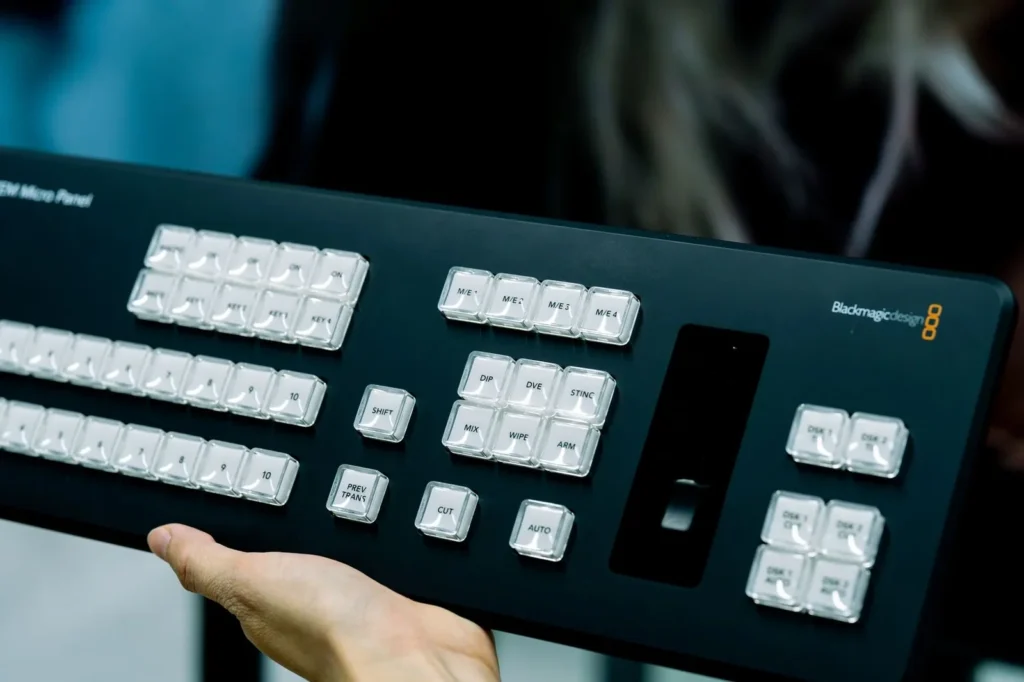
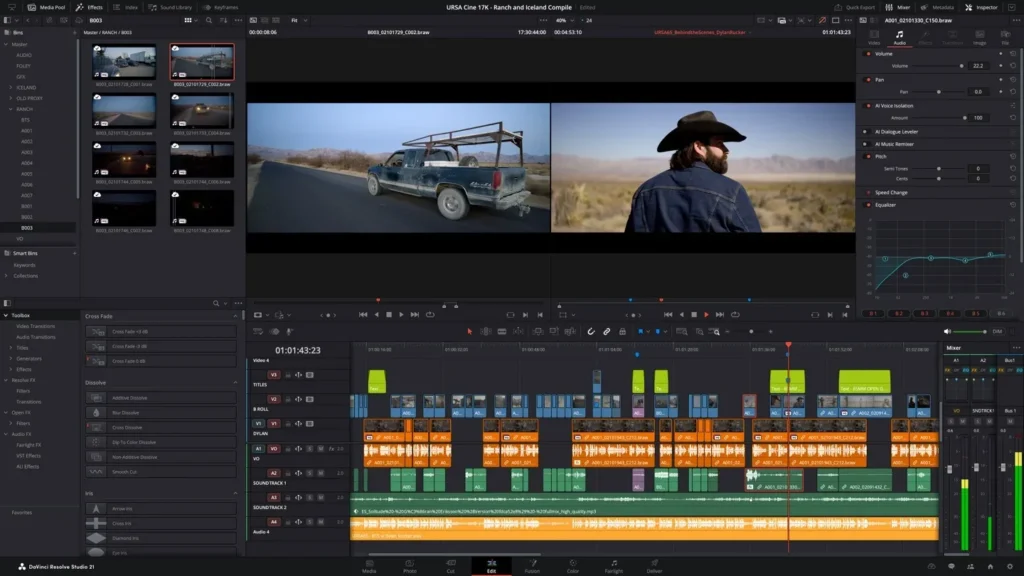
Resolve is one application for editing, color grading, visual effects, motion graphics and audio. That is the main reason it tops the list. You cut, grade and mix in the same project file, so there is no round trip to a second program and no conform step. For a solo editor or a small studio, that saves hours on every job and removes a whole class of relink errors.
What Studio adds over the free edition
Blackmagic’s documented limits for the free edition are mastering and output up to Ultra HD and one processing GPU on Windows and Linux. Studio lifts both. According to the product page, it adds multiple-GPU support, 4K output, temporal and spatial noise reduction, HDR tools, camera tracking, voice isolation, extra Resolve FX, stereoscopic tools and remote rendering. Most YouTube and client work never touches those limits. If you are unsure, our free versus Studio breakdown walks through which features matter at which job size.
Blackmagic’s materials for Resolve 21.1 highlight support for NVIDIA RTX Spark systems on Windows and for Apple M6 chips, mainly to speed up AI processing in Studio. Blackmagic also publishes its own AI speed claims against specific ARM-based Windows laptops without NVIDIA RTX graphics. Those are vendor figures against a narrow baseline, so treat them as a direction, not a promise for your machine. Blackmagic Cloud handles collaboration.
New users should expect a learning curve. The page-based layout rewards people who learn all of it, and punishes people who only want to trim clips. Our walkthrough on editing a YouTube video in Resolve shows a short path through the Edit and Deliver pages that skips the rest. A solo creator can finish a first project in an afternoon that way, then add color and Fusion work later.
The cost picture is the strongest part of the case. A new editor can start at $0, publish for months and never hit a paywall unless a job needs 4K output or a second GPU. When the job does need it, the upgrade is a single purchase. Compare that with a subscription that bills every month whether or not you edited anything. For a freelancer with uneven work, a one-time Studio purchase is easier to defend to an accountant.
Verdict. Resolve sits first because it scores highest on the two heaviest criteria: finishing depth and cost to own. You get a full grading and audio suite at no charge, and a single payment for Studio when you outgrow it. It gives up some ground to the pick below on ecosystem, since in our judgment Premiere has the larger pool of editors who already know it, and more third-party template packs target Adobe. Buy it if you want one app to do everything and you are willing to spend a week learning it. Skip it if your team already shares Creative Cloud libraries and cannot move. Weighted score: 90 out of 100.
#2 Adobe Premiere 27.0: Best for Teams and Creative Cloud Shops
Specs and price (checked November 22, 2026). Adobe’s desktop release is Premiere 27.0, shipped in November 2026. The previous release line was 26.5, with 26.5.3 listed in the release notes for November. Adobe now sells the app simply as Adobe Premiere, and a source reports the change from Premiere Pro came with version 26.0 in January 2026. Help pages and older articles still say Premiere Pro, which can muddy a search. Premiere is subscription only. Adobe’s plan page reportedly lists the individual single-app plan at $22.99 a month on an annual plan billed monthly.
Adobe’s Black Friday banner on its own pages offers 55% or more off Creative Cloud Pro through November 27. Creative Cloud Pro, which bundles Premiere with more than 20 other Adobe apps, is reported at $34.99 a month for the promotional period and $69.99 a month normally. If you need After Effects or Photoshop as well, that bundle price is the number to compare, not the single-app price.
Adobe’s release notes list a long set of 27.0 changes. Color Mode, a new grading workspace, is now generally available. A Generative Media tool generates video, sound effects, soundscapes and music on the timeline, using Adobe Firefly and partner models from Google, Kling, Runway and Luma. Generative Remove, which erases objects such as boom microphones and logos, and AI Assistant, which runs multi-step edits from a plain-language request, both arrive as betas. Paper Edit builds a sequence from selected transcript text. Adobe also reworked the Effects panel, added new effects and transitions, improved Object Mask controls and redesigned the Speed and Duration controls.
Camera support grew too. Version 27.0 added Sony FX5 support, ARRICORE import, expanded ProRes RAW control, more Sony BURANO X-OCN resolutions and Canon Cinema RAW Light support for several newer cameras. It also improved hardware decoding on NVIDIA Blackwell cards. One source reports native Windows-on-ARM support for NVIDIA’s RTX Spark chip with TensorRT acceleration for selected on-device AI features. Adobe also maintains an iPhone edition of Premiere. If a phone workflow matters to you, see our roundup of mobile video editing apps for the alternatives.
One compatibility trap deserves a mention. Adobe’s release notes carry a warning that projects saved in v25.6.0 cannot be opened in other v25.x versions. The lesson holds beyond that one build: a team should move to a new version together and plan the upgrade for a gap between jobs, not the middle of one. Starting with version 26.0, macOS Sonoma (version 14) is the minimum requirement on the Mac.
Verdict. Premiere ranks second, close behind Resolve. It beats every other pick on ecosystem and team workflow, and it matches Resolve on release momentum. It loses to Resolve on cost, because there is no free tier and no one-time option, so the subscription keeps adding up every year. It also loses on built-in color depth, though the new Color Mode narrows that gap. Buy it if you collaborate with After Effects and Photoshop users, hire freelancers who already know it, or need team licensing. Skip it if you edit alone on a tight budget.
#3 Final Cut Pro 12.4: Best for Mac and iPad Editors
Specs and price (checked November 22, 2026). Apple’s release notes list Final Cut Pro 12.4 as the newest version. It added editing of Cinematic mode effects recorded in Final Cut Camera, including focus point and depth of field changes in the timeline. Final Cut Pro runs on Mac and iPad. The Mac app needs macOS 26.6 or later. You can buy it one time for $299.99 on the Mac App Store, or get it inside Apple Creator Studio at $12.99 a month or $129 a year in the US, per Apple’s October 27, 2026 newsroom post.
The Creator Studio bundle holds Final Cut Pro, Logic Pro and Pixelmator Pro on Mac and iPad, plus Motion, Compressor and MainStage on the Mac. New subscribers get a one-month trial, and buyers of a new Mac or a qualifying iPad can get three months. Apple also kept one-time purchases for the companion apps: Motion at $49.99, Compressor at $49.99, Logic Pro at $199.99, Pixelmator Pro at $49.99 and MainStage at $29.99. Some Creator Studio intelligence features inside Final Cut Pro for Mac require the subscription, so the one-time purchase is not feature-identical to the bundle.
The editing model is the draw. Final Cut Pro uses a trackless Magnetic Timeline, where clips ripple and reflow without you managing track locks. Some editors find that faster for interviews, vlogs and documentary assembly. Others hate it on first contact. Apple’s documentation for the iPad edition also reportedly describes generating an image from a text description or transforming an existing image for use in a project, and says the iPad version needs iPadOS 26.6 or later.
Cost is the other point in its favor. At $299.99 once, Final Cut Pro undercuts Premiere’s reported prepaid subscription after a little over a year. It also costs more up front than the free edition of Resolve. For a direct look at that trade, see our Final Cut Pro versus DaVinci Resolve comparison. A freelancer who already owns a Mac pays nothing extra for the hardware, which tilts the math further.
Verdict. Final Cut Pro takes third place with 79 out of 100. Against Premiere it loses on team features and cross-platform reach. Nothing on Apple’s pages we checked describes a team license, and the app does not run on Windows. Against Resolve it loses on built-in color and audio depth. It wins for the solo Mac editor who wants a fast timeline and a one-time price. Buy it if you work on a Mac or an iPad and cut alone or in a pair. Skip it if any collaborator is on Windows.
#4 Avid Media Composer 2026.8: Best for Shared Projects and Broadcast
Specs and price (checked November 22, 2026). Media Composer 2026.8 is the newest release identified in Avid’s current materials. Avid’s pricing page lists four tiers: First, Standard, Ultimate and Enterprise. The pages we could read do not expose a price for the paid tiers, so we cannot quote one. Avid describes First as a no-cost entry point for students and emerging editors. A source reports that Avid still sells a perpetual license with optional support plans, and that eligible Ultimate customers can upgrade to Enterprise for a promotional $99 through December 31, 2026, with proration-based pricing replacing that offer on January 1, 2027.
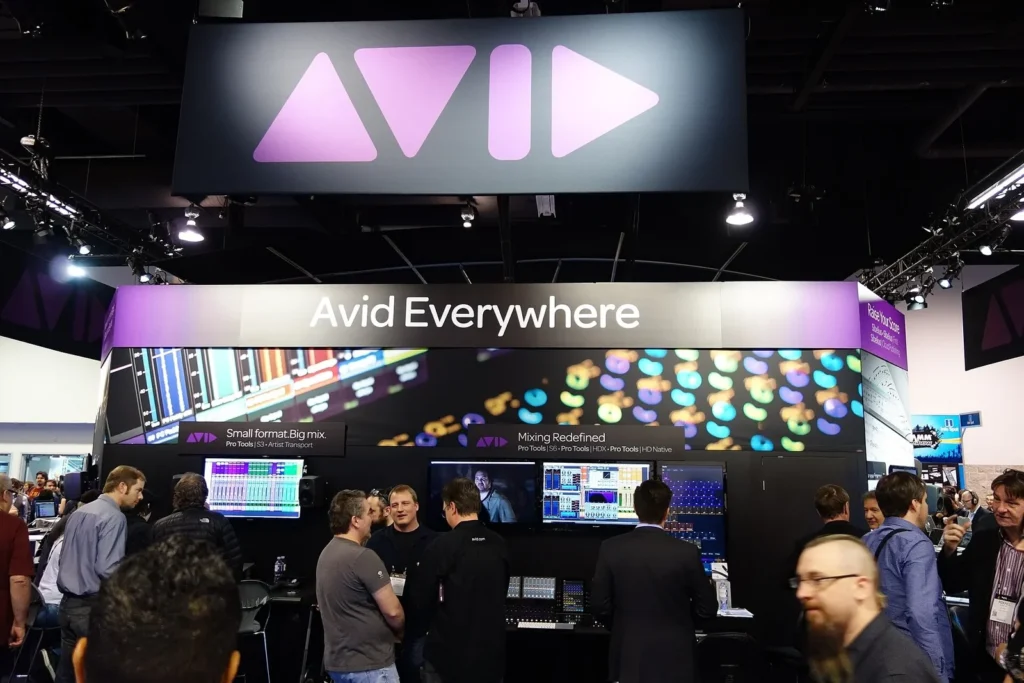
The 2026.8 release is about collaboration. Shared Projects works with Avid NEXIS storage from the Standard tier upward, and Enterprise adds supported collaboration on qualified third-party storage. The release also brought PhraseFindAI Multicam Auto Cut and an updated OpenTimelineIO 2.0 adapter, which improves round-trip fidelity when you exchange timelines with other applications. Avid’s customer FAQ explains that Ultimate users on third-party storage who do not upgrade to 2026.8 can keep working as they do now, but they cannot share projects with Enterprise users on 2026.8.
On November 10, 2026, Avid announced Ready to Play, an optional AI extension for Media Composer Ultimate and Enterprise. It offers Create Video, Modify Video and Analyze Video workflows built on Google AI models, including Gemini and Veo. Avid says the extension carries no additional charge from Avid. Access to the supported Gemini models needs an eligible Google Cloud billing account and may incur Google Cloud usage charges. Avid’s announcement names Kenna Hilburn as Chief Product Officer.
Avid’s page lists color spaces that include Rec. 709, DCI-P3, Rec. 2020 and ACES, plus mono, stereo, 5.1 and 7.1 audio layouts. That reads like a facility spec sheet because it is one. Media Composer’s strength is a team of editors, assistants and sound people working in the same bins on the same storage without stepping on each other. Ready to Play is positioned as a capability inside Media Composer, not a separate editor and not a replacement for it.
Verdict. Media Composer lands below Final Cut Pro in our ranking. It loses to Final Cut Pro on cost clarity, because Avid’s public pages do not show paid-tier prices, and in our judgment on learning curve, since the interface rewards long familiarity. It beats every pick above it on structured team workflow, which is why it still anchors film and TV post. Buy it if your project comes with a mandate for Avid delivery, a shared storage system or a facility that already runs it. Skip it if you are a solo creator who never works with other editors.
#5 Lightworks v2026: Best Low-Cost Alternative With a Free Tier
Specs and price (checked November 22, 2026). Lightworks’ own pricing page names the current line as Lightworks v2026, with three account-based tiers: Free, Create and Pro. The official knowledge base describes v2026.1 as the first major update in the series. Prices reported for November 2026 are $0 for Free, from $9.99 a month for Create and $23.99 a month for Pro. Free users can export up to 1080p, including portrait formats, according to the knowledge base. Licensing follows your Lightworks account and is managed in the user portal.
The v2026 update is a visible overhaul. The interface got a new theme, the Inter typeface, SVG icons, redesigned cursors and better high-DPI scaling. Workflow changes include multi-tab layouts, Project Spaces, built-in project backup, enhanced Collections, drag-and-drop tags, saved searches and a combined Export panel with presets. The audio mixer gained full automation and flexible routing, with one unified mixer for source clips and sequences. Lightworks says it remains available for Windows, macOS and Linux.
Read one warning before you open an old project. Lightworks states that v2026.1 introduces foundational project-data changes and that it cannot guarantee full backward compatibility, so back up everything first. If you are weighing it as a no-cost option, our guide to free video editing software puts its Free tier next to the other zero-cost editors.
Verdict. Lightworks ranks fifth with 64 out of 100. It loses to Media Composer on collaboration and to every pick above on finishing depth, since the tools we confirmed cover editing and audio but not a full grading and effects suite. Its Free tier is a real option for a small channel that needs a proper timeline, though it caps at 1080p, which Resolve’s free edition does not. Buy a paid tier if you want a modest monthly price and a clean interface. Skip it if you need color grading depth or 4K delivery on a free plan.
#6 VEGAS Pro: Traditional Timeline Editing With Thin Vendor Evidence
Specs and price (checked November 22, 2026). VEGAS Pro remains an actively supported product. The vendor’s own site published a support article, How to Fix a Blurry Video with Vegas Pro, updated on November 21, 2026, and its pages carry a 2026 Boris FX copyright line. That is nearly all we could verify. We could not confirm a current version number from the vendor’s pages, so we do not name one. Reported prices for November 2026 are $17.95 a month, $99.95 a year or $219.95 perpetual for VEGAS Pro, $149.95 a year for VEGAS Pro Plus and $199.95 a year for VEGAS Pro Ultimate. Treat those as unconfirmed until you see them on the vendor’s checkout page.
The vendor lists a free trial, and the reported pricing includes a perpetual option, which makes VEGAS Pro one of several picks you can own outright, alongside Final Cut Pro and Resolve Studio. For an editor who hates subscriptions and wants a conventional multitrack timeline, that is a reason to look. The reported $219.95 perpetual price sits below Final Cut Pro’s $299.99 and below Resolve Studio’s reported $295, though none of the three sells the same feature set.
Ownership matters here too. Older descriptions of the product under MAGIX ownership may be out of date, since the pages we read carry Boris FX branding. If you read an older review that quotes MAGIX-era plans and prices, discard it. We found no rumor of a discontinuation, a rename or a sale in the sources we checked.
Verdict. VEGAS Pro’s standing here reflects evidence as much as capability. Against Lightworks it loses on recent, documented updates, because we could not tie a specific release or a dated feature list to the current product. It wins on a reported perpetual price. Buy it if you already know the interface and want to own your license. Skip it if you need verified AI tools, team features or documented RAW camera support. Before you buy, read the current feature list on the vendor’s page, not a review.
Comparison Table: All Six Editors Side by Side
The table below holds only facts that two sources confirmed or that sit on the vendor’s own page. Cells that say see section point to a reported price or limit discussed above.
| Spec | #1 DaVinci Resolve | #2 Adobe Premiere | #3 Final Cut Pro | #4 Media Composer | #5 Lightworks | #6 VEGAS Pro |
|---|---|---|---|---|---|---|
| Newest version named by vendor | DaVinci Resolve 21 | Premiere 27.0 | Final Cut Pro 12.4 | Media Composer 2026.8 | Lightworks v2026 | Not confirmed |
| Vendor | Blackmagic Design | Adobe | Apple | Avid | Lightworks | VEGAS Creative Software (Boris FX) |
| Editions or tiers | Free and Studio | Individual and teams plans | Standalone Mac app, or Apple Creator Studio | First, Standard, Ultimate, Enterprise | Free, Create, Pro | See section |
| Pricing model | Free edition plus paid Studio | Subscription only | One-time or subscription | Tiered subscription | Account-based tiers | See section |
| Free route | Free edition | None | Creator Studio trial | First tier (entry) | Free tier | Free trial |
| One-time purchase | Studio (see section) | No | Yes, $299.99 | Perpetual license (see section) | No | See section |
| Subscription price in numbers | None needed | See section | $12.99 a month or $129 a year (Creator Studio) | Not published on pages read | See section | See section |
| Runs on | Windows, macOS, Linux | Desktop and iPhone | Mac and iPad | See Avid system requirements | See section | See vendor page |
| Free-tier output limit | Ultra HD or lower, one GPU on Windows and Linux | No free tier | No free tier | Not confirmed | Capped below Pro (see section) | Trial only |
| Team and shared projects | Blackmagic Cloud | Teams plan, Frame.io link | No team tier on pages read | Shared Projects on NEXIS from Standard | Not a focus | Not confirmed |
| Companion apps | Edit, color, effects and audio in one app | After Effects, Photoshop, Frame.io | Motion, Compressor, Logic Pro, Pixelmator Pro, MainStage | Avid NEXIS storage | Standalone | Standalone |
| AI tools named by vendor | AI tools in Studio | AI Assistant (beta), Generative Remove (beta), Generative Media | Creator Studio intelligence features | Ready to Play (Ultimate, Enterprise) | None confirmed | None confirmed |
| Latest confirmed update | Resolve 21 series | November 2026 | Not listed | September 1, 2026 | v2026 series | Support article November 21, 2026 |
| Best for | Solo editors and small studios | Teams in Creative Cloud | Mac and iPad solo editors | Facilities and TV post | Budget editors | Existing VEGAS users |
| Biggest weakness | Steep learning curve | No one-time option | No Windows version | Prices not public | Shallower finishing tools | Least verified by vendor |
| Rank and weighted score | 1st, 90 | Not listed | 3rd, 79 | Not listed | 5th, 64 | Not listed |
One row deserves a second look. The Runs on row is thin for Media Composer, Lightworks and VEGAS Pro because we did not capture clean system-requirement pages for them. Check the vendor’s requirements before you buy, particularly the GPU and OS version, since 2026 releases keep raising minimums. Final Cut Pro’s macOS 26.6 floor and Lightworks’ move to macOS 11 in its v2026.1 beta are two examples.
What Changed in the Last Three Months
Professional editors rarely get this many meaningful updates in one quarter. Here is the dated sequence, built from vendor announcements and release notes:
- September 1, 2026: Avid ships Media Composer 2026.8 with broader Shared Projects options.
- September 29, 2026: Apple releases Final Cut Pro 12.4 with Cinematic mode editing.
- October 16, 2026: Lightworks documents v2026.1 as the first major update in the v2026 series.
- October 2026: Blackmagic announces support for NVIDIA RTX Spark and Apple M6, plus a temporary Studio promotion.
- October 27, 2026: Apple expands Apple Creator Studio with new AI features and keeps one-time purchases for its companion apps.
- November 4, 2026: A report dates Resolve 21.2 to this day, with Gen 6 LUT support among the changes.
- November 10, 2026: Adobe ships Premiere 27.0, and Avid announces Ready to Play on the same day.
We found no qualifying change for any of the six during the final week, November 15 to 22. A third-party panel for Resolve and a performance note on Final Cut Pro’s Face Collections appeared in the results, but neither is a product launch, a price change or a rename. The ranking therefore reflects the state of the market as it stood after the November 10 releases.
How to read AI and speed claims
Three of the six picks now carry AI features, and the claims differ in kind. Blackmagic’s speed figures compare specific tasks on specific hardware. Adobe labels AI Assistant and Generative Remove as betas, which means behavior and pricing can change. Avid’s Ready to Play depends on a Google Cloud billing account, so the cost sits outside Avid’s invoice. None of these changes the core ranking, because cutting, grading and mixing still carry most of the weight. They do matter when two editors tie on the basics.
A practical test: ask what you would pay if the AI tool disappeared tomorrow. If the answer is nothing, treat the feature as a bonus. If the answer is a lot, you are buying a service as well as a license, and you should read the service terms the way you would read a cloud contract.
What Working Editors Say About These Tools
Reiter used the older Premiere Pro name, and both speakers appear in an Adobe-hosted discussion. That tells you what Adobe’s own contributors value, which is the all-in-one project and fast dialogue work. It does not tell you how they would rate the other five editors. We found no verifiable quote from a working editor about Resolve, Media Composer, Lightworks or VEGAS Pro, so we did not include any.
Apple’s October 27, 2026 announcement gives a different kind of evidence. It shows Apple folding Final Cut Pro into a subscription bundle while keeping a one-time Mac purchase alive. That tells you the company expects some editors to want each model. Blackmagic’s Studio edition makes a parallel point from the hardware side: it adds multiple-GPU support, so your GPU setup affects what you get.
Titles, Intros and Export: What Editors Still Need Beyond the Timeline
Every editor in this ranking can cut a project, but none of them ships a finished channel intro or a branded title sequence out of the box. You build those in the editor, in a motion tool or from a ready-made template. If you need a short opener for a series, our comparison of title sequence tools shows what Resolve, After Effects and Jitter each do well. For a smoke-style title, Vipid’s smoke title sequence theme shows the kind of finished motion graphic you can drop into any of these timelines.
Output limits that change what you can deliver
The limits that matter most sit on the cheaper tiers. Check these before you commit to a plan:
- Resolve’s free edition masters and outputs up to Ultra HD and uses one processing GPU on Windows and Linux. Studio lifts both limits and adds 4K output.
- Lightworks Free exports up to 1080p, per its knowledge base, including portrait formats for vertical video.
- Final Cut Pro has no free edition, only a trial, so there is no output cap to worry about once you pay.
- Premiere is paid at every level, so the limit is the plan you pick, not a resolution cap.
- Media Composer’s tier differences center on Shared Projects and AI extras, based on the pages we read.
From the Vipid archive. If you want to see the resolution, length and frame rate of a finished intro before you build your own, the Vipid intro themes page lists those specs for each theme.
Best Pick for Three Budgets and Four Workflows
Rank order is not the only way to choose. Money often settles it faster. The table below maps common budgets and setups to a pick, with the runner-up in the last column.
| Budget or use case | Best pick | Why | Runner-up |
|---|---|---|---|
| Free | DaVinci Resolve (free edition) | Full edit, color and audio tools, output up to Ultra HD | Lightworks Free, capped at 1080p |
| Monthly subscription | Adobe Premiere 27.0 | Team plans, companion apps and the newest AI tools, from a reported $22.99 a month | Apple Creator Studio at $12.99 a month, if you use a Mac |
| One-time purchase | Final Cut Pro 12.4 at $299.99 | Pay once, runs on Mac and iPad | DaVinci Resolve Studio, reported at $295 |
| Facility or shared storage | Avid Media Composer 2026.8 | Shared Projects on NEXIS or qualified third-party storage | Adobe Premiere on a teams plan |
For a YouTuber starting out, the free Resolve edition is the safest bet. You can learn on it, publish on it and upgrade later without converting a single project. If your work is mostly fast social cuts, our CapCut versus DaVinci Resolve comparison will tell you whether a lighter editor does the job. For a client-facing studio, Premiere’s team plan or Media Composer’s shared storage usually justify their price within a single project.
Cost over time shifts the math. At the reported prepaid Premiere rate of $263.88 a year, three years costs roughly $790. Final Cut Pro at $299.99 once is well under half of that. Resolve Studio at a reported $295 once is nearly identical to Final Cut Pro. Creator Studio at $129 a year totals $387 across three years but includes six apps, so it wins if you use Logic Pro or Motion.
Match the pick to the job, too. A solo documentary editor on a Mac will likely enjoy Final Cut Pro’s Magnetic Timeline. A wedding or corporate shooter who also does color work will get more from Resolve. An agency that hands motion graphics to a separate team should lean toward Premiere. A post house cutting episodic TV on shared storage already knows the answer, and it is Media Composer.
Overall Verdict on Professional Video Editing Software
DaVinci Resolve 21 is the best pick for most readers because it combines the deepest finishing toolset with the lowest cost to own. Adobe Premiere 27.0 wins when your team, your freelancers and your other software all revolve around Creative Cloud. Final Cut Pro 12.4 wins for Mac and iPad editors who want a one-time price. Media Composer 2026.8 wins on shared projects. Lightworks v2026 works as a budget option, and VEGAS Pro stays on the list for existing users who want a perpetual license.
A short buying checklist: pick the editor your collaborators already use, confirm the price on the vendor’s checkout page, read the output limits of your tier and back up projects before upgrading to a new version line. Lightworks and Premiere both warn about project compatibility across versions.
Common questions
What is the best professional video editing software in 2026?
DaVinci Resolve 21 ranks first in this guide, with Adobe Premiere 27.0 second. Resolve leads because it bundles editing, color, effects and audio, and it offers a free edition. Premiere leads on team workflow and ecosystem.
Is Premiere Pro still called Premiere Pro?
Adobe’s current plan pages call it Adobe Premiere. One source says the shorter name arrived with version 26.0 in January 2026. Older help pages and many articles still use Premiere Pro, so search for both names.
Is DaVinci Resolve really free for professional work?
The free edition has no subscription and covers editing, color and audio. Its documented limits are output up to Ultra HD and one processing GPU on Windows and Linux. Studio removes those limits and adds tools such as noise reduction and HDR.
Can I buy Final Cut Pro once, or do I need a subscription?
You can buy it once for $299.99 on the Mac App Store, or get it through Apple Creator Studio at $12.99 a month or $129 a year. Some Creator Studio intelligence features require the subscription.
What does Avid Media Composer cost?
The Avid pages we read list four tiers (First, Standard, Ultimate and Enterprise) without showing paid-tier prices. Check Avid’s pricing page and its perpetual license page for a current figure before you plan a budget.
Which editor is best for a Mac?
Final Cut Pro 12.4 is built for Mac and iPad and needs macOS 26.6 or later. Premiere also runs on the Mac, and Resolve is cross-platform, so the better choice depends on whether you work alone or with a team.
Why is VEGAS Pro ranked last?
VEGAS Pro is still an active product, but the vendor pages we could read did not confirm a current version, a dated feature list or official prices. It ranks last on evidence, not on proven weakness, and you should check the vendor page yourself.
Do I need professional editing software for YouTube?
Not always. A free edition of Resolve or Lightworks handles most channels. Pay for Studio, Premiere or Final Cut Pro when you hit an output limit, need team features or want the newest AI tools.
More from the Vipid blog
- Best Green Screen Software for Chroma Keying, Ranked
- YouTube Intro Template [2026]: 5 Tools, 3 Routes, $0 Start
- End Credits Template [2026]: 6 Editors, $0 to $299.99
- Adobe Premiere 27.0 [2026]: 8 New Effects, Native ARM
- Which After Effects Alternative Fits Logo Animation?
- Vipid intro themes resolution, length and frame rate per theme
- Promo themes product and channel promos
- Sample videos finished Vipid intros
- Vipid intro maker make a custom intro in the browser
Jonah Reyes
Jonah Reyes is the Editing & Export Editor at Vipid. He covers editing software, export settings and codecs, and the video specs of YouTube, Shorts, TikTok and Reels, plus OBS and screen recording. He builds Vipid’s spec tables from the platforms’ own documentation and re-checks them every 60 to 90 days, so the numbers in a guide match what the upload dialog actually accepts.