Mobile Video Editing: Which App to Use on Your Phone

How we ranked mobile video editing apps · The ranking at a glance: six mobile editors · 1. Adobe Premiere on mobile: best free mobile video editing app · 2. CapCut: best for AI tools and templates · 3. VN Video Editor: best free editor with no watermark · 4. LumaFusion: best one-time purchase for mobile editing · 5. Final Cut Pro for iPad: best for Apple Creator Studio users · 6. DaVinci Resolve for iPad: best for a free start on a recent iPad · Mobile video editing apps compared side by side · Where each mobile editor puts the paywall · Mobile video editing workflow: from camera roll to export · Which phone or tablet to edit on in late 2026 · What changed in phone editing over the past three months · Overall verdict: best mobile video editing pick for three budgets · Common questions
Mobile video editing now comes down to six apps that are all actively maintained as of November 20, 2026. Only one of them is free for core editing on both iPhone and Android: Adobe’s Premiere on mobile. It takes the top spot below. CapCut, VN, LumaFusion, Final Cut Pro for iPad and DaVinci Resolve for iPad follow, ranked by what each app costs, what it limits, and how much it has changed lately.
The autumn of 2026 reshuffled this category. Adobe published its November 10 Creative Cloud and Firefly announcement the same day it put licensed Universal Music Group and Warner Music Group tracks into Premiere on iPhone. Premiere Rush went dark on devices where it was installed on September 30. CapCut rebuilt its plans in March. Apple added new Final Cut Pro tools to Apple Creator Studio on October 27.
This guide covers phone and tablet editors only. If you cut on a laptop, our ranking of free video editing software covers the desktop side. Everything here was checked on November 20, 2026, and the comparison table shows that date once instead of repeating it in every cell.
How we ranked mobile video editing apps
We scored each app on six criteria and weighted them toward what a creator pays or loses before the first export. A beautiful timeline means little if the free tier stamps a logo on the final clip or the app only runs on hardware you do not own.
| Criterion | Weight | What it measures |
|---|---|---|
| Free tier and export limits | 25% | Whether core editing and export cost nothing, and which caps or watermarks apply |
| Editing depth | 20% | Tracks, keyframes, speed control and audio tools on a small screen |
| Price and licence model | 20% | Cost of the paid tier, one-time purchase versus subscription, regional price swings |
| Device coverage | 15% | iPhone, Android, iPad, ChromeOS and the hardware floor |
| AI, captions and music | Not listed | Built-in assists and licensed audio |
| Update cadence | Not listed | Dated release notes and announcements from the past three months |
Free-tier terms carry the most weight because they decide whether you can finish a project without paying. Editing depth comes second. Price and licence model sits level with it, since a one-time purchase and a monthly plan cost very different amounts over two years. Device coverage matters because a tablet-only app cannot serve someone who edits on a phone.
Every pick had to be the current version of its product line. That rule matters for two entries. Blackmagic lists DaVinci Resolve 21 as its newest release, so the iPad entry is judged against that line. Apple still sells Final Cut Pro for iPad under that name, now inside Apple Creator Studio, so it is judged as a subscription product.
One popular app is missing on purpose. InShot is a well-known mobile editor, but we could not retrieve a usable official store, website or release-note page for it in this check. Rather than rank an app on third-party hearsay, we left it out and explain why in the common questions at the end.
The ranking at a glance: six mobile editors
Here is the order before the detail. Each entry gets its own section below with specs, price, who it suits and a verdict.

- Adobe Premiere on mobile: free core editing on iPhone and Android, licensed music, the most active update trail.
- CapCut: the widest AI and template toolset, but plan names and prices shift by region.
- VN Video Editor: free and watermark-free with a multitrack timeline and 4K at 60 fps export.
- LumaFusion: a $29.99 one-time buy with pro features behind an optional Creator Pass.
- Final Cut Pro for iPad: Apple’s pro editor on a subscription, tablet only.
- DaVinci Resolve for iPad: free to start, Studio is an in-app purchase, and it asks for a recent iPad.
The top four run on phones. The last two are tablet apps, so they rank lower for anyone searching for mobile video editing on a phone, even though both are strong editors on the right iPad. If you own an iPad and no phone-sized screen matters to you, read the list from the bottom.
1. Adobe Premiere on mobile: best free mobile video editing app
Adobe’s product language in November 2026 uses three names for the same thing: Premiere on iPhone, Premiere on Android and Premiere mobile. The core apps are free. Adobe says users pay only when they want generative AI credits, which can come from a subscription or arrive bundled with most Creative Cloud plans.
- Price: free core editing on iPhone and Android, paid generative credits optional.
- Android floor: Android 13 or later and at least 5 GB of RAM.
- Newest dated update: November 10, 2026, adding trending and genre-based music to the iPhone timeline.
- Recent features: Slip editing (June 2026), one-tap background removal from the current timeline frame (July 2026), Draw in Premiere Mobile through Adobe Fresco on iPhone (September 2026).
- Replaces: Premiere Rush, which stopped being available for download on September 30, 2025 and was discontinued on installed devices on September 30, 2026.
The free tier is the headline. Adobe’s core Premiere mobile apps are free, with free editing and export, though some generative-AI features need paid access or credits. That is the reason it ranks first among the phone apps here: you can finish a project on your phone at no cost.
Music is where the November update matters. Adobe added hundreds of thousands of licensed tracks through its UMG and WMG partnerships, starting on iPhone on November 10. The clips are for personal, non-commercial use, and Adobe said you can add up to 60 seconds of a popular track. Projects that need commercially licensed audio still route through Adobe Stock Audio, so a monetized YouTube channel should not lean on the popular-music library.
Adobe also described Quick Cut, a tool that picks footage from your camera roll and builds an editable first cut from a plain-language instruction. Separately, Adobe announced an AI Assistant for Premiere mobile as a private beta on November 10. It is not generally available, so treat it as a preview and do not plan a workflow around it yet.
The Android story needs one caveat. Adobe’s community forum carries an announcement dated October 9, 2026 that the app had reached Android, and Adobe’s current pages list both platforms. Generative features were confirmed on iOS in the material we retrieved, but we could not confirm that every Firefly-powered feature had reached Android by November 20. If you edit on a Pixel or Galaxy phone, check the feature list in the Play Store before you count on generative tools.
Adobe’s editing additions this year read like a list a working editor would write. Slip editing fine-tunes a clip’s contents without moving its position on the timeline. One-tap background removal saves a trip to a separate app. Draw in Premiere Mobile brings transparent animations and drawings made in Adobe Fresco into a video, though the release note lists iPhone support only. None of these is flashy, but they show Adobe filling in the basics of a timeline editor month by month.
Verdict: Premiere on mobile sits first because it combines a free core tier, both phone platforms and the clearest dated update trail of the six. Nothing ranks above it, so its weak spots are the ones to know. The licensed music is personal use only, the AI Assistant is still a private beta, and generative credits cost extra. Download it first if you want a capable free editor on iPhone or Android and you do not need paid templates or a large pile of AI effects.
2. CapCut: best for AI tools and templates
CapCut remains an actively maintained editor on iOS, Android, tablet, desktop and web. The newest mobile release we found is version 20.2.0, with bug fixes and an improved trimming experience. The iOS listing asks for iOS 15.0 or later. CapCut is also still listed in the US App Store and Google Play as of this week.
- Plans reported: Free, Pro, Ultra and Teams, with Standard and Pro as the documented paid membership tiers.
- US App Store prices: Pro at $19.99 per month or $89.99 per year, Standard at $9.99 per month. Prices vary by region, platform, taxes and promotions.
- Pro benefits changed in 2026: AI credits rose from 550 to 1,200 and cloud storage grew from 100 GB to 1 TB.
- Teams in Germany: 14.99 euros per seat per month or 120 euros per seat per year.
CapCut’s plan history explains why its pricing looks messy. On March 25, 2026 it told new subscribers that the previous pricing was gone, described an upgraded Pro plan and introduced the Standard plan. Anyone comparing a screenshot from early 2026 with a store listing today will see different numbers. CapCut reportedly states that displayed prices are reference figures and that the final charge depends on country, device, taxes, promotions and account status.
Regional spread is real. A German price capture dated November 5 reportedly listed Pro at 23.99 euros per month or 199.99 euros per year, which does not map neatly onto the US App Store figures above. If you plan to subscribe, open the checkout screen on your own device before you decide, and read the CapCut Pro download page for what the paid tier unlocks on your platform.
The AI direction is the draw. A third-party update tracker reports that CapCut World Los Angeles announced EditPilot prompt editing, edits from the preview window, web AI generation and a ChatGPT plug-in. CapCut’s own pages also preview Seedream 5.0 Pro for its AI image generator, but that is a preview, not a shipped feature. The 1,200 monthly credits on Pro matter because advanced AI functions draw on credits in some workflows.
One US-specific note. A Congressional Research Service report, as cited in a CapCut explainer, records that CapCut, TikTok and Lemon8 were removed from certain Apple and Google stores beginning January 18, 2025 and restored on February 13. The app is back and updating, but the episode shows why a creator whose income depends on one editor should keep project files and original clips backed up.
Verdict: CapCut ranks second because its AI and template reach is the broadest here, yet it loses to Premiere on pricing clarity. Premiere’s core tier is simply free, while CapCut’s costs depend on plan, region and storefront. Buy CapCut if short-form social video is the job and you want captions, templates and generative tools in one app. Hold off on the paid tier until you have confirmed the price on your own store and run a test export to see what the free tier outputs.
3. VN Video Editor: best free editor with no watermark
VN is the quiet pick of the group. It is free to download, the developer is listed as Ubiquiti Labs, LLC, and its listed capabilities include watermark-free editing, a multitrack timeline, auto captions, cross-device project transfer and export up to 4K at 60 fps. That feature set is close to what many creators pay for elsewhere.
- Price: free, including the Windows version.
- Export ceiling: up to 4K at 60 fps, per the app’s listed capabilities.
- Names: VN: Photo & Video Editor on mobile, VN: Video Editor on Windows.
- Distribution: official Android and Windows distribution through Uptodown began October 23, 2026, and a free Windows listing sits in the Microsoft Store.
The case for VN is straightforward. If you want watermark-free output and a real timeline without a subscription, it is the lowest-friction option on this list besides Premiere. The cross-device project transfer is useful for people who start a rough cut on a phone and finish on a bigger screen. The free Windows app extends that idea beyond Apple and Android hardware.
The unknowns are mostly about money and versions. A third-party App Store analysis lists version 2.25.0 as the newest iOS build, dated November 13, though sources disagree by a day, and we could not confirm that build from an official page. VN Pro pricing is murkier still. Reported App Store figures include $7.99 and $69.99 in the United States, while other storefronts show different amounts, and the billing periods are not stated clearly. Credit packs for AI features are also reported at several price points. Check the in-app purchase screen on your own store before paying.
VN also has less official paper trail than Adobe, Apple or Blackmagic. We found no reliable source naming a current head of the company or product, and no confirmed official changelog for the latest build. That does not make the app unsafe, but it does mean you are trusting store listings and a developer you cannot easily research.
Verdict: VN lands third because the free, watermark-free, 4K-at-60 combination is strong, but it gives up ground to CapCut on AI tooling and templates and to Premiere on dated, official release notes. Pick it if you want a no-cost editor for vertical and horizontal videos and can live without generative effects. Creators who need licensed music inside the app or a vendor with a public changelog should look higher up this list.
4. LumaFusion: best one-time purchase for mobile editing
LumaFusion is the only app in the ranking that asks for money up front and then stops. The US iPad App Store listing shows $29.99 as the app price, and LumaTouch still describes it as a paid app with optional purchases and an optional Creator Pass. Current coverage lists it as active on iPhone, iPad, Android and ChromeOS, so older claims that it is iPad-only are out of date.
- Price: $29.99 one time on the US iPad App Store.
- Creator Pass: bundles Speed Ramping, Advanced Keyframing, Adjustment Layers, additional iOS tracks, Multicam Studio and FCPXML export.
- Platforms: iPhone, iPad, Android and ChromeOS.
- Purchase rule: an iOS purchase does not unlock the Android version, so each store sells its own copy.
Reported figures for the extras: the iPad listing shows Creator Pass at $9.99 monthly or $69.99 yearly, and individual add-ons such as Speed Ramping and Keyframing, Multicam Studio, FCPXML Export and the CoreMelt PaintX plug-in at $19.99 each. These come from a single store snapshot dated November 9, so confirm them in the app.
What you get for the money is depth. Multicam Studio and FCPXML export point at a desktop-adjacent workflow, where an editor hands a project to Final Cut Pro or picks one up from it. Adjustment layers and advanced keyframing are the tools a creator reaches for when a simple cut-and-caption app runs out of room. Few free editors offer that combination, which is why LumaFusion still earns a place against free competition.
The cost structure has traps. A $29.99 headline price grows if you want Multicam Studio, speed ramping and FCPXML export, whether through the Creator Pass or as individual add-ons. The no-cross-store-unlock rule means an iPhone user who later buys an Android phone pays again. Teams that standardize on one device type avoid the problem, and households that mix platforms should count the double purchase.
We also found no dated LumaTouch release note we could verify for the past week, and no qualifying launch, price change or rename between November 14 and 20. That is a thinner public trail than Adobe’s or Apple’s, though the app is clearly still sold and supported.
Verdict: LumaFusion ranks fourth because its price model is honest and its pro features are deep, but it loses to VN on cost, since VN is free with no watermark, and to Premiere on access. Buy it if you dislike subscriptions, edit on both a phone and a tablet, and expect to use multicam or keyframes often enough to justify the add-ons. If you only trim clips and add captions, the free apps above cover you.
5. Final Cut Pro for iPad: best for Apple Creator Studio users
Final Cut Pro for iPad is part of Apple Creator Studio. It is a tablet app, and the requirements Apple lists name iPad chips only: iPadOS 26.6 or later and an iPad with an A16, A17 Pro or M1-or-newer chip. That is why it does not rank higher. A phone user cannot run it.
- Price: included in Apple Creator Studio, announced at $12.99 per month or $129 per year in the US, with a student price of $2.99 per month or $29.99 per year.
- Trial: one month free for new subscribers, and three months free when you buy a new Mac or qualifying iPad from Apple or an Apple Authorized Reseller.
- Requirements: iPadOS 26.6 or later, A16, A17 Pro or M1-or-newer chip.
- Mac version: Final Cut Pro for Mac is a separate $299.99 one-time purchase, and the iPad app is sold separately from it.
Apple’s October 27, 2026 Creator Studio announcement added built-in MotionVFX content and video footage in Content Hub to Final Cut Pro. An earlier June 30 update brought Generate Captions, Edit Detection and Creator Themes, with iPad compatibility on supported M1-or-newer, A16 and A17 Pro iPads. Apple reportedly said the November update would reach the App Store this month and would be free for existing subscribers.
One price conflict deserves a flag. The App Store listing we retrieved showed $6.99 per month or $69.00 per year for the iPad app, while the Creator Studio bundle was announced at $12.99 per month or $129 per year. The listing may reflect an older or separate plan, and we could not reconcile the two. Open the listing in your own region before subscribing.
Reported detail from a single source: Apple’s support page lists Final Cut Pro for iPad version 3.4 as current as of November 5, and version 3.0 in January reportedly added Transcript Search, Visual Search, background exports with Live Activities and external-monitor playback. We found no listing of a separate one-time purchase for the iPad edition, so a subscription looks like the route.
For creators already inside Apple’s ecosystem, the bundle logic works. Apple Creator Studio gathers several creative apps under one plan, so the iPad editor comes along with other Apple tools. Our editing software category collects our rankings and comparisons if you want to weigh that bundle against desktop alternatives.
Verdict: Final Cut Pro for iPad ranks fifth because it works on iPad only and costs a recurring fee, which loses to LumaFusion on device reach and to every free app above on price. Buy it if you own a recent iPad, already pay for Apple Creator Studio or plan to, and want Apple’s captioning and edit-detection tools in a touch-first editor. Phone-only creators can skip it.
6. DaVinci Resolve for iPad: best for a free start on a recent iPad
Blackmagic lists DaVinci Resolve 21 as its newest release, and its documentation shows desktop version 21.1.2 documented on October 23, 2026, with 21.2 reportedly following by November 4. The iPad app follows the same free-plus-Studio model: a free version, and DaVinci Resolve Studio as an in-app purchase reported at US$94.99 in the United States.
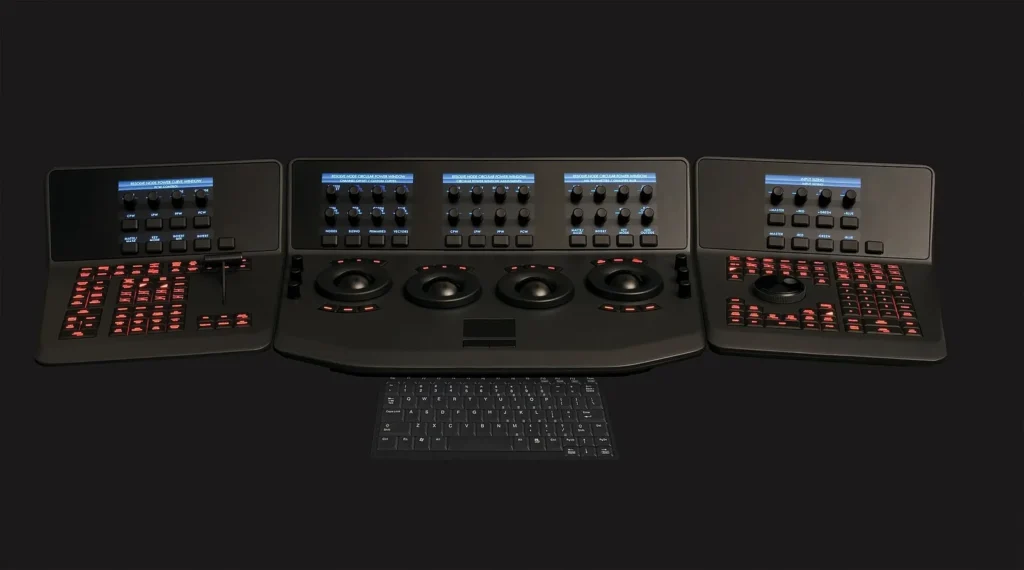
- Price: free version, Studio in-app purchase reported at US$94.99.
- Hardware: an iPad with an M1 chip or newer and 8 GB of RAM is recommended, and older iPads may be limited to HD.
- Studio adds: advanced noise reduction, additional AI tools, HDR tools, voice isolation and surround or immersive audio.
- Free edition limit (desktop readme): Ultra HD output or lower.
The caveat is data. We retrieved no iPad-specific release note and no current iPad App Store listing, and the most recent iPad-specific announcement we could identify dates to October 2022. Blackmagic’s official evidence confirms active development of the broader Resolve product, but not the present state of the iPad edition. We cannot tell you which version number the iPad app carries today, or which Studio features behave identically on a tablet.
That gap is the main reason it ranks last, not the app’s quality. Resolve has a long desktop track record, and the Studio features listed above suit creators who care about audio cleanup and HDR. Blackmagic has also reportedly advertised 20% off Studio in November in connection with newer Apple and NVIDIA hardware, though our material does not say whether the sale applies to the iPad purchase. Treat any iPad price as something to confirm in the App Store.
Blackmagic’s release documentation from September 8 also reportedly says it prefers a perpetual-license model to monthly fees for the desktop product. If that philosophy holds for the iPad Studio purchase, it would set Resolve apart from Final Cut Pro’s subscription route. We could not verify that it does, so we offer it as context, not a promise.
Verdict: DaVinci Resolve for iPad closes the ranking. It loses to Final Cut Pro for iPad on visible update history, since Apple published dated feature drops this year and we found nothing equivalent for the iPad app, and it asks for a recent iPad. Start with the free version if you own an M1-or-newer iPad with 8 GB of RAM and already use Resolve on a computer. If you do not, one of the four phone apps above is the safer start.
Mobile video editing apps compared side by side
The table below puts all six picks in one grid. Cells hold only figures we could confirm on November 20, 2026. Not confirmed means our check did not turn up a reliable source for that cell. Prices are US where a US figure exists.
| Spec | 1. Premiere on mobile | 2. CapCut | 3. VN Video Editor | 4. LumaFusion | 5. Final Cut Pro for iPad | 6. DaVinci Resolve for iPad |
|---|---|---|---|---|---|---|
| Platforms | iPhone, Android | iOS, Android, tablet, desktop, web | iOS, Android, Windows | iPhone, iPad, Android, ChromeOS | iPad | iPad (Resolve 21 on desktop) |
| Entry price | Free | Free tier | Free | $29.99 one time (US iPad App Store) | $12.99 per month or $129 per year (Apple Creator Studio) | Free version |
| Paid tier | Generative credits, by subscription or bundled with most Creative Cloud plans | Standard $9.99 per month, Pro $19.99 per month or $89.99 per year (US App Store) | Pro in-app purchase, price not confirmed | Creator Pass plus optional add-ons | Same Creator Studio plan | Studio in-app purchase, US$94.99 reported |
| Free tier or trial | Core editing free | Free tier | Free, watermark-free | None, paid app | One month free for new subscribers | Free version |
| Hardware floor | Android 13 or later, at least 5 GB RAM | iOS 15.0 or later on iOS | Not confirmed | Not confirmed | iPadOS 26.6 or later, A16, A17 Pro or M1-or-newer | M1 or newer and 8 GB RAM recommended, older iPads may be HD-limited |
| Editing tools | Slip editing, one-tap background removal | Improved trimming in version 20.2.0 | Multitrack timeline, auto captions | Speed Ramping, Advanced Keyframing, Adjustment Layers (Creator Pass) | Generate Captions, Edit Detection, Creator Themes | Studio adds noise reduction, HDR tools, voice isolation |
| Export ceiling confirmed | See Premiere section | Not confirmed | Up to 4K at 60 fps | Not confirmed | Not confirmed | Older iPads may be HD-limited |
| AI features | Quick Cut first cuts, Firefly generative credits | 1,200 monthly AI credits on Pro | Auto captions | Not confirmed | Apple Creator Studio intelligence features | Studio adds AI tools |
| Music and assets | Licensed UMG and WMG tracks, up to 60 seconds, personal use | Not confirmed | Not confirmed | Not confirmed | MotionVFX content, video footage in Content Hub | Not confirmed |
| Latest dated update | November 10, 2026 | November 17, 2026 (version 20.2.0) | October 23, 2026 (Uptodown distribution) | Not confirmed | October 27, 2026 | No iPad release note found |
| Lock-in notes | Replaces Premiere Rush | Price varies by region and platform | Developer is Ubiquiti Labs, LLC | iOS purchase does not unlock Android | Mac version is a separate $299.99 purchase | Desktop free edition limited to Ultra HD or lower |
| Best for | Free phone editing | AI and templates for short-form | No-watermark editing on a budget | One-time-purchase pros | Apple Creator Studio users | Recent-iPad owners who know Resolve |
Three patterns show up. First, free access wins the top three places, while paid-first apps sit below because they ask for money before you know the fit. Second, only VN has a confirmed export ceiling in our verified lines, so check the export screen of any app before you promise a client 4K. Third, the two iPad apps carry the strictest hardware floors.
Adobe’s export claim is the one gap you should read in context. It comes from a single retrieval of Adobe’s product page, so the Premiere section states it with a hedge and the grid points you there instead of printing it as settled fact.
Where each mobile editor puts the paywall
Every app here charges for something. The useful question is what, and when you find out. Before you sink hours into a project, run through the checks below. They take five minutes and they decide whether a free editor stays free for your use case.
- Export screen first. Open the export or share screen with a throwaway clip and read every option. A locked resolution, frame rate or codec shows up there before you have invested in captions.
- Template and asset rules. Templates and premium assets are where free tiers most often add a watermark or an ending clip. Our verified sources do not settle that question for CapCut, so test any template before you build a project on it.
- Music licence. Premiere’s popular-music library is for personal, non-commercial videos. A channel with ads or sponsorships needs commercially licensed audio.
- Store-specific pricing. App Store prices vary by region, platform, taxes and promotions. The number in a review is a guide, not a quote.
- Per-store purchases. LumaFusion on iOS does not unlock the Android app, so budget for each platform you use.
- Credits. AI features in CapCut and Premiere draw on credits, so a free month can run out faster than you expect when you lean on generative tools.
Where the paywall lands differs by app. Premiere puts it around generative AI credits and, reportedly, extra storage, which most clip-and-caption work never touches. CapCut puts it around AI credits and cloud storage, which short-form creators who lean on generative tools hit quickly. VN’s reported Pro tier and credit packs sit behind in-app purchases whose prices vary by storefront. LumaFusion puts it at the front door, plus add-ons for advanced tools.
Final Cut Pro for iPad and DaVinci Resolve for iPad sit at opposite ends. Apple charges a subscription from the first export after the trial. Blackmagic offers a free version and a Studio upgrade, with a reported US$94.99 in-app price. If your project fits inside the free version, Resolve is the cheaper iPad route. If it needs Studio features such as noise reduction or HDR tools, the comparison with Apple’s yearly bundle is closer.
Mobile video editing workflow: from camera roll to export
Pick the app first, then work in the same order every time. A fixed order cuts rework and keeps you from discovering a watermark after you have spent an evening on captions. The steps below apply to any of the six apps.
Shoot and organize before you open the editor
Shoot in the orientation you will publish in. Cropping a horizontal clip to vertical wastes resolution and often cuts the subject’s head. Clear storage before a shoot, because a phone that runs out of space mid-edit can drop a render. Sort clips into one album per project so the editor’s import screen stays short.
If your project mixes video with stills, a dedicated slideshow tool can save effort. Our photo-to-video app comparison covers apps built for that job, which is often faster than building every photo move by hand in a full timeline editor.
Rough cut first, polish second
Build the story in a rough cut with no titles, no music and no color work. Trim dead air, order the clips, and watch the whole piece once. Tools like Premiere’s Quick Cut or CapCut’s AI assists can propose a first pass, but you still need to judge pacing yourself. Add captions and audio only after the cut holds together.
Captions deserve their own pass. Most of the apps here advertise some form of auto captions, and Apple added Generate Captions to Final Cut Pro in June. Auto captions still need a read-through for names, product terms and punctuation. Leave the caption pass for last so a late trim does not push the text out of sync.
If the project opens with a branded intro made outside the phone, render that clip on a computer and import the file. From the Vipid archive: the intro themes list resolution, length and frame rate for each theme, which are the three numbers to check before you drop a clip onto a phone timeline.
Render settings and a test export
Export a short test before the final render. A ten-second clip shows you whether the free tier adds a logo, whether the frame rate matches your source and whether the audio levels survived. Use the export ceilings we could confirm as your starting point:
- VN: up to 4K at 60 fps, per the app’s listed capabilities.
- Premiere on mobile: Adobe’s product page reportedly promises unlimited 4K exports without watermarks at no charge, so verify it on your own device.
- DaVinci Resolve for iPad: older iPads may be limited to HD, and the desktop free edition caps output at Ultra HD.
- CapCut, LumaFusion, Final Cut Pro for iPad: we could not confirm an export ceiling, so run the test export and read the settings screen.
Keep the project file after export. Apps change plans, as CapCut did in March and Adobe did when it retired Premiere Rush, and a saved project plus the original clips is the cheapest insurance against a vendor decision you did not make.
Which phone or tablet to edit on in late 2026
Your device decides your shortlist more than any feature list does. Apple lists the iPhone 17 as its newest standard model, the iPhone 18 Pro and iPhone 18 Pro Max as the newest Pro models, and the iPad Pro and iPad Air with M5 as the newest iPads. Google’s store lists the Pixel 11 family, with the Pixel 11 Pro XL as its newest XL model, and Samsung lists the Galaxy S26 Ultra as its newest S Ultra. Those are the current names to match against the hardware floors above.
| Device | Start with | Why |
|---|---|---|
| iPhone 18 Pro Max | Premiere on mobile, then CapCut | Free core editing and licensed music on iPhone, with CapCut as the AI-heavy alternative |
| iPhone 17 | VN or LumaFusion | VN costs nothing, LumaFusion adds pro tools for a one-time fee |
| Pixel 11 Pro XL | Premiere on Android, CapCut | Confirm the phone meets Adobe’s Android 13 and 5 GB RAM line |
| Galaxy S26 Ultra | Premiere on Android, VN | Same Adobe floor applies, and VN is available through official Android distribution |
| iPad Pro with M5 | Final Cut Pro for iPad or DaVinci Resolve | Both meet the M1-or-newer hardware requirements |
| iPad Air with M5 | LumaFusion or Final Cut Pro for iPad | A one-time buy or an Apple Creator Studio subscription, depending on how you like to pay |
Google lists the full Pixel 11 phone family on its store if you are weighing a new Android purchase. Our editing software rankings cover the desktop step of the workflow too.
We make no claim about chip speed, battery drain or thermal throttling on any listed phone, because the vendor pages we pulled do not publish editing-specific figures. Long 4K exports are heavy work on any phone. If battery and heat worry you, keep the charger plugged in and export a test clip first.
What changed in phone editing over the past three months
Four dated changes shaped this ranking. Knowing them helps you read older reviews with the right amount of suspicion.
- September 30, 2026: Adobe discontinued Premiere Rush on devices where it was installed, completing a replacement by Premiere on mobile and Premiere on desktop. New downloads had already ended on September 30, 2025.
- October 9, 2026: Adobe’s community forum announced Premiere on Android.
- October 27, 2026: Apple expanded Apple Creator Studio with new Final Cut Pro content and AI tools.
- November 10, 2026: Adobe added licensed UMG and WMG music to Premiere on iPhone and announced a private-beta AI Assistant.
CapCut’s biggest shift predates this window. Its March 25 membership restructuring and the April expansion of Pro to 1,200 credits and 1 TB are why price articles from early in the year look wrong now. Within the last seven days, the only dated release we found was CapCut 20.2.0 on November 17. We found no price change, rename, discontinuation or acquisition for any of the six apps.
Adobe’s Black Friday sale on Creative Cloud Pro, listed at 55% or more off and ending November 27, is worth a sentence because it can muddy the picture. The mobile app’s core tier is free either way. The sale only matters if you also want Adobe’s desktop apps.
Adobe’s own wording about Android has not been perfectly consistent across its pages. We followed the dated community announcement and the replacement language on the Rush discontinuation page, which names both iPhone and Android. If you see a conflicting line elsewhere, trust the newest dated Adobe page.
Overall verdict: best mobile video editing pick for three budgets
Match the app to the money you want to spend, then to the device you own. These three picks cover the common cases.
Budget $0: Premiere on mobile. It is free for core editing on iPhone and Android, it has the strongest dated update trail, and Adobe’s product page reportedly promises watermark-free 4K export. Pair it with VN if you want a second free editor with a confirmed 4K-at-60-fps export ceiling. Skip the licensed popular music if you monetize your channel and use Adobe Stock Audio instead.
Budget about $30, paid once: LumaFusion. The $29.99 US iPad price buys a multitrack editor without a subscription, and the Creator Pass covers advanced features if you outgrow the base app. Count the add-ons and the separate Android purchase before you commit. Creators who want AI and templates more than keyframes should spend their first month on CapCut’s free tier instead.
Budget under $13 a month, Apple ecosystem: Final Cut Pro for iPad. At $12.99 per month or $129 per year in Apple Creator Studio, you get a pro-grade iPad editor plus the rest of the bundle, and new subscribers get a month free. Check the App Store price in your region first because we saw a conflicting $6.99 listing. DaVinci Resolve for iPad remains the free-to-start alternative for people who already live in Resolve.
For the record, the rank order is Premiere first, CapCut second, VN third, LumaFusion fourth, Final Cut Pro for iPad fifth and DaVinci Resolve for iPad sixth. If your priority is phone-only editing on a zero-dollar bill, the first three decide it. If your priority is tablet-based pro editing, flip the list and start from the bottom.
Common questions
What is the best mobile video editing app in 2026?
Adobe Premiere on mobile ranks first here because core editing is free on both iPhone and Android and Adobe published dated updates through November 10, 2026. CapCut is the better choice if AI tools and templates matter more than price clarity.
Is there a mobile editing app with no watermark?
VN’s listed capabilities include watermark-free editing, and Adobe’s product page reportedly says its mobile app exports in 4K without watermarks at no charge. CapCut’s watermark behavior is not settled in our verified sources, so run a test export on your plan before you commit to a project.
Can I edit video on my phone for free?
Yes. Premiere on mobile, CapCut’s free tier and VN are all free to start, and DaVinci Resolve for iPad has a free version if you own an iPad. LumaFusion is the only app in this ranking with no free tier.
Which mobile editors work on both iPhone and Android?
Premiere on mobile, CapCut, VN and LumaFusion all list both platforms. Remember that a LumaFusion purchase on iOS does not unlock the Android version, so each store sells its own copy. Final Cut Pro for iPad and DaVinci Resolve for iPad are tablet apps.
Is Premiere Rush still available?
No. Adobe stopped offering new downloads on September 30, 2025 and discontinued Rush on devices where it was already installed on September 30, 2026. Adobe names Premiere on mobile and Premiere on desktop as the replacements.
Do I need an iPad for Final Cut Pro or DaVinci Resolve on mobile?
Yes, for the apps in this ranking. Final Cut Pro for iPad needs iPadOS 26.6 or later and an A16, A17 Pro or M1-or-newer iPad. DaVinci Resolve for iPad is recommended on an M1-or-newer iPad with 8 GB of RAM, and older iPads may be limited to HD.
Why is InShot not in this ranking?
We could not retrieve a usable official App Store, Google Play, website or release-note page for InShot during this check, so we had no confirmed prices or limits to rank it on. We will add it when an official source is available.
More from the Vipid blog
- YouTube Intro Template [2026]: 5 Tools, 3 Routes, $0 Start
- End Credits Template [2026]: 6 Editors, $0 to $299.99
- Apple Creator Studio Update [2026]: 9 Apps, $12.99/mo
- Title Card Maker [2026]: 6 Tools, $0 to $299.99
- Best Green Screen Software for Chroma Keying, Ranked
- Vipid intro themes resolution, length and frame rate per theme
- Promo themes product and channel promos
- Sample videos finished Vipid intros
- Vipid intro maker make a custom intro in the browser
Jonah Reyes
Jonah Reyes is the Editing & Export Editor at Vipid. He covers editing software, export settings and codecs, and the video specs of YouTube, Shorts, TikTok and Reels, plus OBS and screen recording. He builds Vipid’s spec tables from the platforms’ own documentation and re-checks them every 60 to 90 days, so the numbers in a guide match what the upload dialog actually accepts.