Which After Effects Alternative Fits Logo Animation?
The short answer: which After Effects alternative fits logo animation · After Effects 27.0: what you give up by leaving · Premiere: the Essential Graphics panel is gone, the job is not · DaVinci Resolve Fusion: free, node-based and cross-platform · Apple Motion 7.0: $49.99, Mac only, and a bigger toolbox · Specs side by side · What each option costs · Export formats and alpha: what leaves each app · Six scenarios and the pick for each · Frame by frame: the same logo sting in four tools · How the AI assistants change the choice · Migration guide: moving a logo out of After Effects · Pros and cons of each After Effects alternative · Verdict: which After Effects alternative to choose · Before you render
After Effects 27.0 shipped in November 2026, and it is still the deepest tool for building a logo reveal. For a five-second sting, though, three other apps can finish the job: the Fusion page inside DaVinci Resolve, Apple’s Motion, and the graphics tools built into Premiere. Which After Effects alternative fits depends on your operating system, your budget, and whether you need 3D, expressions or reusable templates.
Price is the reason most people start this search. Apple lists Motion at $49.99 as a one-time Mac purchase, according to Apple’s newsroom. Resolve’s free edition includes Fusion. After Effects stays subscription-only. Our earlier breakdown of what After Effects really costs for logo animation covers the plan maths, so this piece compares the alternatives on what they can actually build.
The short answer: which After Effects alternative fits logo animation
Pick Fusion if you want a free, cross-platform tool. Pick Motion if you own a Mac. Pick Premiere’s graphics tools if you already pay Adobe and the logo move is simple. Stay on After Effects if you need 3D materials, expressions or a template library that other people will edit.
- Fusion in DaVinci Resolve 21.2: the free edition includes the Fusion page, with output capped at Ultra HD. Best for Windows, Linux and Mac creators who want $0 and are willing to learn nodes.
- Motion 7.0: $49.99 once, Mac only. Best for Final Cut Pro users and anyone who thinks in layers and keyframes.
- Premiere 27.0 graphics tools: no extra cost if you already subscribe. Best for a logo bug, a simple scale-and-wipe, or a Motion Graphics template an editor can reuse.
- After Effects 27.0: the reference tool. Best when the logo needs 3D, expressions or hand-off to a team.
No alternative opens an After Effects project file, so every switch is a rebuild of the logo move rather than a conversion. That matters more than any feature list. A five-second sting with six layers takes an afternoon to recreate, and a 40-layer expression-driven comp can take days. Count the layers before you decide.
If your real goal is any free route at all, our roundup of free logo animation tools lists the browser and app options that skip desktop software entirely. The rest of this article stays with the four desktop applications that people actually weigh against After Effects, and with the specific question behind searches for logo animation after effects: what do you lose if you walk away?
After Effects 27.0: what you give up by leaving
Adobe’s release notes identify After Effects 27.0 as the November 2026 release, rolling out to Creative Cloud members in stages from early November. Adobe groups it with the 2027 generation of Creative Cloud apps and describes the program as motion graphics and visual effects software for film, television, video and web. It is subscription-only, with no perpetual licence on the plan pages.
So what do you lose by leaving? Three things, mostly. First, expressions: small scripts that drive one property from another, which is how studios build logo rigs that rebuild themselves for a new wordmark. Second, deep 3D and compositing, where After Effects stays the reference. Third, the template ecosystem. Many marketplace logo reveals ship as After Effects projects, which is why we wrote a separate guide to After Effects templates and what they cost.
Version 27.0 leans further into that depth. Adobe’s release notes reportedly list layer-based and Substance 3D materials for 3D text and shapes, editable Illustrator text import, an Adobe Stock panel and Contour Paint, plus more than 50 fixes. Treat that list as a single-source summary until you read the notes yourself. Adobe also runs a beta channel for After Effects, and its documented beta features include Quick Set Anchor and Alt or Option drag to duplicate a layer. Anchor points decide where a logo scales and rotates from, so Quick Set Anchor is the kind of small change that removes a dozen clicks from a reveal.
Adobe also keeps After Effects 26.5.3 as a supported stability branch while 27.0 is current, reportedly through October 2027. If your studio cannot move to a new major version mid-project, that older branch is the safe place to wait. Our comparison of After Effects 27.0 against Rive and Lottie covers the web-delivery side of the same decision, which is a different question from replacing the desktop tool.
There is a fair case for staying. If you already pay for a Creative Cloud plan that includes After Effects, the alternatives save you nothing and cost you a rebuild. If your clients send you After Effects projects to update, you need the program to open them. And if you sell logo reveal templates, your customers expect the file type. The honest summary: After Effects is the tool the others are measured against for logo animation. The alternatives win on price and on simplicity, not on depth.
Premiere: the Essential Graphics panel is gone, the job is not
Many tutorials still tell you to open the Essential Graphics panel in Premiere. Adobe replaced that panel in version 25.0 and moved its functions into Graphics Templates and the Properties panel. Reusable animated templates are called Motion Graphics templates, or MOGRTs. If a guide sends you hunting for a panel that no longer exists, it predates the change.
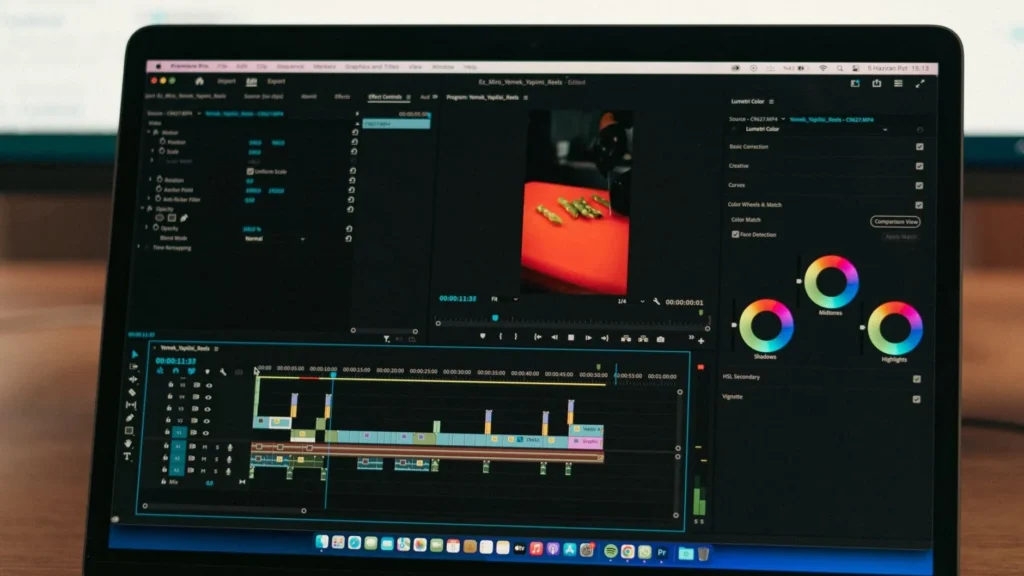
Adobe now brands the application mostly as Premiere, though most creators still say Premiere Pro. The current desktop release is 27.0, which adds a Color Mode workspace and an AI Assistant panel. The 26.5 release notes also record direct manipulation of scale and rotation keyframes in the Program Monitor, along with fixes to Motion Graphics templates and the Properties panel. For logo work, dragging a logo’s scale keyframes straight in the monitor is a real convenience.
Adobe’s November 18 release documentation reportedly lists new effects including Bevel Alpha, Bevel & Emboss, Posterize, Radial Blur and Zoom Blur. A bevel gives a flat logo some edge definition, and a zoom blur can punch it onto the screen. These are finishing touches, not a replacement for a compositor. Adobe’s documentation gives no sign that Premiere has taken over After Effects’ deeper compositing, procedural animation or expression workflow, so a logo that needs those still belongs in After Effects.
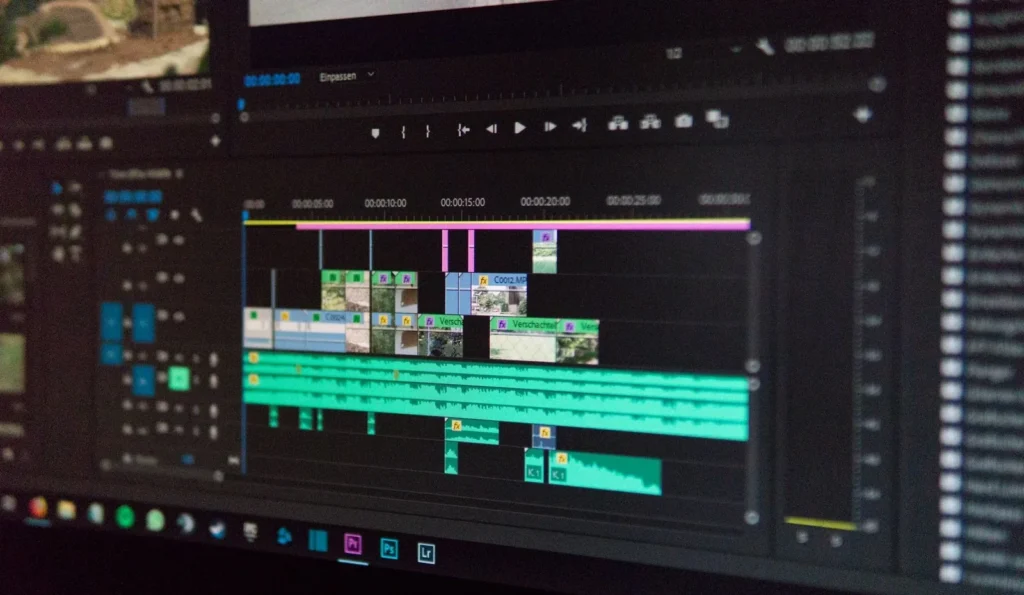
Where Premiere makes sense is the editor who needs a clean logo bug, a lower-right mark that fades in at 0:03, or an end card that sits inside the sequence and updates when the brand colour changes. You animate on the timeline with keyframes, mask a wipe, save it as a MOGRT and reuse it. Adobe tests masking features in public threads too, such as this Premiere beta discussion on the object mask.
One more point for anyone weighing Premiere against Resolve as the main editor: the graphics tool you pick shapes where the logo lives. Our comparison of DaVinci Resolve and Premiere Pro covers the editing side, and it is worth reading before you split your workflow across two programs.
DaVinci Resolve Fusion: free, node-based and cross-platform
Fusion exists in two forms. It is a page inside DaVinci Resolve, and it is a standalone product called Fusion Studio. Blackmagic’s own pages list DaVinci Resolve 21 as the newest line on sale, and the 21.2 readme files cover both Resolve and Fusion Studio. You can grab the installers from Blackmagic’s support download page.
The free edition is the draw for logo animation. According to the 21.2 readme, it includes the Fusion page and handles unlimited-resolution media, but limits mastering and output to Ultra HD or lower, and supports one processing GPU on Windows and Linux. A logo sting for YouTube is 1920 by 1080, or 3840 by 2160 at most, so the Ultra HD ceiling costs you nothing here. Our deeper look at the free and Studio editions of Resolve covers the limits that do bite on longer projects.
Fusion Studio 21 reportedly arrived in February 2026 with the Krokodove toolset and more than 100 motion-graphics effects and tools. Blackmagic’s materials list USD workflow improvements as well. The 21.2 update fixes CustomTool LUT name controls, character-level styling controls, several OGraf and template issues, rendering problems and scripting bugs. Character-level styling is the control you touch when you animate a wordmark letter by letter.
Fusion works with nodes instead of layers. You connect a logo image to a Transform node for scale and position, then to a Merge node to place it over a background, and you keyframe the settings on each node. People who think in timelines find this odd for a week and then like how a single node graph documents every step. The trade-off is hardware. The 21.2 readme asks for more system memory when you use Fusion: 16 GB where the baseline is 8 GB, and 32 GB where the baseline is 16 GB. If your machine is older, check that line first.
Fusion Studio, the standalone product, reportedly requires a Fusion Studio dongle, a DaVinci Resolve Studio dongle or an activation key. The pages checked show no separate retail price for it. For most logo work the free Fusion page inside Resolve covers the same ground, and the standalone version suits pipeline teams that run Fusion without the editor.
Apple Motion 7.0: $49.99, Mac only, and a bigger toolbox
Apple’s support page lists the current version as Motion 7.0 for Mac. The latest update added built-in MotionVFX plug-ins for cinematic color grading, 3D camera tracking, one-click selection, text-described image generation and editing, Pixelmator Pro round-tripping, additional keyframe-easing controls, a Displacement filter and interactive demonstration projects. Easing is the part logo animators care about most. A logo that eases out of its final scale feels expensive, and a linear one feels like a slide deck.
Apple sells Motion two ways. You can buy it once from the Mac App Store for $49.99, or get it inside Apple Creator Studio, which costs $12.99 a month or $129 a year in the US with a one-month free trial. Creator Studio also bundles Final Cut Pro, Compressor, Logic Pro, Pixelmator Pro and MainStage.
Motion requires macOS 15.6 or later, 8 GB of memory (16 GB recommended), a Metal-capable graphics card on Intel-based Macs, and 5.2 GB of free disk space. It does not run on Windows or Linux. Apple does not position it as a drop-in After Effects replacement. It is a companion to Final Cut Pro, and if you cut in Final Cut, a Motion title or generator can appear right in the editor. Our head-to-head of Final Cut Pro and DaVinci Resolve shows how that ecosystem compares with the free option.
Reportedly, an earlier Apple update added native support for keeping vector graphics crisp at any resolution, plus a Distribute Layers feature that speeds up setting up complex animations. If that is accurate, it suits logos well, because a vector mark that stays sharp at 4K means one source file for every export size. Check Apple’s release notes for the exact wording before you rely on it.
The honest limit is the platform. Windows and Linux users cannot buy their way in, which is why Fusion is the default recommendation for anyone outside the Apple world. The second limit is the market. Far more third-party logo reveal templates are built for After Effects than for Motion, so if you plan to buy a template and swap in your logo, check the file type before you pay.
Specs side by side
The table below stays with items the vendors’ own pages state. Where a vendor page did not give a value in the sources checked, the cell says so instead of guessing.
| Spec | After Effects | Premiere graphics tools | Fusion (DaVinci Resolve) | Apple Motion |
|---|---|---|---|---|
| Current version | 27.0 (November 2026) | Premiere 27.0 | DaVinci Resolve 21.2, Fusion Studio 21.2 | Motion 7.0 |
| Platforms | Windows and Mac | Windows and Mac | Windows, Mac and Linux | Mac only |
| Licence model | Creative Cloud subscription only | Creative Cloud membership only | Free edition plus paid Studio | One-time purchase or Creator Studio subscription |
| Working method | Layer comps, keyframes, expressions | Clips on the edit timeline, Properties panel | Node graph | Layers, keyframes and behaviors |
| 3D and tracking | 3D compositing listed on Adobe’s pages | Not its role | Node-based 2D and 3D compositing | 3D camera tracking via MotionVFX |
| Reusable templates | Reusable templates | Motion Graphics templates (MOGRT) | Template and OGraf fixes in 21.2 | Publishes into Final Cut Pro |
| Free access | None found on pages checked | None found on pages checked | DaVinci Resolve Free includes Fusion | One-month Creator Studio trial |
| Output cap | Not stated on pages checked | Not stated on pages checked | Ultra HD or lower in Free | Not stated on pages checked |
| Memory guidance | Not stated on pages checked | Not stated on pages checked | More memory when using Fusion | 8 GB, 16 GB recommended |
| OS requirement | Not stated on pages checked | macOS Sonoma (14) minimum since 26.0 | NVIDIA Studio driver minimums listed per platform | macOS 15.6 or later |
| Newest feature drop | Creative Agent announced November 10, 2026 | Color Mode workspace, AI Assistant panel | Krokodove and 100+ motion-graphics effects (Fusion Studio 21) | MotionVFX plug-ins, Displacement filter |
| Project compatibility | 26.5.3 stability branch alongside 27.0 | 26.5.3 maintenance release in November 2026 | 21.2 projects will not open in 20.3.2 | Not stated on pages checked |
Benchmarks: what the vendors publish and what nobody does
Three vendor sources give hard numbers: Blackmagic’s 21.2 readme files, Apple’s Motion requirements, and Adobe’s Premiere release notes. They agree on one thing. Fusion is the memory-hungry option, Motion is the lightest on paper at 8 GB with 5.2 GB of disk, and Premiere ties its minimum to a recent macOS.
None of the sources we found publishes an independent render-time benchmark for a logo composition across all four apps. Without one, any ranking by speed would be invented. A logo sting is a few seconds of light compositing, so the difference rarely decides the purchase. The deciding factors are price, platform and the learning curve.
What each option costs
Adobe’s pages show different prices by country, currency, tax treatment and promotion, so quote your own region’s price before you budget. The US figures below come from each vendor’s own pages.
| Option | Price (US) | Billing | Notes |
|---|---|---|---|
| After Effects in Creative Cloud Pro (Black Friday offer) | $29.99 per month, regularly $69.99 | Annual, billed monthly | First year only, offer ends November 27 |
| Premiere graphics tools | Included with a Premiere membership | Subscription | No perpetual licence |
| DaVinci Resolve Free (with Fusion page) | $0 | None | Ultra HD output cap |
| DaVinci Resolve Studio | See Blackmagic’s product page | Paid edition | Separate from the free edition |
| Fusion Studio 21.2 | Standalone price not listed on pages checked | Not stated on pages checked | Standalone product, version 21.2 |
| Motion 7.0 (Mac App Store) | $49.99 | One-time | Mac only |
| Apple Creator Studio | $12.99 per month or $129 per year | Subscription | One-month free trial, education $2.99 per month |
Prices sit outside the table because they change by region and promotion. Adobe’s own page currently lists Creative Cloud Pro, which includes After Effects, at a regular US$69.99 a month, or US$29.99 a month on an annual plan billed monthly during a Black Friday promotion that ends Nov 27. Premiere is sold through a Creative Cloud membership rather than as a perpetual license. Blackmagic has announced special pricing for Resolve Studio, so check its product page for the current figure.
A little arithmetic helps. Apple Creator Studio at $129 a year costs more than two and a half times Motion’s $49.99 one-time price in year one. If Motion is the only Apple app you need, buy it once. If you also want Final Cut Pro, whose one-time price is $299.99, the subscription starts to make sense because it adds Logic Pro and Pixelmator Pro on top.
The cheapest route that still produces a polished sting is Resolve Free plus a few evenings of practice. The most expensive is the Adobe subscription, though it is the only one that pays for itself if you also edit in Premiere every week and animate logos for clients.
Export formats and alpha: what leaves each app
The tool matters less than the file you hand to your editor. An H.264 MP4 plays everywhere and uploads to every platform, but it carries no transparency. If you want the logo to sit over footage in another edit, export a ProRes 4444 file in a QuickTime MOV container, which supports an alpha channel. Lottie JSON is a different category. It is built for websites and apps, supports only a subset of After Effects features, and YouTube does not accept it as an upload.
Check each app’s export dialog for alpha before you commit to a rebuild. The vendor pages we read did not list codec menus, so we cannot promise what each edition of each program offers. Our guide to Adobe Express and Canva logo animation shows how two browser tools handle ProRes 4444 exports, which is a handy reference for what a transparent master should look like.
Render settings
| Use | Resolution | Frame rate | Length | Export format |
|---|---|---|---|---|
| YouTube intro sting | 1920 x 1080 | Match your timeline | 4 to 6 seconds | H.264 MP4 |
| Transparent overlay master | 1920 x 1080 | Match your timeline | 4 to 6 seconds | ProRes 4444 MOV with alpha |
| Archive master | 3840 x 2160 (Resolve Free tops out at Ultra HD) | Match your timeline | Full length | ProRes 4444 MOV |
| Web or app header | Scales as vector | Not applicable | 2 to 4 second loop | Lottie JSON |
| End-card logo hold | 1920 x 1080 | Match your timeline | 5 to 10 seconds | H.264 MP4 |
The lengths above are practical ranges, not platform rules. Frame rate should always match the timeline the sting will sit in. A 24 fps logo dropped into a 30 fps edit shows a faint stutter on the scale ease.
From the Vipid archive: if you want a finished sting instead of building one, the logo design theme is an animated logo intro, and the themes page lists each theme’s resolution, length and frame rate, which makes a useful yardstick for what a normal intro looks like.
Six scenarios and the pick for each
These are composite scenarios built from the vendor facts above, not case studies of named creators. Each one gives the pick and the reason.
Solo creators and small channels
1. A Windows YouTuber with a $0 budget who wants a five-second sting. Use Fusion in DaVinci Resolve Free. A 1080p logo sits well inside the Ultra HD cap, and you can cut the whole video in the same app. If you are still choosing an editor, our CapCut and DaVinci Resolve comparison covers that call.
2. A Mac creator who already edits in Final Cut Pro. Buy Motion for $49.99. The logo animation lives next to your edit, the easing controls were extended in the October 27 update, and the one-time price beats the Creator Studio subscription unless you want the other apps.
3. A Premiere-only freelancer who needs a logo bug and an end card. Stay in Premiere. Build the animation with keyframes in the Properties panel, save it as a MOGRT and drop it into each project. You pay nothing extra, and the logo updates when the brand colour changes.
Studios and agencies
4. An agency that ships the same logo reveal with a different wordmark for each client. Stay on After Effects. Expressions and template workflows exist for exactly this, and the 27.0 release reportedly adds editable Illustrator text import, which saves converting text to outlines.
5. A brand that wants a 3D logo reveal with metal or glass materials. After Effects 27.0, reportedly with Substance 3D materials on 3D text and shapes, or Fusion if you are comfortable with 3D nodes and want to spend nothing. Motion can track 3D cameras, but Apple’s update notes do not describe a comparable material system.
6. A small business owner who needs something in ten minutes. None of the four. A browser tool or a ready-made theme beats a desktop learning curve. The point of leaving After Effects is to save effort, and for a one-off logo clip a web tool saves the most.
Frame by frame: the same logo sting in four tools
A logo sting has three beats: in, hold, out. At 30 fps, a reasonable starting point is about 18 frames for the entrance, 90 frames for the hold and 12 frames for the exit, which lands at four seconds. Treat those counts as a starting grid, then adjust by eye. Our step-by-step guide on how to animate a logo walks through the creative side in depth, so this section only maps the build onto each tool.
- Prepare the logo. Export a vector file (SVG or a layered PDF) and a flat PNG at the largest size you will use. Keep clear space around the mark, because a scale-in pushes it toward the frame edges.
- Set the canvas. Create a 1920 x 1080 composition or timeline at your edit’s frame rate. In Fusion, set the same values in the timeline settings. In Motion, pick a project preset that matches the sequence.
- Place the logo and set the anchor. Put the anchor point at the mark’s visual centre, not the canvas centre. Quick Set Anchor in the After Effects beta targets exactly this step.
- Key the entrance. Animate scale up to 100 percent from a smaller starting size with an ease-out, and fade opacity over the first 8 to 10 frames. Motion’s added keyframe-easing controls and Premiere’s on-screen scale handles both help here.
- Add the accent. A light sweep, a mask wipe or a bevel. In Premiere, a bevel effect can serve as the accent. In Fusion, a short node chain handles it. In After Effects, an adjustment layer is the usual approach.
- Hold, then exit. Hold for roughly three seconds so viewers read the mark, then ease out over 10 to 12 frames. Do not cut abruptly. The last frame should match the first frame of the next shot.
- Render a test. Export an H.264 draft and watch it on a phone and a monitor. Then render the final format from the table above.
The timing logic does not change between tools. What changes is where you click. After Effects and Motion make you think in layers. Premiere hides everything inside the clip’s properties. Fusion asks you to connect nodes in order. If you have only used timelines, expect your first Fusion logo to take twice as long as the same job in a layer-based app.
How the AI assistants change the choice
Adobe and Apple both pushed AI features out this autumn, and they matter less for logo animation than the marketing suggests. Adobe announced Adobe Creative Agent on November 10, 2026 for its flagship desktop apps, including After Effects and Premiere, with the AI Assistant features in Premiere still marked beta. Premiere 27.0 includes an AI Assistant panel, and After Effects 27.0 reportedly adds an AI Assistant of its own.
Adobe says local MCP integrations for Creative Cloud tools are planned for private beta in early 2027. They are not released, so do not count them in a purchase today. Apple’s October update added text-described image generation and editing to Motion, tied to Pixelmator Pro round-tripping. Blackmagic reportedly lists AI tools only in the paid Studio edition of Resolve, so the free Fusion page is the plain compositor.
Here is the practical view. A logo is a precise mark. Generative tools tend to redraw it, which is the opposite of what a brand needs. Where AI helps is in the dull parts: finding the right menu, setting up a project, suggesting an expression. Adobe’s pitch is a project-aware helper. If that works as described, it narrows the skill gap between After Effects and its simpler rivals, because you can ask for a setup instead of learning where it lives.
That is an argument to wait before paying extra, not to switch. Adobe’s assistant features are new and partly beta. If you are choosing between After Effects and an alternative this month, base the decision on what each tool does today. Run the AI features on an existing membership or a free trial before you let them tip the scale.
Motion’s AI addition is the least relevant to logos, since generating an image is not animating one. Premiere’s AI Assistant panel is the one most likely to speed up a routine sting, as it sits next to the timeline where the logo lives.
Migration guide: moving a logo out of After Effects
Moving to an After Effects alternative is a rebuild. An .aep project does not open in Resolve or Motion, and expressions do not translate. Work through the steps in order and you lose little.
- Render an archive master before you touch anything. Export the finished sting from After Effects as ProRes 4444 with alpha and as an H.264 MP4. These are your reference for the rebuild and your safety net.
- Inventory the comp. Count layers, list every effect and mark every expression. Anything that depends on a third-party plugin needs a replacement or a decision to drop it.
- Collect the source art. Gather the vector logo, fonts and any textures. Check font licences too, because a font installed on your old machine may be missing on the new one.
- Pick the target by the inventory. Under 10 layers and no expressions: any of the three alternatives works. Heavy 3D: stay put or use Fusion. Mac plus Final Cut: Motion.
- Rebuild the structure first. Place the logo, set the anchor and recreate the main scale and opacity keyframes. Leave effects for last.
- Overlay against the archive master. Put the old render on a track above your new one at 50 percent opacity and scrub. Adjust ease curves until the motion lines up.
- Export and archive. Render your final formats. Keep the project, the vector source and the fonts together in one folder named by brand and year.
Two compatibility notes. Blackmagic’s 21.2 readme says project libraries stay compatible with 20.3.2 for access, but individual projects created or opened in 21.2 will no longer be accessible in 20.3.2, so back up the library before you open anything. On the Apple side, Motion 7.0 needs macOS 15.6 or later, so check your Mac before you pay. If you stay on Adobe, After Effects 26.5.3 remains the supported stability branch while 27.0 rolls out.
Pros and cons of each After Effects alternative
| Tool | Pros | Cons |
|---|---|---|
| After Effects 27.0 | Deepest feature set for logo reveals, expressions, 3D and templates. Newest Adobe AI features. | Subscription only. Highest ongoing cost. |
| Premiere graphics tools | No extra cost for members. MOGRTs reuse easily. Keyframes edit directly in the Program Monitor. | Not a compositor. Older tutorials point to a panel Adobe replaced in 25.0. |
| Fusion in DaVinci Resolve | Free edition includes the Fusion page. Cross-platform. Krokodove and 100+ motion-graphics effects in Fusion Studio 21. | Node workflow takes time to learn. More memory needed. Ultra HD output cap in Free. |
| Apple Motion 7.0 | $49.99 one-time. Light requirements. Strong tie to Final Cut Pro. Extended easing controls. | Mac only. Needs macOS 15.6 or later. Smaller template market. |
The pattern is simple. The more an option costs, the more it can do without you building it. The cheaper options ask you to bring time and patience. For a logo, which is a small and well-defined job, that trade usually favors the cheaper tools.
Verdict: which After Effects alternative to choose
For most creators who want a free After Effects alternative for logo animation, choose Fusion in DaVinci Resolve. It costs $0, runs on Windows, Mac and Linux, and the Ultra HD output cap is irrelevant for a sting. The price is a steeper learning curve and a higher memory requirement, so budget a weekend for the first logo.
If you own a Mac, Motion at $49.99 is the best value of the four. It is a one-time purchase that sits beside Final Cut Pro, and its October 2026 update added easing controls and a Displacement filter. If you already pay for Premiere, use its graphics tools for simple stings and keep After Effects for the complex ones.
| Your situation | Pick | Why |
|---|---|---|
| Windows or Linux, no budget | Fusion in Resolve Free | $0, includes the Fusion page |
| Mac with Final Cut Pro | Motion 7.0 | $49.99 once, tight editor integration |
| Premiere member, simple logo | Premiere graphics tools | No extra cost, MOGRT reuse |
| Studio with templates and 3D | After Effects 27.0 | Expressions, 3D, template ecosystem |
| One-off clip, no skills | A browser tool or ready-made theme | Saves the learning time |
This verdict rests on pricing and documented features, not on timing renders, since no cross-tool benchmark exists. If a vendor publishes one, the ranking could shift for heavy projects but not for a five-second sting. For more on the wider field, see the logo animation category.
Before you render
What is the best free After Effects alternative for logo animation?
DaVinci Resolve Free, which includes the Fusion page. Blackmagic’s 21.2 readme says the free edition handles unlimited-resolution media and limits output to Ultra HD or lower. That is more than enough for a logo sting.
Can Premiere replace After Effects for logo animation?
For simple moves, yes. Scale, opacity, masks and Motion Graphics templates all live in Premiere. For deep compositing, 3D or expressions, no. Adobe’s documentation does not suggest otherwise.
What happened to the Essential Graphics panel?
Adobe replaced it in Premiere 25.0. Its functions moved into Graphics Templates and the Properties panel. Motion Graphics templates still exist and are still abbreviated MOGRT.
Does Apple Motion work on Windows?
No. Motion 7.0 is a Mac application and needs macOS 15.6 or later. Windows users should look at Fusion.
How much does Apple Motion cost?
Motion costs $49.99 as a one-time purchase on the Mac App Store in the US. It is also included in Apple Creator Studio at $12.99 a month or $129 a year.
Can I open an After Effects project in Resolve or Motion?
No. You rebuild the animation. Render a ProRes 4444 master with alpha first so you have a reference to match.
Which export format keeps a transparent background?
ProRes 4444 in a QuickTime MOV file supports an alpha channel. H.264 MP4 does not, so a transparent logo exported that way gets a solid background.
Is it worth waiting for the AI assistants before choosing?
No. Adobe’s assistant features are new and partly in beta, and its local MCP integrations are planned for private beta in early 2027. Choose on what each app does today.
More from the Vipid blog
- YouTube Intro Template [2026]: 5 Tools, 3 Routes, $0 Start
- Best Green Screen Software for Chroma Keying, Ranked
- Lower Thirds Examples [2026]: 6 Styles, 5 Editors
- End Credits Template [2026]: 6 Editors, $0 to $299.99
- Adobe Premiere 27.0 [2026]: 8 New Effects, Native ARM
- Logo Design upload a logo, get an animated logo intro
- Epic Smoky Titles your text in a smoke title sequence
- Star Text animated title theme
- All Vipid themes specs for every theme
Ines Calder
Ines Calder is the Titles & Motion Editor at Vipid, covering lower thirds, title sequences, kinetic typography and logo animation across After Effects, Premiere Pro, DaVinci Resolve and Final Cut Pro. She writes her guides in frames and safe areas so they hold up on a phone as well as a TV, and every template she lists carries its editor version, plugin needs and licence.