Intro Templates for Premiere, Resolve, Final Cut and CapCut
Quick answer: which intro template file fits which editor · What an intro template actually is · Specs table: five editors, 12 template attributes · Premiere: Motion Graphics templates and what 27.0 changed · After Effects: the .aep route for custom intros · DaVinci Resolve 21: Fusion titles, OGraf and the free edition · Final Cut Pro: Motion-built templates and the MotionVFX library · CapCut: slot-based video intro templates inside the app · What each route costs in November 2026 · What the vendors’ documents show · Render settings for intros that travel · Six worked scenarios · Migration guide: moving an intro between editors · Pros and cons by editor, then the verdict · Questions creators ask
There is no universal intro template. A template built for one editor stays inside that editor, and the only thing that travels between all of them is a rendered video. That single rule decides which intro templates you can actually use, so check it before you download or buy anything.
This comparison covers how Premiere, After Effects, DaVinci Resolve 21, Final Cut Pro and CapCut each define a template, based on the vendors’ own pages and release notes as of November 22, 2026. Prices differ sharply. Apple lists Final Cut Pro as a $299.99 one-time Mac purchase and sells Apple Creator Studio at $12.99 a month for new US subscribers, per Apple’s October 27 announcement, while the free edition of Resolve costs $0. If you only want a no-cost starting point, our roundup of free YouTube intro template routes covers price first. This page covers format first.
Why format first? Because the most common mistake with video intro templates is buying or downloading a file that your editor cannot open. A project file, a packaged template, a slot-based recipe and a rendered clip look alike in a download list, yet they behave very differently once you try to change the text. Below you get the formats, the version traps, the costs, six worked scenarios and a migration plan for moving an intro from one editor to another.
Quick answer: which intro template file fits which editor
Start from the editor you already own and ignore everything else. Premiere wants Motion Graphics templates (.mogrt). After Effects wants .aep project files. Resolve wants its own title, Fusion or OGraf packages. Final Cut Pro wants templates built in Apple’s Motion app, including the MotionVFX library that now sits inside Apple Creator Studio. CapCut wants nothing from you, because its templates live inside the app and arrive as slot-based recipes.
If you do not own an editor yet, the cheapest route to editable intro templates is DaVinci Resolve 21, which stays free. Its free edition limits output to Ultra HD or lower, which covers a standard YouTube intro. If you only make short vertical clips for phones, CapCut’s template library is the faster start, with the caveat that exports and watermarks depend on your plan.
If you want one file that works in every editor, render the finished intro to video. A rendered MP4, MOV or WebM drops into any timeline, but you lose the editable text. A rendered video is not an editable After Effects template, and the same logic applies in every editor.
- Premiere: .mogrt Motion Graphics templates, edited through the Graphics Templates panel.
- After Effects: .aep project files, edited in After Effects only.
- DaVinci Resolve: Resolve-specific title, Fusion and OGraf packages.
- Final Cut Pro: Apple Motion-based templates and the MotionVFX library in Creator Studio.
- CapCut: in-app slot-based templates that never leave CapCut.
- Any editor: a rendered video, with no editable text.
What an intro template actually is
The word template covers four different things, and mixing them up causes most of the failed downloads. Sort any listing into one of these buckets before you pay.
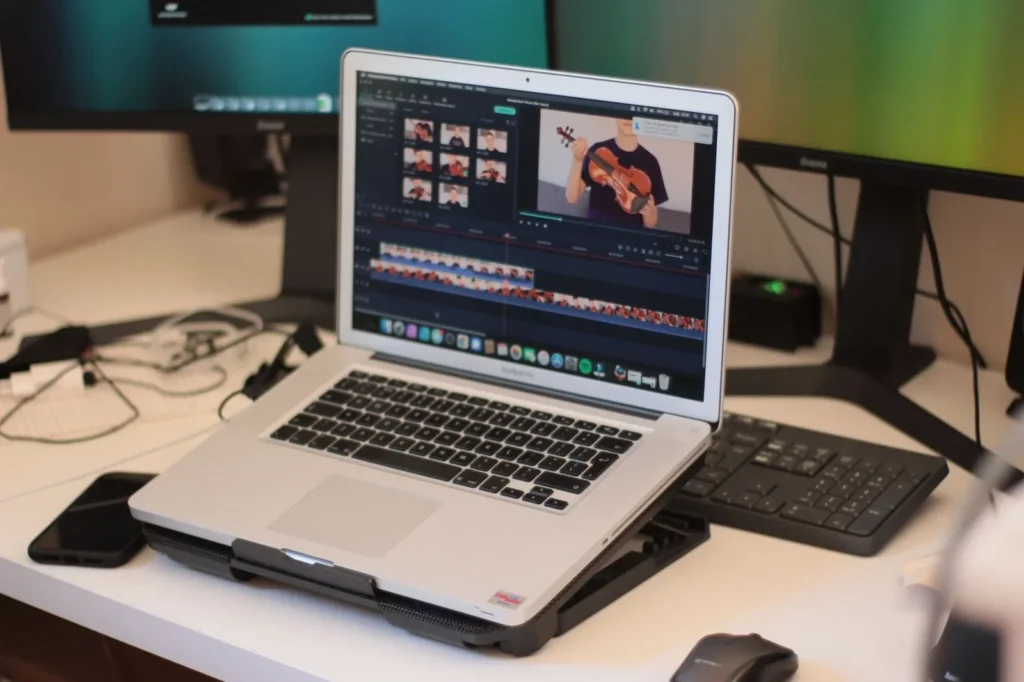
The first bucket is the full project file. An After Effects .aep is the clearest example. It holds every layer, expression, effect and linked asset, so you can rebuild the whole intro. The cost of that freedom is dependency. Compatibility depends on the After Effects version and on installed fonts, plugins and linked assets. A template made with a paid plugin shows missing-effect warnings on a machine without it.
The second bucket is the packaged template with exposed controls. Premiere’s Motion Graphics templates work this way. The author decides which text boxes, colours and sliders you can touch, and everything else is locked. You get speed and safety, and you give up depth. Resolve’s title and OGraf packages follow the same idea. Release notes for Resolve 21.2, published November 4, 2026, describe fixes for OGraf template loading from network and zipped paths, a sign that Blackmagic treats templates as an active format.
The third bucket is the slot-based recipe. CapCut templates ask you to drop your own clips or photos into numbered slots, and the app handles timing, transitions and music. A template page on CapCut’s site shows the pattern: it lists a clip count it requires (18 clips on one 2026 recap template), a 9:16 aspect ratio and a use counter. You edit inside the recipe, not beside it. Web tools like Canva follow a similar logic, which is why our breakdown of CapCut, Canva and Adobe template licence layers treats them as a separate class from project files.
The fourth bucket is not a template at all. A rendered clip, whether MP4, MOV or WebM, is a finished result. It plays everywhere and edits nowhere. Some sellers list rendered intros under template headings, so read the file list before you buy.
Why the distinction matters for cost. A project file lets you change everything, but you need the right editor, the right version and sometimes extra plugins. A packaged template runs faster in your hands, yet you can only change what the author exposed. A slot-based recipe asks for your footage, then hides the machinery. A rendered clip costs nothing to import and nothing to customise.
The version trap
Version drift hits project files hardest. After Effects shipped named releases in January (26.0), April (26.2), June (26.3), September (26.5) and November 2026 (27.0), per Adobe’s system requirements page. That is five named versions in under a year, and a template built in the newest release can refuse to open in an older one. Adobe’s Premiere release notes show the same pattern in miniature, with a line warning that projects saved in v25.6.0 cannot be opened in other v25.x versions.
Specs table: five editors, 12 template attributes
The table below sticks to what vendor pages confirm. Where a vendor page does not say something, the cell says so rather than guessing. Version names come from the sources checked on November 22, 2026.
| Attribute | Premiere | After Effects | DaVinci Resolve | Final Cut Pro | CapCut |
|---|---|---|---|---|---|
| Current release | 27.0 | 27.0 | 21 (21.2 shipped Nov 4, 2026) | Current Mac release, no version confirmed here | No version number on pages checked |
| Template container | Motion Graphics template (.mogrt) | .aep project | Title, Fusion and OGraf packages | Apple Motion-based templates | In-app slot-based template |
| Where you edit it | Graphics Templates panel | After Effects only | Edit and Fusion pages | Final Cut Pro, built in Motion | CapCut app |
| Controls exposed | Author-chosen text and colour | Everything | Depends on package | Author-published controls | Slots for clips and text |
| Needs original fonts and plugins | Yes, if the author used them | Yes, often | Yes, for third-party packs | Yes, for third-party packs | No, handled in app |
| Opens in the other four editors | Not documented | Not documented | Not documented | Not documented | Not documented |
| Price model | Adobe subscription | Adobe subscription | Free edition or Studio, one-time | One-time or Creator Studio | Free tier plus paid plans |
| Free-route output cap | None published on pages checked | None published on pages checked | Ultra HD or lower | None published on pages checked | Depends on plan and app version |
| Watermark or end clip risk | Not documented | Not documented | Not documented | Not documented | Templates may add an ending logo clip |
| Built-in AI help in Nov 2026 | AI Assistant (beta) | AI Assistant (beta) | AI tools in Studio | AI features in Creator Studio | AI tools in app |
| Template library inside the app | Graphics Templates panel | Presets and marketplace packs | Built-in titles and effects | MotionVFX in Creator Studio | Large in-app library |
| Best for | Editors living in a timeline | Custom motion design | Free, deep editing | Mac owners in Apple’s ecosystem | Quick vertical edits |
Three patterns jump out of the table. First, nothing documented on the vendors’ own pages says that one editor’s template opens natively in another. Second, the free-route limits sit in Resolve (Ultra HD output) and CapCut (plan-dependent exports and end clips). Third, the Adobe tools share a family workflow, but the template files themselves are separate products.
Premiere: Motion Graphics templates and what 27.0 changed
Adobe’s current help pages call the desktop app Premiere, though many creators still say Premiere Pro. Version 27.0 reached the release notes in November 2026 and Adobe’s announcement dated November 10 describes Color Mode going generally available alongside an AI Assistant in beta. The release also adds generated images, music and sound effects straight on the timeline, plus native Windows-on-ARM support on specified NVIDIA hardware, according to Adobe’s release notes.
For intro templates, none of that changes the file type. Premiere imports Motion Graphics templates, usually delivered as .mogrt files, and shows their controls in the Graphics Templates panel. You change the title, swap a colour, perhaps pick a duration, then export. The author built the animation elsewhere, most often in After Effects, and packaged it so editors can use it without the source project. Adobe’s April 15, 2026 announcement about Premiere’s reworked colour tools shows how fast the app moves, with Color Mode in public beta in April and generally available by November.
That speed has a template consequence. Templates ship against a minimum version, and a .mogrt made in a newer build may refuse to load in an older one. Premiere 26.0.1 arrived in February 2026, and version 27.0 followed in November 2026. If your studio runs an older long-term-supported build, ask the template seller which versions the listing supports. Treat any version floor a seller states as a claim to verify.
When Premiere templates make sense. Choose Premiere if you edit most of your videos there and buy templates from marketplaces that tag listings by editor. A packaged template saves the time of rebuilding an animation, and the Graphics Templates panel keeps edits quick. Skip it if you want to modify motion itself, because the .mogrt locks the animation. For the editor-level trade-offs behind that call, see our DaVinci Resolve vs Premiere Pro comparison.
After Effects: the .aep route for custom intros
After Effects is where most premium intro templates start life. The .aep project is the original, with every layer, expression and effect intact. If a seller lists an intro as After Effects only, you get complete control and the full dependency burden. You need the right version, the right fonts and any plugins the author used.
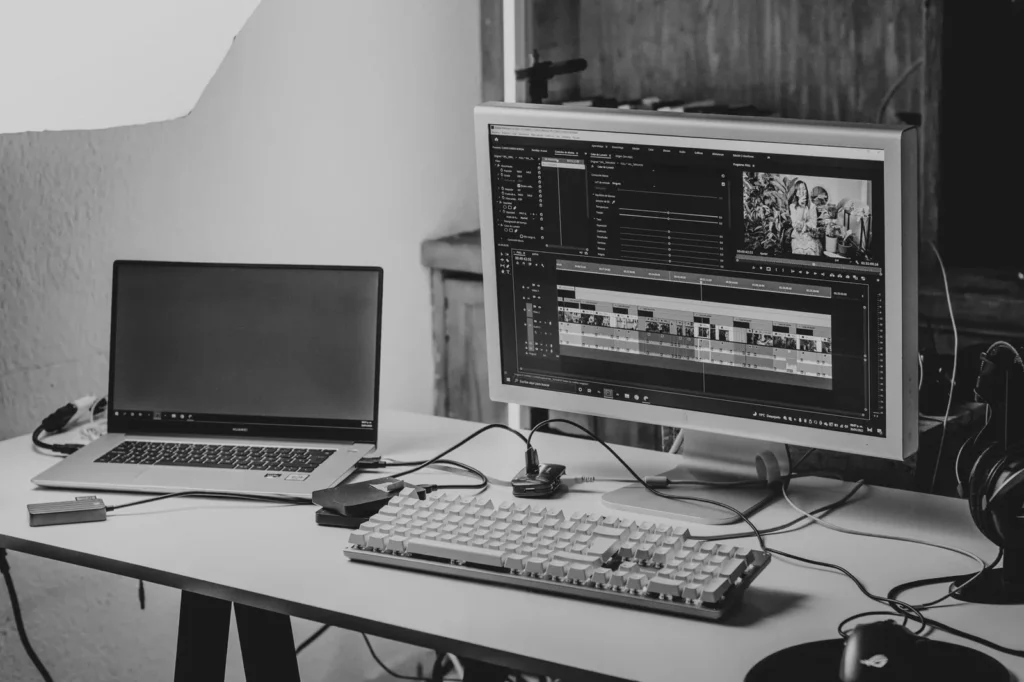
Adobe documents the 27.0 release as the November 2026 version. Per Adobe’s announcement, the AI Assistant arrives in beta and can organise projects, write and repair expressions, and generate images and video. Layer-based materials for the Advanced 3D renderer let animated precompositions, solids, images and video act as material sources, which matters for glossy 3D logo reveals. Third-party reports add Adobe Stock access inside the app and PNG-sequence compression controls, though Adobe’s help page remains the place to confirm each.
Two practical notes follow. First, a template built in 27.0 can use features that 26.x does not have, so ask for the minimum version in the listing. Second, the app’s release rhythm means your template library ages fast. If you keep a stack of older .aep files, test each one after every major update before a deadline depends on it.
What you get on the free plan. The pages checked show no free tier for After Effects. Adobe sells it through Creative Cloud, with an individual plan reportedly at $22.99 a month on the annual plan billed monthly. The same single-source report lists different Creative Cloud Pro prices depending on promotion, so use Adobe’s checkout page as the final word.
A cheaper way to shop. You can buy individual .aep templates or rent a marketplace subscription. Our breakdown of After Effects templates, paid and free compares those routes with real prices, so this page does not repeat them. One principle holds across sellers. Read the file list for an .aep, and treat any listing that offers only an MP4 preview as a rendered clip.
DaVinci Resolve 21: Fusion titles, OGraf and the free edition
Blackmagic’s own product page lists DaVinci Resolve 21 as the current line, and the 21.2 update is the newest release confirmed. For templates, Resolve’s strength is that the editor, Fusion motion graphics and colour all sit in one app, and the free edition costs $0. The weakness is that there is no single, universal intro-template file extension across Resolve marketplaces. Sellers package Fusion compositions, macros, Edit-page templates or title templates, and each installs a little differently.
Read the listing for the exact kind before you buy. A Fusion composition lives on the Fusion page and lets you animate freely. An Edit-page title behaves more like a Premiere template, with a few exposed controls. OGraf is a newer open graphics template format, and the 21.2 notes mention fixes for loading OGraf templates from network and zipped paths along with OGraf rendering issues. That tells you two things. Resolve now supports OGraf, and the support was still being tuned as of early November.
What you get on the free plan. The free edition supports unlimited-resolution media but limits project mastering and output to Ultra HD or lower, and it uses one processing GPU on Windows and Linux. Studio adds the DaVinci Neural Engine, AI tools, extra Resolve FX and Fairlight FX, noise reduction, Magic Mask and more. The regular Studio price is $295 one time, and one report lists a $236 promotion that ran through November 20, 2026, which has now ended. Blackmagic lists the editions on its support download page.
For a YouTube channel, the Ultra HD cap is rarely a problem. Our deeper look at whether the free version is enough walks through which Studio features matter.
Version caution. Projects move forward more easily than backward. Open a project in a newer major version and it may not open again in an older one, so keep your template library and your installed version in step.
Final Cut Pro: Motion-built templates and the MotionVFX library
Final Cut Pro uses a separate template ecosystem. Titles, generators and transitions are built in Apple Motion and then appear inside Final Cut Pro with the controls the author chose to publish. Apple’s pages do not document that Premiere, After Effects or Resolve templates open natively in Final Cut Pro, and this page does not claim they do.
The newest change is the library. Apple’s Creator Studio update added direct MotionVFX integration to Final Cut Pro for Mac, giving access to templates, titles, transitions, graphics and effects inside the app. Apple’s newsroom announcement from October 27, updated November 19, 2026, also lists Pixelmator Pro integration, more keyframe-easing options, the ability to disconnect clips from the primary storyline and 23 additional transcription languages. For a channel opener, the MotionVFX library means you can start from a polished title without leaving the editor.
What you get on the free plan. There is no free tier. You pay in one of two ways. The standalone Mac purchase costs $299.99 one time, and Apple Creator Studio costs $12.99 a month or $129 a year in the US for new subscribers, with verified college students and educators paying $2.99 a month or $29.99 a year. Apple still sells the standalone Mac edition, so the subscription is an alternative, not a replacement. Apple also lists Motion as a $49.99 standalone Mac app, which is the tool to open if you want to build your own template instead of using a library one.
Where Final Cut Pro stands. Pick it if you work on a Mac and want a template library that is built in. Version numbering was inconsistent across the sources checked, so this page names no version beyond the current release. For the wider editor choice, our Final Cut Pro vs DaVinci Resolve comparison sets the $299.99 purchase against the free edition.
CapCut: slot-based video intro templates inside the app
CapCut works differently from every other tool here. Its template library is part of the app, and a template is a finished edit with empty slots. You choose one, drop in your clips, change the text and export. CapCut states that it serves more than 700 million users every month across 170+ markets, which helps explain why its library is large and why its video intro templates skew toward short vertical formats.
The template page mentioned earlier is a good sample. One public template on CapCut’s site, a 2026 recap template, states that it requires 18 clips, uses a 9:16 aspect ratio and had logged 15 uses at the time it was checked. That is what slot-based means in practice. The template dictates the clip count and the shape, and you supply the media.
The catches. CapCut’s help page, dated March 18, 2026, says watermark-free export depends on the features used and the app version. It also states that templates may add an ending logo clip, that premium assets on the free tier can carry a watermark, and that Pro unlocks premium assets without that path. Before you build a channel intro around a CapCut template, export a test clip and watch the last two seconds.
What you get on the free plan. CapCut works free to start. Pricing is region-specific, CapCut says final prices appear at checkout, and the company announced a membership change on March 25, 2026. One report lists Pro at $19.99 a month or $179.99 a year, but because CapCut says prices vary, treat that as a reference point and confirm inside your account. A CapCut template does not convert into an editable file for any other editor. Our CapCut vs DaVinci Resolve comparison shows what you give up when you pick the free editor that keeps templates in house.
What each route costs in November 2026
Prices below come from the vendors’ own pages, dated to the sources noted. Single-source reports stay out of the table, and the text explains where a price depends on region or promotion.
| Route | What you pay | Billing | Source note |
|---|---|---|---|
| DaVinci Resolve 21 free edition | $0 | Free | Blackmagic product page, Ultra HD output cap |
| DaVinci Resolve Studio 21 | $295 | One time | Regular price, a $236 promotion reported through Nov 20 has ended |
| Final Cut Pro for Mac | $299.99 | One time | Apple, October 27, 2026 announcement |
| Apple Creator Studio | $12.99 a month or $129 a year | Subscription | Apple, new US subscribers |
| Apple Creator Studio, students and educators | $2.99 a month or $29.99 a year | Subscription | Apple, verified education accounts |
| Motion for Mac | $49.99 | One time | Apple, standalone Mac price |
| Adobe Creative Cloud Pro | $69.99 a month regular | Subscription | Adobe banner, 57% off first year until Nov 27 |
| CapCut free tier | Free to start | Free | Paid plans vary by region and build |
Two notes help read the table. Adobe’s single-app Premiere and After Effects plans were reportedly $22.99 a month on an annual commitment billed monthly, a figure that appeared in one source, so check Adobe’s plan page before you count on it. And a template marketplace costs extra on top of any editor. That cost can dwarf the editor itself if you rent a library for a year, which is why the free libraries inside Resolve, CapCut and Creator Studio deserve a look first.
The cheapest honest setup for a new creator is Resolve 21 free plus its built-in titles, because the editor, the template tools and the export all cost $0. The cheapest setup for a Mac owner who wants a polished library is Apple Creator Studio at $129 a year. The most expensive path is a full Adobe subscription plus a marketplace, which makes sense only when you need After Effects-level control.
What the vendors’ documents show
No independent render-time or quality benchmark exists for template formats, so a speed chart would be invented. What does exist is a set of documented limits and release facts from five vendor sources. The table below lists each one and what it means for an intro template.
| Source | What it documents | What it means for intro templates |
|---|---|---|
| Adobe Premiere release notes, Nov 2026 | Version 27.0 with Color Mode, AI Assistant, generated media and a v25.6.0 project-compatibility warning | Templates and projects are version-sensitive |
| Adobe After Effects system requirements | Named releases in Jan, Apr, Jun, Sep and Nov 2026 | Five versions in a year means .aep files age quickly |
| Blackmagic Resolve pages | Free edition limited to Ultra HD output, 21.2 OGraf fixes on Nov 4, 2026 | Free route covers YouTube, OGraf support is new |
| Apple Creator Studio announcement, Oct 27, updated Nov 19 | MotionVFX integration, $299.99 and $12.99 prices | Built-in library for Mac users |
| CapCut help page, Mar 18, 2026 | Ending logo clip and watermark rules depend on plan and app version | Test the export before publishing |
| CapCut template page | 18 clips required, 9:16, 15 uses on one template | Slots dictate your footage count |
Read together, the sources point one way. Every vendor treats its templates as a product of its own app. An After Effects template is a separate product from a Premiere template. Apple ties its templates to Motion and Final Cut Pro. Blackmagic builds around Fusion, Edit-page titles and OGraf. CapCut keeps the whole thing in the app. The practical takeaway: portability comes only from a render, not from the template itself.
Render settings for intros that travel
Whatever editor you pick, the finished intro should leave as a standard video. These figures are editorial starting points, not vendor requirements, so adjust to your channel. Our animated logo format guide explains how alpha-capable files behave in more depth.
| Use | Resolution | Frame rate | Length | Export format |
|---|---|---|---|---|
| YouTube long-form intro | 1920×1080 | Match your timeline (24, 25, 30 or 60) | 3 to 6 seconds | H.264 MP4 |
| YouTube 4K channel | 3840×2160 | Match your timeline | 3 to 6 seconds | H.264 or H.265 MP4, within Resolve’s free Ultra HD cap |
| Shorts, Reels, TikTok | 1080×1920 (9:16) | 30 | 1 to 3 seconds | H.264 MP4 |
| Logo sting on a transparent layer | 1920×1080 | Match your stream or timeline | 1 to 3 seconds | ProRes 4444 or WebM with alpha |
| Master archive copy | Highest you built | Highest you built | Full length | ProRes or a lossless render |
A short rule keeps this simple. Build once at the highest quality your editor allows, archive that master, then export a smaller delivery file for each platform. A rendered master is what lets you reuse an intro when you switch editors, which we cover in the migration guide below.
From the Vipid archive: if you would rather start from a finished animation than a project file, the intro themes at Vipid’s theme library list resolution, length and frame rate on each page.
Six worked scenarios
These scenarios are composites, built to show how the format rules play out. They do not describe named channels. Each one starts with the constraint, because the constraint picks the tool.
1. The weekly gaming channel on Premiere. The editor already pays for Adobe and cuts every episode in a Premiere timeline. A .mogrt intro template fits, because the title and colour live in the Graphics Templates panel and no export step interrupts the edit. The risk is version drift, so the editor asks sellers for the minimum Premiere version first.
2. The motion designer who sells intros. This creator needs full control of timing, 3D materials and expressions. After Effects and .aep files are the only fit, and the 27.0 Advanced 3D material sources help with glossy reveals. The designer renders a ProRes master for each client and ships a .mogrt only when the client uses Premiere.
3. The student with no budget. Resolve 21 free covers editing, Fusion motion graphics and export at Ultra HD or lower. The student uses built-in titles first and learns Fusion later. Cost stays at $0 until a Studio-only tool matters. Our guide to title sequence tools shows where Fusion fits when the intro grows into an opening sequence.
4. The Mac-based podcaster. A solo host edits video clips for YouTube and already owns a Mac. Apple Creator Studio at $129 a year brings Final Cut Pro, Motion and the MotionVFX library under one bill. The host picks a title from the library, edits the text and exports once.
5. The phone-first short-form creator. This creator posts 9:16 clips and needs a polished opener in minutes. CapCut’s slot-based templates fit, with the one condition that the creator exports a test and checks for an ending logo clip. For a paid channel, the Pro plan removes the premium-asset watermark path.
6. The agency that serves mixed clients. One client uses Premiere, another Resolve, a third Final Cut Pro. The agency keeps a single After Effects source, renders a ProRes 4444 master with alpha, and rebuilds simple text overlays natively in each client’s editor. It documents fonts and colours in a one-page brand card so the rebuild takes minutes.
Migration guide: moving an intro between editors
You cannot convert a template from one editor to another. You can rebuild it, and a clean process makes the rebuild quick. Here is the order that works.
- Inventory the template. Write down the fonts, colours, music, duration and text positions. The sheet saves you from guessing later.
- Render a master. Export the intro at your highest quality, with alpha if the design needs a transparent layer. A rendered master is the one portable file you have.
- Check what the new editor can import. Video and image sequences import everywhere. Project files and templates do not.
- Rebuild the editable parts. Recreate the title and lower-third text with the new editor’s native tools. Keep the animated background as the rendered clip.
- Reinstall fonts. A missing font is the most common reason a rebuilt title looks wrong.
- Export a test. Watch the whole clip, including the last two seconds, for stray end clips or watermarks.
Moving from CapCut
A CapCut template lives inside the app, so the only way out is a render. Export the finished intro, import it elsewhere as a video, and rebuild any text you need to change. Do not expect slots to survive.
Moving between Adobe apps
Adobe’s own workflow is the closest thing to a hand-off. After Effects work can be packaged as a Motion Graphics template for Premiere, which is why many .mogrt files begin life as .aep projects. Even then, expressions or effects that Premiere cannot run may be locked or removed, so test the package in Premiere before you rely on it. Our look at logo animation in After Effects, Rive and Lottie covers portable vector routes that sidestep this problem when the intro is a logo reveal.
Keeping one master. If you plan to change editors in the next year, keep a master render and a text-and-colour sheet for each intro. Those two items let you recreate the design anywhere, and they cost five minutes to produce at the time you finish the intro.
Pros and cons by editor, then the verdict
- Premiere. Pros: tight timeline workflow, packaged templates with simple controls, wide marketplace support. Cons: paid plans only on the pages checked, templates locked to the author’s animation, version drift.
- After Effects. Pros: total control, 27.0 AI Assistant and 3D material sources, the source of most premium templates. Cons: steep learning curve, five named versions in 2026, plugin and font dependencies.
- DaVinci Resolve 21. Pros: free edition, Fusion motion graphics built in, OGraf support. Cons: no single template file type across sellers, Ultra HD cap on the free edition, packaging varies by seller.
- Final Cut Pro. Pros: built-in MotionVFX library in Creator Studio, Motion for custom templates, one-time purchase option. Cons: Mac-focused, no free tier, no documented import of other editors’ templates.
- CapCut. Pros: fast results, large in-app library, free to start. Cons: slot-based templates stay in the app, ending clips and watermarks depend on plan, no editable hand-off.
Verdict: pick by editor, then render a master. The data points to one rule. Choose intro templates that match the editor you already use, and treat portability as a rendering problem. Premiere users should buy .mogrt files. After Effects users should buy .aep files. Resolve users should check whether a listing is a Fusion composition, an Edit-page title or OGraf. Final Cut Pro users should start with the MotionVFX library. CapCut users should accept that the template stays in CapCut.
For a creator with no editor and no budget, DaVinci Resolve 21 free is the strongest start, because the template tools, the editor and the export all cost $0 and the Ultra HD cap does not touch a YouTube intro. For a Mac owner who wants a polished library without hunting marketplaces, Apple Creator Studio at $129 a year is the cleanest single purchase. For fast vertical edits, CapCut wins on speed as long as you test the export. For custom motion, After Effects remains the tool, with its subscription and its version churn.
Across all five, the safest habit is the same. Keep one rendered master and one text-and-colour sheet for every intro, and no editor switch will cost you the design. For a wider tour of the category, the video templates hub collects the related guides.
Questions creators ask
Can I open a Premiere intro template in DaVinci Resolve?
Nothing on the vendors’ pages says a Premiere .mogrt opens natively in Resolve, so plan on rebuilding. The portable route is a rendered video, which imports anywhere.
What file type do After Effects intro templates use?
After Effects templates are .aep project files. They open in After Effects, and compatibility depends on the version and on installed fonts, plugins and linked assets.
Are CapCut video intro templates free?
CapCut is free to start, but CapCut’s help page says templates may add an ending logo clip and that premium free-tier assets can carry a watermark. Pro unlocks premium assets without that path, and prices vary by region.
Is DaVinci Resolve free for intro templates?
Yes. The free edition costs $0, supports unlimited-resolution media and limits output to Ultra HD or lower. Studio costs $295 one time and adds extra effects, AI tools and noise reduction.
Does Final Cut Pro include intro templates?
Final Cut Pro includes titles and generators, and Apple’s Creator Studio update added MotionVFX templates, titles, transitions and effects. Final Cut Pro costs $299.99 one time or comes with Creator Studio at $12.99 a month or $129 a year.
What is the safest intro template format if I switch editors?
A rendered master. Export the intro at your highest quality, with alpha if it needs a transparent layer, and keep a note of fonts, colours and text. Then rebuild text natively in the new editor.
Do I need a marketplace subscription to get video intro templates?
No. Resolve, CapCut and Apple Creator Studio all include built-in libraries, so a marketplace is optional. Marketplaces add choice, mainly for After Effects and Premiere, at an extra monthly cost.
More from the Vipid blog
- Which After Effects Alternative Fits Logo Animation?
- Adobe Premiere 27.0 [2026]: Color Mode, AI Beta, Nov 10
- Best Green Screen Software for Chroma Keying, Ranked
- Title Card Maker [2026]: 6 Tools, $0 to $299.99
- Final Cut Pro 13 [2026]: MotionVFX Joins at $129/Yr
- Vipid intro maker make a custom intro in the browser
- Vipid intro themes every theme with resolution, length and frame rate
- Intro themes the intro category
- Sample videos finished Vipid intros
Theo Vance
Theo Vance is the Intros & Templates Editor at Vipid, where he covers intro and outro makers, template libraries for CapCut, Canva and the major editors, slideshow and video-card tools, and stream starting screens. He compares makers on what matters before you hit render: watermark, export resolution, length limits, licence and price, and dates every check. He also looks after the Vipid theme archive, the 2011–2016 intros the site was built on.