Adobe Premiere 27.0 [2026]: Color Mode, AI Beta, Nov 10
What Adobe shipped in Adobe Premiere 27.0 · Color Mode leaves beta and gets its own tab · AI Assistant: a project-aware panel that is still a beta · Generative Media tool: five Generate commands in the timeline · Which models sit behind the Generate buttons · Audio cleanup gets faster on RTX Windows machines · Market impact: the assistant race moves into the timeline · Competitive comparison: Resolve, Final Cut and the free editors · Historical context: from Lumetri to Color Mode · What remains unconfirmed on November 12 · What creators should do this week · Predictions for the next six months · Bottom line on Adobe Premiere 27.0 · Common questions
Adobe Premiere 27.0 shipped on November 10, 2026, and three changes matter most for working editors. Color Mode is now a full grading workspace, an AI Assistant panel arrives in beta, and the Generative Media tool can make music, soundscapes and sound effects inside the timeline. Adobe’s own announcement calls Color Mode generally available and labels the AI Assistant a beta, which is the line between what you can rely on today and what you should test first.
CineD, PetaPixel, Creative Boom and Adobe’s community pages all covered the release within hours. This analysis sticks to what Adobe’s release notes and announcement pages state, then separates it from what is still open. If you were choosing between editors last week, our DaVinci Resolve vs Premiere Pro comparison was written before 27.0 landed, so some of its Adobe-side notes now need this update.
One naming note first. Adobe’s current pages call the desktop app Adobe Premiere, and the November release documentation does not set out a separate “Premiere Pro” product name. This article follows Adobe’s wording.
What Adobe shipped in Adobe Premiere 27.0
The short version: one feature graduated from beta, one feature entered beta, and one existing tool grew. Color Mode moved from the beta state it had in the 26.5 line (released in September 2026) to general availability. AI Assistant is new and carries the beta label. The Generative Media tool, which began as a video generator, now covers images, music, soundscapes and sound effects too.
The table below lists each item with the status Adobe’s pages give it. Treat the status column as the part to read first, because it decides whether you can use a feature on a client project this week.
| Feature | Status on Nov 12, 2026 | What Adobe’s pages say |
|---|---|---|
| Color Mode | Generally available | New color-grading workspace placed next to the edit workspace, with Adjust, Style and LUT operations |
| AI Assistant panel | Beta | Understands the Premiere project and handles complex or repetitive tasks from plain-language requests |
| Generate Video | Listed in 27.0 | Part of the Generative Media tool, results land in the timeline |
| Generate Sound Effects | Listed in 27.0 | Text prompt in, sound effect out, with a Sync to Video button |
| Generate Soundscape | Listed in 27.0 | Builds ambience from the edit’s context, described as four synchronized, editable audio tracks |
| Generate Music | Listed in 27.0 | Creates music from a text prompt |
| Generate Images | Listed in 27.0 | Added to the same tool, per the release notes |
Source for the table: Adobe’s Premiere 27.0 release notes, the Adobe Community welcome post and the November 10 announcement. Checked November 12, 2026.
Color Mode leaves beta and gets its own tab
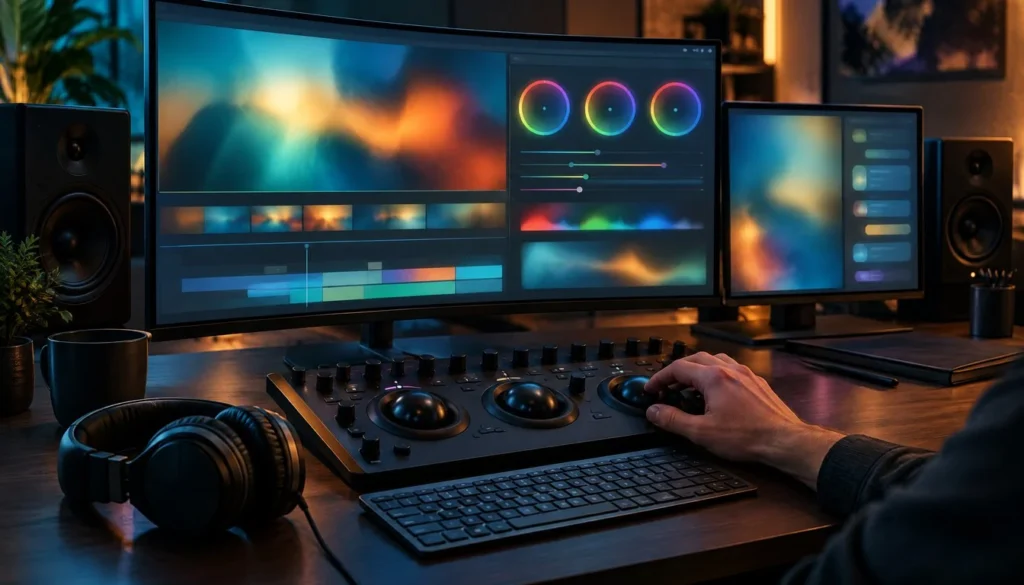
Color Mode is the most finished part of this release, and Adobe says so plainly. The release page describes it as “a new color grading workspace in Premiere, built for editors and right next to your edit.” That phrasing explains the design goal. You grade without leaving the project, and you do not round-trip to a separate grading app for a routine job.
Adobe’s announcement says the workspace handles corrections, looks and LUT operations, and press coverage of the release describes grades that apply to one clip, a group of clips or a whole sequence. For a YouTuber matching ten talking-head clips shot on two cameras, that last point is the useful one. One pass across the sequence replaces ten manual passes.
The September beta matters here. Because Color Mode spent time in the 26.5 line before this release, the general-availability label carries more weight than a first-day launch would. Adobe has had a full cycle of user feedback on it, and the November 10 announcement is the first time it appears without a beta tag.
What happens to Lumetri Color projects
Adobe says existing projects that use Lumetri Color are preserved and continue to appear as before. Adobe’s announcement also points to Color Mode as the current grading workspace, with the Lumetri panel workflow being retired. Adobe’s pages do not give a date or a removal schedule that I could confirm, so do not plan a studio-wide template change around a deadline that nobody has published.
The practical advice is boring and safe. Open one finished project from last month in 27.0, check that the grade looks the same, and only then decide whether new work should start in Color Mode. If you hand projects to freelancers on older builds, keep that check on your list.
AI Assistant: a project-aware panel that is still a beta
The second quote on Adobe’s release page sets out the pitch: “The new AI Assistant panel understands your Premiere project and helps you complete complex or repetitive tasks using AI.” The key word is project. This is not a chatbot bolted to the side of the app. Adobe positions it as something that reads your sequence, your clips and your timeline state before it acts.
Adobe’s announcement describes multi-step work driven by plain-language requests. Third-party reporting listed in the research for this article adds examples such as organizing bins, placing markers, building string-outs, syncing multi-camera footage, applying effects, tracking a subject and adjusting color or exposure across a sequence. Adobe’s own pages do not itemize all of those, so read that list as press description, not a feature contract.
The beta label is not decoration. Adobe’s Firefly help pages describe the AI Assistant as a beta available for testing and feedback. That means behavior can change, results will vary, and you should not hand a final delivery to it unchecked. Use it on a duplicate sequence first.
One more detail from the November 10 announcement: Adobe is shipping AI Assistant beta in other flagship desktop apps on the same day, including Illustrator, InDesign, After Effects and Frame.io. A creator who cuts in Premiere and animates in After Effects will meet the same assistant in both places. That consistency is the real product decision here.
Generative Media tool: five Generate commands in the timeline
The Generative Media tool now lists Generate Video, Generate Images, Generate Sound Effects, Generate Soundscape and Generate Music. The shared design choice is that results arrive in the timeline, not in a browser tab that you export from and re-import. For anyone who has bounced between a web generator and an editor, that cuts several file-handling steps per clip.
Reports describe Generate Video as a way to fill gaps with visual material, b-roll included. Adobe’s pages do not publish clip length, resolution or frame rate limits for it in the sources I checked, so I will not guess at them. If you plan to drop generated shots into a 4K timeline, run a test clip and read the properties before you commit to a workflow.
Sound effects, soundscapes and music
The audio side is the bigger story for solo creators. Generate Sound Effects takes a text prompt, and Adobe’s release notes identify a Sync to Video button that places the effect against the picture. Generate Soundscape works from the edit’s context and, per Adobe’s research pages, creates four synchronized, editable audio tracks based on the action and atmosphere of the video.
Generate Music creates a track from a text prompt. Adobe’s community announcement for the beta build says the music feature in Premiere Beta 27.0 build 22 runs on the Firefly Music model. That detail comes from the beta announcement, so confirm it against the release build before you repeat it to a client who asks about licensing.
For intro and outro work, this changes the order of operations. You can lock the picture, then ask for a riser, a whoosh and a bed of ambience against the finished cut. If you build animated titles, our text animation generator roundup covers the motion side, and the generative audio now covers the sound.
Which models sit behind the Generate buttons
Adobe’s November 10 announcement says Premiere’s generative tools can use Adobe Firefly and partner models from Google, Kling, Runway and Luma, depending on the task. So any claim that Premiere’s generative tools run on Firefly alone is incomplete. Two of those names will be familiar from our best image-to-video AI ranking, where Kling and Runway both appear.
Adobe also states that availability of generative features, AI models and partner models varies by account type, plan, region, language and hardware, and that cloud-based generative features need an internet connection. In plain terms, the same Premiere 27.0 install can show different Generate options on two machines.
That variability hurts anyone writing a tutorial or a team SOP. Document which account you tested on. If a freelancer on a different plan sees a shorter model list, the SOP should say that is expected, not a bug.
Audio cleanup gets faster on RTX Windows machines
Adobe’s release notes include a performance line that will not make headlines but will save time. Enhance Audio, Enhance Speech, Scene Edit Detection and Auto Reframe run faster on Windows computers with supported NVIDIA RTX GPUs. Adobe does not publish a speed-up figure in the pages I checked, so there is no percentage to quote.
The release also updates Enhance Audio, with improved controls according to the Adobe Community post. If you cut dialogue-heavy videos, an hour of interview footage with scene detection and speech cleanup is exactly the batch job where GPU acceleration shows up. Measure it on your own footage and keep the numbers.
Market impact: the assistant race moves into the timeline
Adobe is not adding a feature so much as repositioning the product. The November 10 announcement ties Premiere to a single AI Assistant that appears across Illustrator, InDesign, After Effects and Frame.io too. Competitors sell a color page, a templates library or a mobile-first editor. Adobe is now selling a project-aware assistant that follows you across apps.
Third-party plugin makers feel this first. Our AutoCut in Premiere Pro analysis put the $14.90/mo AutoCut plugin next to 10 AI tools that plug into Premiere. An assistant that can handle repetitive edits natively narrows the gap those plugins fill, even while it remains a beta. Plugin vendors will answer with depth in specific jobs such as captions and silence removal, which a general assistant tends to handle more loosely.
Stock music and sound-effect libraries also face a new substitute. A creator who pays for a library mainly to find a 10-second whoosh can now ask for one in the timeline. Libraries still win on curated quality, licensing clarity and brand-safe catalogs, but the casual buyer has less reason to subscribe.
Competitive comparison: Resolve, Final Cut and the free editors
Color Mode narrows a gap that DaVinci Resolve has owned for years. Resolve built its name on grading, and many editors tolerated Premiere’s Lumetri panel because the rest of the app was familiar. A dedicated grading workspace inside the same project removes one reason to switch. Our earlier comparison put Final Cut Pro at $299.99 against a free Resolve tier, and that price gap still frames the debate for Mac editors who do not need Adobe’s cloud features.
Price remains Adobe’s weak point against one-time purchases. Adobe’s individual single-app plan was reportedly listed at $22.99 a month on an annual plan billed monthly as of an October 24, 2026 plans page update, a figure that is single-sourced and may differ by region. I could not confirm any price change tied to 27.0, so assume the plan price stayed where it was until Adobe says otherwise.
Where Adobe stands out is the breadth of models behind its generate tools and the assistant spanning apps. Where it trails is the free tier. If budget decides the matter for you, our free video editing software ranking lists six options that cost nothing to start.
Historical context: from Lumetri to Color Mode
Premiere’s grading story has run on the Lumetri Color panel for years, a set of sliders that lived beside the timeline. Color Mode replaces that panel as the main grading surface and adds a workspace layout, not just more sliders. Adobe’s November 10 announcement frames the older panel as being retired, which makes this a change of habit, not an extra checkbox.
Adobe’s generative work in Premiere also has a trail. The Firefly plans documentation names Generative Extend as an existing premium generative feature in Premiere, so video generation was already inside the app before 27.0. What changed on November 10 is the spread: images, music, soundscapes and sound effects joined it, and partner models joined Firefly.
| Date | Event | Source |
|---|---|---|
| September 2026 | Premiere 26.5 ships Color Mode in beta | Adobe release notes |
| November 10, 2026 | Premiere 27.0 released, Color Mode becomes generally available | Adobe announcement |
| November 10, 2026 | AI Assistant arrives in Premiere as a beta | Adobe announcement |
| November 10, 2026 | AI Assistant beta also lands in Illustrator, InDesign, After Effects, Frame.io | Adobe announcement |
| November 10, 2026 | Generative Media tool adds images, music, soundscapes alongside video and sound effects | Adobe announcement and release notes |
| Early 2027 | MCP support for third-party agents, reported as planned and not released | Creative Boom, Red Shark News |
What remains unconfirmed on November 12
Several questions that creators will ask this week have no published answer in the sources I checked. Listing them is more useful than guessing. Use the table as a checklist before you rebuild a workflow around 27.0.
| Open question | State of the evidence | What to do |
|---|---|---|
| Price change for 27.0 | None confirmed | Check your Adobe account page before renewal |
| Generative credit cost per clip or per minute | Not confirmed in Adobe’s official pages I checked | Run one test generation and read the credit counter |
| Exact system requirements | Not confirmed here | Read Adobe’s requirements page for your OS |
| Intel Mac support | Not confirmed here | Hold your upgrade until Adobe states it |
| Lumetri panel retirement date | Retirement mentioned, no schedule confirmed | Keep old projects on a backup copy |
| Third-party agents via MCP | Reported as planned for early 2027 | Treat as roadmap, not a feature |
The credit question deserves the most attention. Generative features across Adobe’s apps sit on a credit and plan system, and a creator who generates dozens of sound effects for a weekly show could burn through an allowance faster than expected. No credit rate for the new Premiere tools appears in Adobe’s pages I could verify, so test before you promise a client a fixed volume of generated assets.
What creators should do this week
Start with Color Mode, because it is generally available and low risk. Grade one real sequence in it, compare against your usual Lumetri result, and note any look you cannot reproduce. That single test tells you whether to switch now or wait for a point release.
Treat the AI Assistant as a drafting tool. Ask it to organize a bin or place markers on a duplicate sequence, then inspect the result. Do not run it on your only copy of a project.
For generated audio, record the prompt, the model name and the date on every asset you keep. Licensing questions will arrive later, and that note takes ten seconds. If you export finished videos to platforms afterward, our guide to reducing video file size covers the codec choices that apply after you leave Premiere.
Predictions for the next six months
These are analysis, not reported facts. Each rests on the pattern Adobe has set in the November 10 announcement.
- AI Assistant leaves beta in stages. Adobe tends to promote features one app at a time. Premiere, with the clearest repetitive tasks, is a likely first candidate.
- Point releases tune Color Mode. A feature that spent a cycle in beta and then shipped usually picks up fixes quickly. Expect small updates before the next major version.
- Partner-model lists change. Adobe says the model choice varies by plan and region, which suggests the list will move. Expect additions and quiet removals.
- Third-party agent support arrives, if the reports hold. MCP integration is reported as planned for early 2027. Slippage is possible, so do not build a workflow on it.
- Rivals answer on audio. Generated sound effects and music in the timeline are easy for competitors to copy. Watch the free editors first.
Bottom line on Adobe Premiere 27.0
Adobe Premiere 27.0 is a solid grading release with an experimental assistant attached. Color Mode is ready to use. The AI Assistant is a beta to test on copies. The generative audio and video tools widen what you can do without leaving the timeline, but credit costs and plan limits are still unclear. For more on the category, browse our editing software hub, and for another Adobe tool that targets motion work, see our Adobe Express vs Canva logo animation test.
Common questions
When was Adobe Premiere 27.0 released?
Adobe’s release pages date it to November 10, 2026.
Is Color Mode still in beta?
No. Adobe’s November 10 announcement calls it generally available. It was in beta in the 26.5 line before that.
Is the AI Assistant a finished feature?
No. Adobe identifies AI Assistant as a beta in Premiere, and describing it as fully released would be wrong.
What do Generate Music and Generate Sound Effects do?
Both work from text prompts inside the timeline. Adobe’s release notes identify a Sync to Video button for generated sound effects.
Does Premiere use only Firefly for generation?
No. Adobe’s announcement names Firefly and partner models from Google, Kling, Runway and Luma. Availability varies by plan, region, language and hardware.
Will my old Lumetri Color projects still open?
Adobe says existing Lumetri Color projects are preserved and continue to appear as before. Test one project before moving a whole library.
Does 27.0 change the price or the credit cost of generation?
I could not confirm either from Adobe’s official pages. Check your account page and test a generation to see the credit counter.
More from the Vipid blog
- Vipid intro themes resolution, length and frame rate per theme
- Promo themes product and channel promos
- Sample videos finished Vipid intros
- Vipid intro maker make a custom intro in the browser
Jonah Reyes
Jonah Reyes is the Editing & Export Editor at Vipid. He covers editing software, export settings and codecs, and the video specs of YouTube, Shorts, TikTok and Reels, plus OBS and screen recording. He builds Vipid’s spec tables from the platforms’ own documentation and re-checks them every 60 to 90 days, so the numbers in a guide match what the upload dialog actually accepts.