Motion Graphics Applications Ranked for Beginners and Pros
How we ranked these motion graphics applications · #1 DaVinci Resolve 21 with Fusion: the free all-in-one · #2 Adobe After Effects 27.0: the pro standard on a subscription · #3 Blender 5.3: free 3D and motion design with a steep curve · #4 Cavalry: free 2D motion design from Canva · #5 Jitter: browser-based motion for beginners and brand teams · #6 Apple Motion 7.0: the Mac-only companion to Final Cut Pro · Motion graphics applications compared side by side · What a motion artist said about Fusion · What shipped in the last 90 days · Which motion graphics applications suit beginners and which suit pros · Best pick for three budgets and use cases · Overall verdict · Common questions
DaVinci Resolve 21 leads this ranking of motion graphics applications because its free edition puts a node-based compositor next to an editor and a colour page. Blackmagic’s own Resolve Studio 21.2 readme shows the current build of the line, and the company’s product pages describe Fusion as part of Resolve, with Fusion Studio sold as a separate application. Adobe After Effects 27.0 comes second, Blender 5.3 third, then Cavalry, Jitter and Apple Motion.
Each of the six is the newest release of its product line as of November 27, 2026. If you want to know which of them can rebuild a specific look, our guide to recreating a motion graphic sample tests that angle. This page answers the earlier question: which tool should you learn or buy first, and what does it cost to stay with it?
Every price, version and date below comes from vendor pages and release notes read on or just before November 27, 2026. Where two sources disagree, the text says so and the table leaves the number out. Adobe’s Black Friday offer on Creative Cloud Pro ends today, so check the live price before you buy.
How we ranked these motion graphics applications
A ranking is only useful if the weights are visible. We scored each app on five criteria and let the weighted total set the order. Motion graphics depth carries the most weight, because an app that cannot build layered type, shapes and camera moves is not a motion tool at all. The other four criteria split the remaining weight.
| Criterion | Weight | What we looked at |
|---|---|---|
| Motion graphics depth | Not listed | Layer or node compositing, 3D, text and shape animation, vendor-listed motion features |
| Current development and AI | 20% | Newest release in the last three months, assistant features, vendor release notes |
| Price and free tier | 15% | Entry price, whether a usable free edition exists, one-time purchase or subscription |
| Ease of learning | 15% | Interface style, template and collaboration support, how fast a beginner ships a title |
| Platform reach | 15% | Windows, macOS and browser support, operating system minimums |
The scores themselves are editorial judgments built on the vendors’ published facts. We did not run render benchmarks, so none of the speed claims in this article are ours. Adobe cites faster mask tracking, and Blackmagic cites faster AI tools on new hardware. Both are vendor statements, and we label them that way.
Why only six apps made the list
The rule for this page was current models only, with every figure traceable to a vendor page. Six products cleared that bar. Others people search alongside motion graphics, such as Rive, Canva and Premiere, either lacked a confirmed current version and price or are editors first. We cover where they fit near the end.
What we could not confirm
Three gaps shaped how cautiously we wrote. Apple’s Motion version label differs between its support pages, its stores and its App Store listing. Cavalry’s newest version number is reported two different ways. Jitter’s paid prices differ between the third-party pages that reproduce them. Each gap gets a plain note in the relevant section, and none of the three changes the order.
#1 DaVinci Resolve 21 with Fusion: the free all-in-one
Best for: beginners who want one free app, and working editors who already cut in Resolve. Newest version: DaVinci Resolve 21, with Studio 21.2 documented in the readme linked above. Price: free edition at no cost, Studio is a paid one-time purchase.
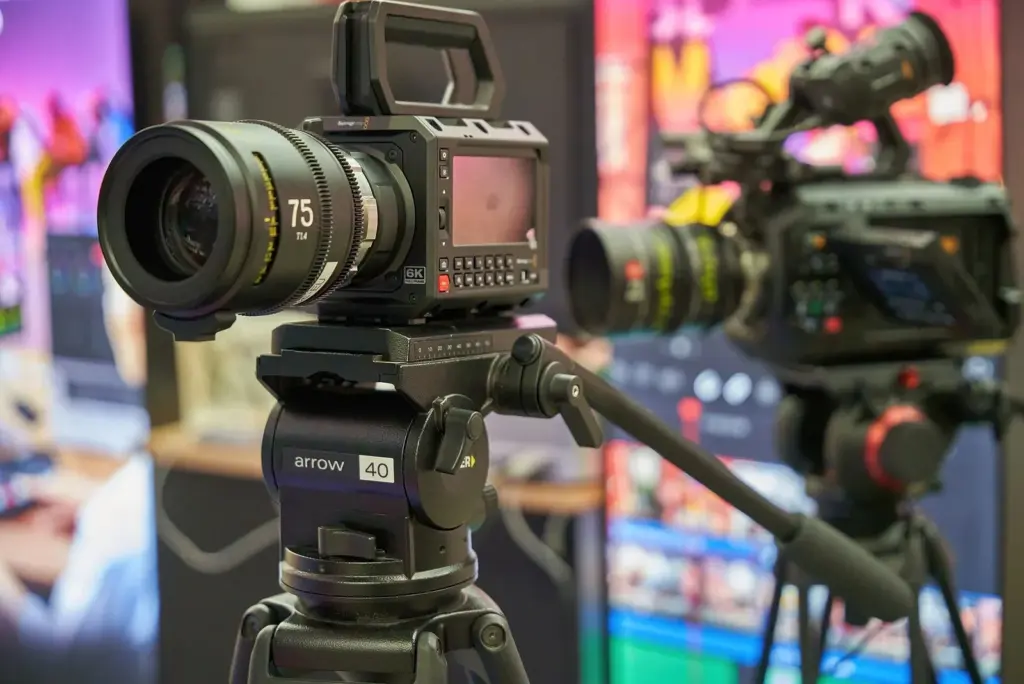
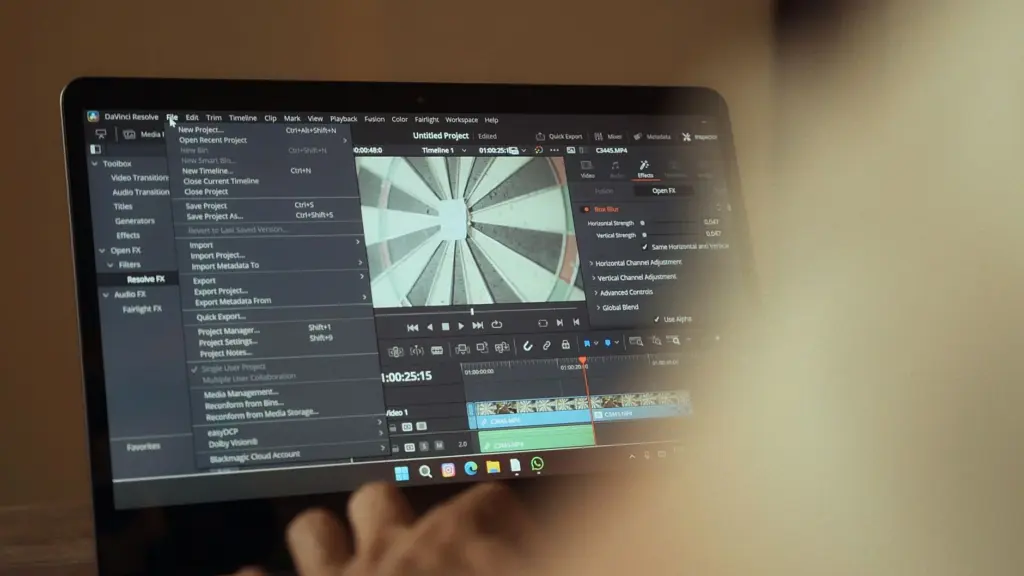
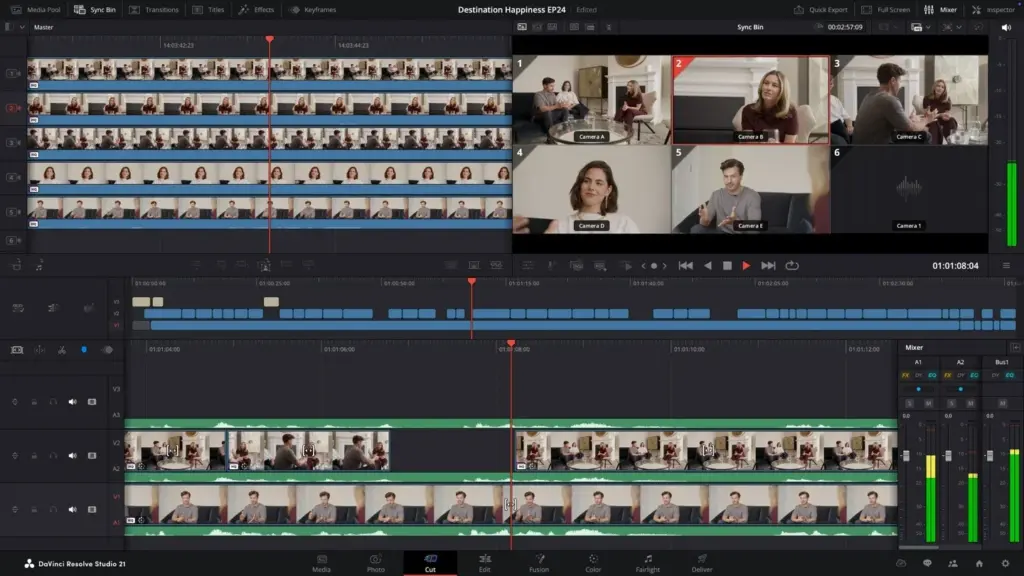
Resolve earns the top slot on breadth and price together. Blackmagic’s product page lists DaVinci Resolve 21 as the newest model on sale, and its release summary describes the Fusion side in two forms: Fusion inside Resolve, and the standalone Fusion Studio 21. The standalone app activates with a Resolve licence, which shows how closely Blackmagic ties the two.
For motion work, the headline change in version 21 is the Krokodove toolset. Blackmagic’s pages say Fusion in Resolve 21 adds more than 70 new graphics through it, along with improvements to keyframing, MultiMaster trim passes and layer-list node graphs. Fusion Studio 21 is described as adding Krokodove plus more than 100 motion-graphics effects and tools. The two counts describe different products, so read them as separate claims rather than a contradiction.
Blackmagic reportedly announced Resolve 21 at NAB 2026 on April 13, with a public beta that day. Release 21.1 on September 8 reportedly added more than 25 Krokodove tools to Fusion plus AI-assistant help for media organization and batch rendering. The line has kept shipping point releases since the major launch. That cadence matters if you plan to rely on the app for years.
Free edition versus Studio
The free edition covers editing, colour, Fusion compositing and audio in one window. According to Blackmagic’s product page, Studio adds the DaVinci Neural Engine, extra Resolve FX and Fairlight FX, stereoscopic tools and advanced HDR grading. For pure motion graphics, most of those extras are not why you would buy it. The AI tools are the part that touches motion work, and Blackmagic’s October 2026 sale announcement leaned on Studio-only AI performance on Apple M6 and NVIDIA RTX Spark systems. Those speed figures are Blackmagic’s claims, and nobody has independently confirmed them.
Blackmagic’s US pages, as read on November 23, list Studio at US$295 as a one-time purchase. A 20 percent promotion that brought it to US$236 ended on November 20, so do not budget around the lower number. If you are weighing the paid edition, our title sequence tools comparison shows how Resolve’s Fusion page handles a real opening sequence next to After Effects and Jitter.
The learning curve
Fusion is node-based. If you have only used layer stacks, connecting nodes feels strange for the first week. The payoff is a clear picture of how every effect feeds the next, which helps when a title sequence has twenty parts. Blackmagic’s readme also asks for more system memory when you use Fusion, so a modest laptop will feel heavy comps. Check the readme’s requirements before you commit a project to a lighter machine.
Verdict. Resolve sits first because no other app on this list gives a beginner an editing, colour and compositing stack for $0 while still offering a paid Studio path for professionals. Nothing ranks above it, so the useful question is what it gives up to the rest of the field. It gives up the huge template and plug-in market that surrounds After Effects, and its node workflow takes longer to learn than a layer timeline. Download it if you edit video as well as animate it, if you want one project file for the whole job, or if subscription pricing is a deal-breaker.
#2 Adobe After Effects 27.0: the pro standard on a subscription
Best for: motion designers, agencies and anyone whose clients send After Effects project files. Newest version: After Effects 27.0, Adobe’s November 2026 release. Price: US$22.99 per month on the annual plan billed monthly.
After Effects is still the app other motion tools get measured against. Adobe’s system-requirements page lists the 26.x builds, and Adobe’s help pages state that the latest version is the November 2026 release, version 27.0. Adobe’s community post of November 7 announced it as After Effects 2027 (27.0) and said it was on its way. Reports put the rollout around November 9 and 10. The sheet cannot pin the day down, so we say November 2026 and leave it there.
The biggest addition is an AI Assistant. Adobe’s documentation describes it as a panel that can organize projects, write and repair expressions, and generate images and video. Adobe’s announcements label it a beta, so treat it as an early tool rather than a settled part of a production pipeline. Reports on the release also list Advanced 3D materials for objects, Substance 3D materials on 3D text and shapes, editable Illustrator text import, an Adobe Stock panel, Contour Paint and better project recovery.
The preceding builds show how fast Adobe moves. Adobe’s requirements page lists 26.0 from January 2026, 26.2 and 26.2.1 from April, 26.3 from June and 26.5 from September. Reports add that 26.0 brought native Windows on Arm support and native 3D parametric meshes, and that a June update added Object Matte with AI-assisted selection tools plus direct SVG import as editable shape layers. Few other apps on this list ship that often.
What After Effects costs
Adobe’s US page lists After Effects alone at US$22.99 per month on the annual plan billed monthly. That is the only After Effects price we put in the table, because Adobe’s regional pages show different figures by country, currency, tax and billing choice. Adobe’s page names the November 2026 release, version 27.0, as the latest version of After Effects. Month-to-month and team pricing differ from that figure, so check Adobe’s page before you rely on any other price.
Hardware and templates
Adobe’s published requirements for the 26.x builds are a useful guide while 27.0 documentation catches up. They ask for Windows 11 version 24H2, 16 GB of unified memory on Apple silicon, 32 GB or more for 4K and higher, and OpenCL 2.0 (required since release 25.6). Windows machines with an NVIDIA GPU need a Maxwell-generation card or newer with at least 4 GB of GPU memory. The sheet does not include the final 27.0 requirements, so confirm them on Adobe’s page.
The template economy is After Effects’ quiet advantage. A freelancer can buy a title pack, change the text and render the same day, a route covered in our guide to After Effects templates. Resolve and Blender have templates too, but nothing matches the volume of project files built for Adobe’s app.
Verdict. After Effects ranks second because it wins the depth and development criteria outright but loses on price and learning curve. Against Resolve it loses breadth and cost: Resolve gives you an editor and a compositor for $0, while After Effects asks for a monthly fee and does not edit long videos. Buy it if you do motion work for clients, if you trade project files with other studios, or if your income depends on matching the industry’s default format.
#3 Blender 5.3: free 3D and motion design with a steep curve
Best for: artists who want 3D titles, product shots and procedural animation without paying anything. Price: free and open source.
Blender is the odd one on this list. It is a full 3D suite that happens to be excellent at motion graphics, rather than a motion tool that grew a 3D mode. The official release-notes page states that Blender 5.3 has been released. Official build listings dated November 24 and 25 show 5.3.0 stable builds next to 5.4.0 alpha builds, so development has already moved on.
Some older pages still treat a Blender 5.2 build as the stable release, so you may see that number elsewhere. Blender 5.2 was a long-term-support release. The 5.3 release notes supersede that, and we rank the newer version. If your studio standardises on long-term-support builds, 5.2 LTS remains an option, but it is the predecessor and not the current model.
What does 5.3 add for motion work? According to a post on the Blender developers’ blog, initial 3D Gaussian splat support arrived, letting you import, edit and render captured scenes. For a motion designer that means a scanned location can sit behind your titles without a full photogrammetry pipeline. Reports on the 5.2 line also list experimental procedural physics for hair and cloth in Geometry Nodes, and more nodes in the Compositor, including string nodes.
Where Blender beats the rest
Blender wins any job that needs real 3D. Extruded logos with proper lighting, product spins, abstract looping backgrounds and physics-driven type are easier to build and to light than in a compositor that fakes depth. Our fact sheet’s own assessment calls it the strongest no-cost, all-in-one option for 3D modelling, animation, rendering, compositing and motion-graphics work. The Blender Studio subscription, listed at around 11.50 euros a month in one report, covers optional training and production assets. It is not a licence fee.
Where it makes beginners suffer
Flat 2D titles, lower thirds and quick social graphics take longer in Blender than in any other tool here. You work in a 3D viewport, set up a camera and render through a render engine even for simple text. That is powerful but slow for a ten-second sting. If your work is mostly flat graphics, Cavalry or Jitter below will get you to a finished file faster.
Verdict. Blender takes third because its depth is very high and its price is zero, but it asks the most patience from a beginner. Against After Effects it loses polish for flat motion work, ready-made templates and an interface a designer recognises on day one. Against Resolve it loses the edit-to-delivery workflow. Pick it if you want 3D in your titles, if you enjoy procedural systems, or if you refuse to pay for software on principle.
#4 Cavalry: free 2D motion design from Canva
Best for: designers who want procedural 2D animation, logo reveals and data-driven graphics. Newest version: disputed, see below. Price: free for individuals.
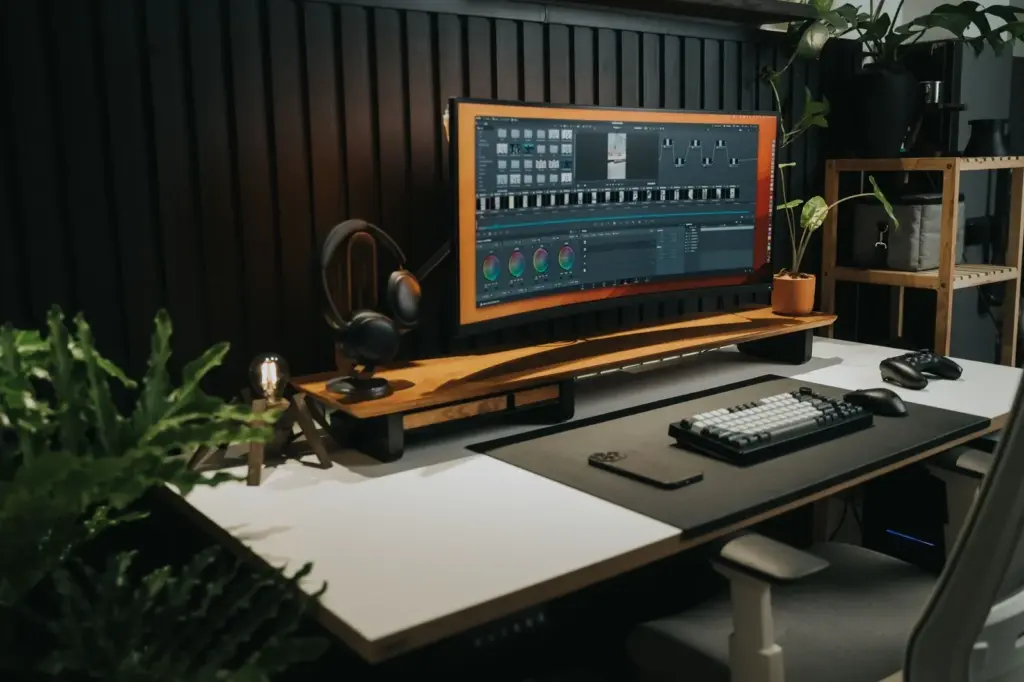
Cavalry changed hands this year. Canva’s newsroom announced it was welcoming MangoAI and Cavalry in February 2026, and our sheet shows Canva said it would keep Cavalry available as its own product while folding the animation technology into Canva and Affinity. The app is now presented as Cavalry by Canva. The official site reportedly separates it from a legacy version still distributed by Scene Group.
The pricing story changed too. Cavalry is now advertised as free for individuals, and the official FAQ says the free version is not a reduced-feature edition. One report adds that access is tied to a Canva account. Earlier third-party coverage listed a paid Pro licence at 192 pounds a year, but that predates the free model and is history now. We found no confirmed numeric price for enterprise or education plans, so we give none.
The version question
The docs also describe a web player and API still labelled beta, and the sheet notes that Starter users can evaluate Pro features through a “Try Pro” option. Those details matter if you plan to ship animation on the web rather than render a video file, since the web player is the route to interactive playback.
Where Cavalry fits against After Effects
Cavalry is built for 2D motion design, so repeated shapes, grids, wiggles and data-driven animation come faster than in a layer-based compositor. It does not try to be an editor or a 3D suite. If your main job is animating a logo, our roundup of an After Effects alternative for logo animation puts it next to other options for that exact task.
Verdict. Cavalry lands fourth because it is free, focused and actively maintained, but it narrows its scope to 2D and leaves the version question open. Against Blender it loses true 3D, and against Resolve it loses the editor and colour page that sit around the compositor. Download it if you are a graphic designer who animates logos and typography, if you like procedural tools, or if you want a layered-motion workflow without a subscription.
#5 Jitter: browser-based motion for beginners and brand teams
Best for: beginners, marketers and small teams that need branded motion fast. Newest version: no numbered version, the product ships continuous updates. Price: a free plan, with paid tiers billed per editor.
Jitter is the easiest app here to start, because it runs in a browser. Our sheet describes it as a fast, simple, collaborative motion-design tool on the web, and its recent releases point to collaborative, template-driven motion design rather than a traditional desktop compositor. There is no installer, no operating system minimum and no project file to email around.
The pricing picture
Jitter lists Free, Pro, Max and Enterprise plans on its pricing page, and its changelog shows an Ultra tier added on June 30 for AI-heavy work, reportedly carrying six times the AI credits of Pro. Monthly billing for Pro and Max depends on the number of editors in a workspace. We left paid prices out of the table because the third-party pages that reproduce them disagree. One page lists annual-billing prices of US$15 for Pro, US$35 for Max and US$59 for Ultra per editor per month, while another reports Pro at US$8. Check Jitter’s pricing page before you plan a budget.
What it exports and what it skips
Jitter’s older changelog entries mention Lottie exports, so it fits web and app teams as well as video makers. It does not offer node compositing, deep 3D or expression scripting. That is the trade for its speed. If you are comparing it against code-driven options, our piece on logo animation with After Effects, Rive and Lottie covers the export side in more depth.
Verdict. Jitter ranks fifth because depth is its weak criterion, though it wins on ease and platform reach. Against Cavalry it loses procedural power and the certainty of a free tier that is not shaped by seat-based plans. Against Resolve it loses depth and a real compositor. Choose it if you are new to motion graphics, if a marketing team needs branded templates today, or if your whole workflow lives in a browser.
#6 Apple Motion 7.0: the Mac-only companion to Final Cut Pro
Best for: Mac editors who already cut in Final Cut Pro and want titles, generators and effects. Newest version: Motion 7.0, with a label caveat below. Price: US$49.99 one time on the Mac App Store.
Motion lands last because only Mac owners can use it, not because it is weak. Our sheet confirms it is an actively sold, Mac-only motion-graphics and compositing application, and the current listing requires macOS 26.6 or later. Apple’s own page lists the standalone Motion at US$49.99 among the Mac App Store versions of its creative apps.
Motion also arrives through Apple Creator Studio, which bundles Motion with Final Cut Pro, Logic Pro, Pixelmator Pro, Compressor and MainStage. According to the sheet, the US price is US$12.99 a month or US$129 a year, and Apple’s own page lists a student price of US$2.99 a month or US$29.99 a year. Customers who bought the standalone app can keep using it, and Apple says both versions can sit on the same Mac.
The version label problem
Reports dated November 2026 put the newest build at Motion 7.0, with the App Store listing reportedly showing it as a November release. Apple’s own documentation is less tidy. The What’s new in Motion pages we fetched still show earlier numbering, and Apple’s business stores list the product as Motion 5, with version 5.5 in the product information. We rank Motion 7.0 as the current model because the November reports and the App Store listing say so. Check the version label in your own App Store before you buy.
What changed this autumn
Apple announced built-in MotionVFX plug-ins on October 28, covering cinematic color correction, 3D camera tracking and one-click selection. Apple’s own pages also describe text-to-image generation, Pixelmator Pro round-tripping, enhanced keyframe-easing controls and a Displacement filter in the 7.0 update. A September 29 update brought Cinematic-mode effects for iPhone 18 Pro footage, and some of those features need macOS 27 or later. Earlier 2026 releases reportedly added Magnetic Mask tracking in 6.3 and SVG import plus clip-staggering controls in 6.4.
Verdict. Motion ranks sixth because its depth is real and its price is the lowest of any paid app here, but half the audience cannot run it. Against Jitter it loses platform reach, since a browser tool works on any machine. Against the apps above it, it loses depth beyond titles and effects. Buy it if you own a Mac, edit in Final Cut Pro and want reusable animated templates inside your editor.
Motion graphics applications compared side by side
The table below puts all six apps in one place. Cells contain only facts that appear on vendor pages. Where a figure is disputed, the cell says so and the section above explains the conflict.
| Spec | #1 Resolve | #2 After Effects | #3 Blender | #4 Cavalry | #5 Jitter | #6 Motion |
|---|---|---|---|---|---|---|
| Newest version | 21 (Studio 21.2 readme) | 27.0 (November 2026) | 5.3 (November 10, 2026) | Disputed, see text | No numbered version | 7.0 (November 2026 reports) |
| Tool type | Editor, colour and node compositor | Layer compositor | 3D suite | 2D procedural animation | Browser motion tool | Motion and titles app |
| Runs on | Windows and macOS | Windows 11 and macOS | Open-source desktop app | macOS and Windows | Any browser | Mac only (macOS 26.6+) |
| Entry price | $0 | $22.99 per month (annual plan, billed monthly) | $0 | $0 for individuals | $0 Free plan | $49.99 one time |
| Free option | Yes, Fusion included | No permanent free tier | Fully free | Yes, not a reduced edition | Yes, Free plan | No |
| Paid route | Studio, one-time purchase | Subscription | Optional Blender Studio training | Pro features, plan details unconfirmed | Pro, Max, Ultra, Enterprise | Apple Creator Studio bundle |
| Licence model | Free plus perpetual Studio | Subscription only | Open source | Free for individuals | Per-editor subscription | One-time or subscription |
| Compositing style | Nodes (Fusion) | Layers | Nodes and 3D viewport | Procedural scene graph | Timeline of layers | Layers and behaviors |
| AI assistance | AI tools, Studio has more | AI Assistant (beta) | None headlined | None on our sheet | Jitter AI | Text-to-image reported |
| Latest headline change | Krokodove graphics in Fusion | AI Assistant, Advanced 3D materials | Gaussian splat support | Editable motion paths (2.6) | Brand Kits (beta) | MotionVFX plug-ins |
| Edits long video too | Yes | No | Limited | No | No | No, pairs with Final Cut Pro |
| Best for | Beginners and editors | Professional studios | 3D artists | 2D designers | Marketing teams | Mac editors |
| Learning curve (editorial) | Medium | Steep | Steepest | Medium | Gentle | Medium-gentle |
| Weighted score (editorial) | 8.20 | 7.90 | Not listed | 7.30 | Not listed | 6.90 |
A few cells deserve a second look. The Blender “Edits long video too” cell says limited because a video sequencer exists, but it is not the reason anyone picks the app. The Motion licence cell reads one-time or subscription because Apple sells both. The After Effects “Subscription only” cell matches the sheet’s description of a subscription-based professional application with no permanent free tier.
The weighted scores behind the order
Here is how the scores break down on the five criteria from the opening section. Each score is out of ten, and the total uses the weights listed earlier. These numbers are our own judgments and not vendor data, and a different weighting would change the middle of the table. A reader who cares only about 3D should put Blender first.
| App | Depth | Development and AI (20%) | Price (15%) | Ease (15%) | Platform (15%) | Total |
|---|---|---|---|---|---|---|
| DaVinci Resolve 21 | 8 | 9 | 10 | 6 | 8 | 8.20 |
| After Effects 27.0 | 10 | 10 | 4 | 4 | 8 | 7.90 |
| Blender 5.3 | 8 | 9 | 10 | 3 | 8 | Not listed |
| Cavalry | 7 | 7 | 9 | 6 | 8 | 7.30 |
| Jitter | 4 | 8 | 8 | 9 | 10 | Not listed |
| Apple Motion 7.0 | 7 | 8 | 8 | 7 | 4 | 6.90 |
The gap between first and second is 0.30 points, which is small. After Effects wins the two heaviest criteria and still finishes behind because it scores 4 on price and 4 on ease. Blender sits just behind After Effects for the same reason in reverse: it wins on price and loses on ease. Cavalry, Jitter and Motion sit close together at the bottom, so your own priorities should break ties among them.
What a motion artist said about Fusion
Our verified quote file held two lines from one speaker, and both are old. In a 2014 interview about the buy-out of Eyeon, Dunn Lewis, a motion graphics and VFX artist, described what Fusion gave him: “The great thing about using Fusion for motion graphics is that you have an unlimited number of ways to create and design shots so you don’t have to leave the package to get the job done.” He added a shorter version of the same point: “Fusion can handle it all.”
Treat that as history and not as a review of today’s Resolve 21. It dates from the buy-out period and says nothing about version 21’s Krokodove graphics. What it does show is that the argument for a node-based motion tool, staying inside one package from first frame to delivery, has stood for more than a decade. It is the same argument that puts Resolve first in this ranking.
What shipped in the last 90 days
Release dates tell you which tools are alive. The list below runs from September to late November 2026 and uses only dates that appear on vendor pages or in vendor-attributed reporting. Dates marked reportedly come from a single report.
- September 8: DaVinci Resolve 21.1 reportedly adds more than 25 Krokodove tools to Fusion.
- September 29: Motion’s Cinematic-mode support for iPhone 18 Pro footage is announced, and a 6.4 update reportedly adds SVG import.
- October 1: Jitter’s changelog lists a Jitter AI model called Opus 5.5.
- October 20: Blackmagic runs a 20 percent Studio promotion that ends November 20.
- October 27 and 28: Apple announces MotionVFX plug-ins for Motion.
- November 4: the Resolve Studio 21.2 readme is dated, per the sheet.
- November 10: Blender 5.3 is released, and Jitter’s Brand Kits launch in beta.
- November 2026: After Effects 27.0 arrives with its AI Assistant beta, and Motion 7.0 reaches the App Store around November 23.
- November 24: Jitter ships layer search.
Cavalry is the quiet name on that timeline. Sources disagree on its newest version, and we found no reliable official release date for any of them. That does not mean the product is stalled, since it is still actively maintained under Canva, but we cannot confirm recent release activity, and it is one reason Cavalry sits fourth rather than higher.
Which motion graphics applications suit beginners and which suit pros
Beginners need a short path from install to a finished clip. Jitter has the shortest because it runs in a browser and starts from templates. Resolve has the best free path if you also want to edit, and Apple Motion is the easy pick on a Mac with Final Cut Pro. Blender is the hardest start on the list, so choose it only if 3D is the reason you are here.
Professionals need deliverables that match what clients and collaborators expect. After Effects wins that test through its project-file ecosystem. Resolve and Blender win on cost control for studios that would rather not rent software, and Cavalry suits design teams that live in 2D. If your client work involves logos, our comparison of After Effects against AI video for logo animation covers a route none of these six apps address directly.
A learning order that works
- Start in Jitter or Motion if you want a finished title in an afternoon.
- Move to Resolve’s Fusion page when you want nodes, masks and tracking without paying anything.
- Add Cavalry if your work becomes repetitive 2D graphics or data-driven animation.
- Learn Blender when a project needs real 3D lighting and camera moves.
- Take on After Effects when a client, a studio or a job listing asks for it by name.
That order is editorial advice and not a vendor recommendation. It follows cost first and project need second, which keeps your spending low until a job demands more.
Apps we left out
Three names come up in nearly every search for motion graphics software and none made the ranked list. Rive is an interactive-animation platform for apps, websites and games, so its output is a runtime file and not a video, and it sits in a different category from the six above. Canva now owns Cavalry and offers animated templates, but we could not confirm a current version and price for its animation features. Premiere Pro is an editor, and the sheet did not establish a current standalone price for it.
That is a statement about evidence and not about quality. If a later fact check confirms current versions and prices for any of them, they can join a future update of this list. Until then, a score without facts behind it would break the rule that every row in the table needs a source.
Best pick for three budgets and use cases
Zero budget, first motion app: DaVinci Resolve 21. You get an editor, a colour page and Fusion in one free download, and the learning you do transfers to Fusion Studio if you grow into it. If your work is mostly flat 2D, Cavalry is the free alternative.
Small budget, one-off purchase: Apple Motion at US$49.99 for Mac users, or DaVinci Resolve Studio at US$295 if you want Blackmagic’s paid AI tools. Both avoid a subscription. Resolve Studio costs more, but it also replaces a separate editor, while Motion pairs best with Final Cut Pro.
Professional budget, client work: After Effects 27.0 at US$22.99 a month on the annual plan billed monthly. The fee is easy to defend if one client project covers a year of it. Studios that want to cut licence costs can build a Resolve plus Blender stack that covers most of the same ground.
From the Vipid archive: if you only need a branded logo sting and not a custom build, the animated logo intro theme is a ready-made option.
Overall verdict
The takeaway: start with DaVinci Resolve 21 unless you have a specific reason not to. It costs nothing, it teaches node compositing that carries into other tools, and Blackmagic keeps shipping releases for it. After Effects 27.0 stays the right call for professional studios, Blender 5.3 for 3D, Cavalry for free 2D work, Jitter for speed and Apple Motion 7.0 for Mac editors in Final Cut Pro.
Prices and versions move quickly in this category. Adobe’s offer on Creative Cloud Pro ends today, Blackmagic’s Studio discount ended a week ago, and Cavalry’s and Motion’s version details are still unsettled. For a wider look at where these apps sit among video tools, see our editing software hub, which collects the current guides in one place.
Common questions
What are the best motion graphics applications for beginners?
Jitter and DaVinci Resolve are the easiest starting points. Jitter runs in a browser and has a Free plan, while Resolve’s free edition includes Fusion for compositing alongside an editor. Apple Motion is a good third option if you own a Mac. Blender and After Effects take longer to learn.
Is DaVinci Resolve good for motion graphics?
Yes. Fusion is a node-based compositor inside Resolve, and Blackmagic says Fusion in Resolve 21 adds more than 70 new graphics through the Krokodove toolset. It suits titles, lower thirds and effects work. It is less suited to the template-driven workflows that After Effects supports.
Is there a free alternative to After Effects?
Several. DaVinci Resolve’s free edition includes Fusion, Blender is free and open source, Cavalry is advertised as free for individuals, and Jitter has a Free plan. After Effects itself has no permanent free tier on our sheet, so these are the main routes if you want to pay nothing.
How much does After Effects cost in November 2026?
Adobe’s US page lists After Effects at US$22.99 per month on the annual plan billed monthly. Adobe’s prices vary by country, currency, tax and billing commitment, so your figure may differ. Creative Cloud Pro, which includes After Effects, has a Black Friday offer that Adobe says ends November 27.
Does Apple Motion work on Windows?
No. Motion is a Mac-only application, and the current listing requires macOS 26.6 or later. Windows users should look at DaVinci Resolve, Blender, Cavalry, Jitter or After Effects.
Is Cavalry really free?
Cavalry is advertised as free for individuals, and its official FAQ says the free version is not a reduced-feature edition. Canva acquired Cavalry in 2026. No confirmed numeric price for enterprise or education plans was available, so check Cavalry’s site if you need those.
Can Jitter replace After Effects?
For branded templates, quick social motion and collaborative work, often yes. For deep compositing, 3D and expression scripting, no. Jitter’s own recent releases point toward collaborative, template-driven motion design rather than a traditional desktop compositor.
Which of these apps shipped a new version most recently?
Blender 5.3 arrived on November 10, 2026, and After Effects 27.0 landed the same month. DaVinci Resolve’s Studio 21.2 readme came in early November. Jitter posts changelog updates instead of version numbers, and the newest dated Cavalry notes we found are from March 2026.
More from the Vipid blog
- Best Green Screen Software for Chroma Keying, Ranked
- YouTube Intro Template [2026]: 5 Tools, 3 Routes, $0 Start
- Eight Video Editing Apps for PC, Mac, Phone and Browser
- DaVinci Resolve vs Studio: Is the Free Version Enough?
- Intro Templates for Premiere, Resolve, Final Cut and CapCut
- Vipid intro themes resolution, length and frame rate per theme
- Promo themes product and channel promos
- Sample videos finished Vipid intros
- Vipid intro maker make a custom intro in the browser
Jonah Reyes
Jonah Reyes is the Editing & Export Editor at Vipid. He covers editing software, export settings and codecs, and the video specs of YouTube, Shorts, TikTok and Reels, plus OBS and screen recording. He builds Vipid’s spec tables from the platforms’ own documentation and re-checks them every 60 to 90 days, so the numbers in a guide match what the upload dialog actually accepts.