Free Text Animation Generator: What Exports Transparency?
Transparent Text Animation: WebM, Lottie, GIF and PNG · Free Text Animation Maker Specs: Five Tools Side by Side · Dropmotion: Green Background Free, Real Alpha From $3 · Jitter: Transparent Export Sits on the Max Plan · SVGator: Free Editor, Paid Exports · LottieFiles: Vector Motion, Not a Video Exporter · Paletoo: Free and Watermark-Free, but Brand New · Pricing Compared: What a Transparent Export Costs · Benchmarks and Recent Changes: File Size, Support, Releases · Real-World Examples of Free Text Animation · Which Tool Fits Which Job: Six Recommendations · Frame by Frame: Build a 4-Second Transparent Title · Migration Guide: Moving From Green Screen, GIF or One Tool to Another · Pros, Cons and Verdict: Which Free Text Animation Generator Keeps Transparency · Before You Render: Questions Creators Ask
Free text animation generators almost all let you build the animation for nothing and charge you at the export button. What decides whether you can drop the result onto footage or a stream scene is the background. A transparent export (an alpha channel) lets a title sit over video with no box around it. A green background forces a keying step, and a flat MP4 forces a rectangle.
Five tools came up in the research for this comparison: Dropmotion, Jitter, SVGator, LottieFiles and Paletoo. On the vendors’ own pages checked on November 21, 2026, only Paletoo lists a transparent-background WebM on its free tool, and its pricing page does not confirm the alpha channel. Dropmotion hands free users a green background and sells true transparency from $3 for 10 HD exports. Jitter puts transparent video on its Max plan at $35 per editor per month billed annually.
Our earlier breakdown of what each free animated text generator exports covered watermarks and resolution caps. This piece answers the question those tables skipped: which free text animation generator gives you a real transparent background, what it costs when it does not, and which file format to pick once you have it.
Transparent Text Animation: WebM, Lottie, GIF and PNG
Transparency is a property of the file format before it is a property of the tool. A text animation generator can only give you an alpha channel if it writes a format that carries one. Four formats matter here, and each one fails in a different place.
WebM is the format the vendors push hardest. Google launched it in 2010 as an open, royalty-free container for web video, and a transparent version stores the alpha channel inside VP8 or VP9 video. It is small and it plays in every major browser. Most editors can import it too, though you should run a test import in your own editor before you build a project around it. The catch is Safari, covered in the browser table below.
PNG stills keep transparency every time. Dropmotion says so on its own page: PNG stills always carry the alpha channel, even on the free tier. That makes PNG the safe fallback for a poster frame or a thumbnail element, but it is one frame, not motion.
Lottie and dotLottie are different in kind. They are vector animation data, not video, so there is no background to remove. The player draws the shapes and the page behind it shows through. That is why LottieFiles, SVGator, Jitter and Paletoo all list Lottie export. It is also why Lottie fits websites and apps but cannot drop straight into a video timeline without a player or a render step.
GIF is the odd one. Every vendor checked advertises GIF export in some form, yet none of the pages read for this article claims a transparent GIF with smooth edges. Treat GIF as a sharing format for chat and social, not as an overlay format.
| Format | Carries alpha | Motion | Best use |
|---|---|---|---|
| WebM (VP8 or VP9) | Yes, in Chrome, Edge and Firefox | Yes | Titles over footage, browser sources, web overlays |
| PNG still | Yes, always (Dropmotion) | No | Poster frames, thumbnails, graphic elements |
| Lottie JSON or dotLottie | Not applicable (vector, no background) | Yes | Websites, apps, UI motion |
| GIF | Not claimed by any vendor page checked | Yes | Chat and social sharing |
| MP4 | No | Yes | Full-frame video, Reels and TikTok exports |
| Green-screen video | No, needs keying | Yes | Fallback when alpha is locked behind a paywall |
Where transparent WebM plays
SVGator’s WebM explainer, updated November 18, 2026, lays out the support picture. Chrome, Edge and Firefox play WebM and show its transparency, and Chrome has done so since Chrome 31 in 2013. Safari plays WebM on the Mac since Safari 14.1 (April 2021) and on iPhone and iPad since Safari 17.4 (March 5, 2024), but it ignores the alpha channel in VP8 or VP9 video, according to MDN. Caniuse lists no Safari version that supports it.
| Player | Plays WebM | Shows alpha |
|---|---|---|
| Chrome | Yes | Yes (since Chrome 31, 2013) |
| Edge | Yes | Yes |
| Firefox | Yes | Yes |
| Safari on Mac | Yes, from 14.1 | No, ignored |
| Safari on iPhone and iPad | Yes, from 17.4 | No, ignored |
| VLC | Yes | Not stated on the source page |
If your audience watches on iPhones, a transparent WebM on a web page will show a solid background there. For video editing and OBS-style streaming workflows the Safari gap does not matter, because the file goes into software that reads the alpha channel itself.
Free Text Animation Maker Specs: Five Tools Side by Side
The table below uses only what each vendor’s own pages state. Where a page does not say, the cell reads Not confirmed instead of guessing. That wording matters most in the transparency rows, because a missing line is a reason to run a test export before you commit a project to a tool.
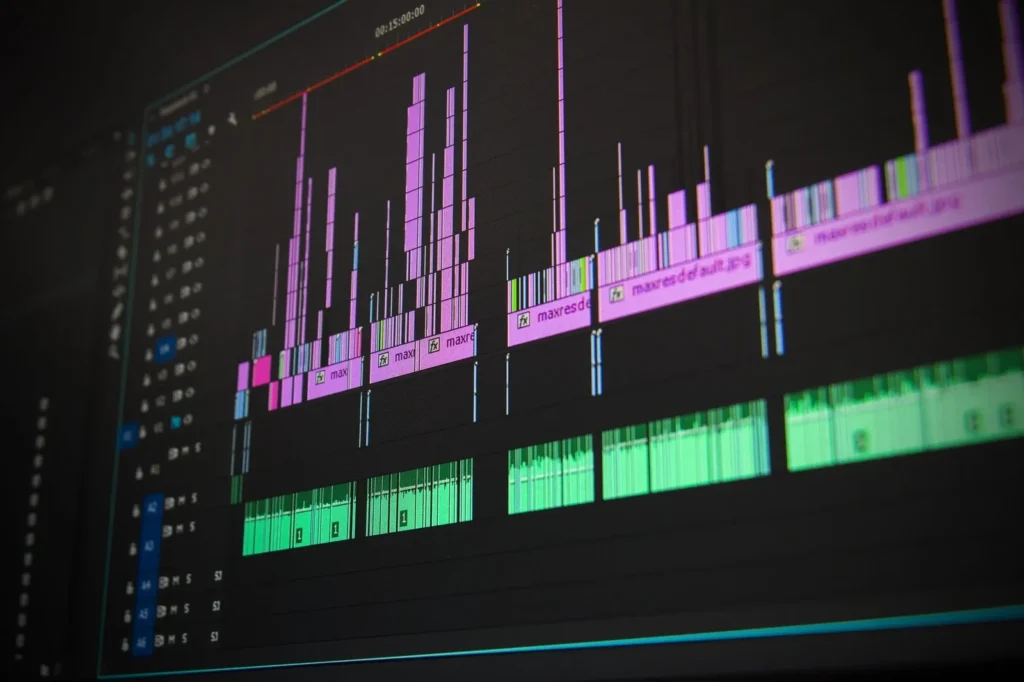
| Spec | Dropmotion | Jitter | SVGator | LottieFiles | Paletoo |
|---|---|---|---|---|---|
| Free plan price | $0 | Free plan | Free plan | Starter (free) | $0 forever |
| Free animated video export | Yes, 3 watermarked 1080p exports a day | Not confirmed | No (static SVG only) | Not confirmed | Yes, no watermark per Paletoo |
| Watermark on free export | Yes, plus a 2-second end card | Not confirmed | Not applicable | Not confirmed | No, per Paletoo |
| Transparent video on free | No, background comes out green | No (a Max feature) | No (animated export starts on Starter) | Not confirmed | WebM with transparent background listed, alpha not confirmed on pricing page |
| Paid route to transparency | $3 for 10 HD exports | Max, $35 per editor per month billed annually | Pro (adds video and GIF export) | Not confirmed for any plan | Not needed per the animated-text page |
| Lowest paid price shown | $3 once | $35 on Max | US$20 on Starter | US$19.99 on Individual | $10 a month on Pro |
| Lottie export | Not advertised | Yes | From Starter | Core product | Lottie and dotLottie listed |
| GIF export | Not confirmed | Not confirmed | From Pro | Advertised | Yes |
| MP4 export | Where the browser supports it | Not confirmed | From Pro | Advertised | Yes |
| 4K output | On Unlimited | On Max | On Pro | Not applicable | Not stated |
| Aspect ratios | 16:9, 9:16, 1:1 and a 1920×540 strip | Not confirmed | Not confirmed | Not applicable | Artboard, with 1080×1920 shown for Reels and TikTok |
| Animated SVG | No | Not confirmed | From Starter | No | Not confirmed |
Two patterns jump out. First, the free tier is generous on editing and stingy on animated export in four of five tools. Second, the cheapest confirmed route to a transparent video file is a one-time pack, not a subscription. We’ll take the tools in order of how directly they answer the transparency question.
Dropmotion: Green Background Free, Real Alpha From $3
Dropmotion is the most explicit about what each tier does with the background. Its text animation category page, updated November 21, 2026, lists more than 30 browser generators, three watermarked 1080p exports a day, HD from $3 for 10 exports, and output as transparent WebM, green-screen video or PNG. It supports 16:9, 9:16, 1:1 and a 1920×540 strip.
The key sentence sits on the page itself. Free downloads have no transparency, and a transparent background comes out on green so you can key it out. HD downloads keep a real transparent background as WebM in Chrome and Edge. PNG stills always keep transparency. So the free tier is not useless for overlays, it just adds a keying step that costs you edge quality on soft shadows and thin strokes.
Free tier versus HD pack
The free tier gives you three exports a day with a watermark and a two-second end card. Dropmotion reportedly raises that to 10 a day with a free account, though that figure comes from a single page, so confirm it in the export dialog. The $3 pack buys 10 HD exports with no watermark and no end card. The pack is one-time, and the exports do not expire.
Pack maths: $3 buys 10 HD exports. For a creator who needs one transparent title and a lower third strip for a channel relaunch, that is two exports from a single pack. The Unlimited plan costs $9 a month or $49 a year and adds unlimited HD plus 4K and saved brand colors. A regular uploader may get value from the yearly plan, but most people never need it.
One limit to plan around: transparent WebM downloads need Chrome or Edge, according to the 3D text page. If you work in Firefox or Safari, switch browsers for the export step. The same page mentions MP4 where the browser supports it and no MOV. Dropmotion does not advertise Lottie either, so it is a video tool, not a web-motion tool.
The 3D text generator shows how short these builds are. You type up to 16 characters, set the extrusion with a Depth slider from 6 to 50, and pick Solid extrude, Gradient face or Outline. The letters swing in during the first second and settle by about 1.4 seconds. The sample setup on the page reads Transparent background, 1920×1080, 4.0 s.
What keying costs you compared with real alpha
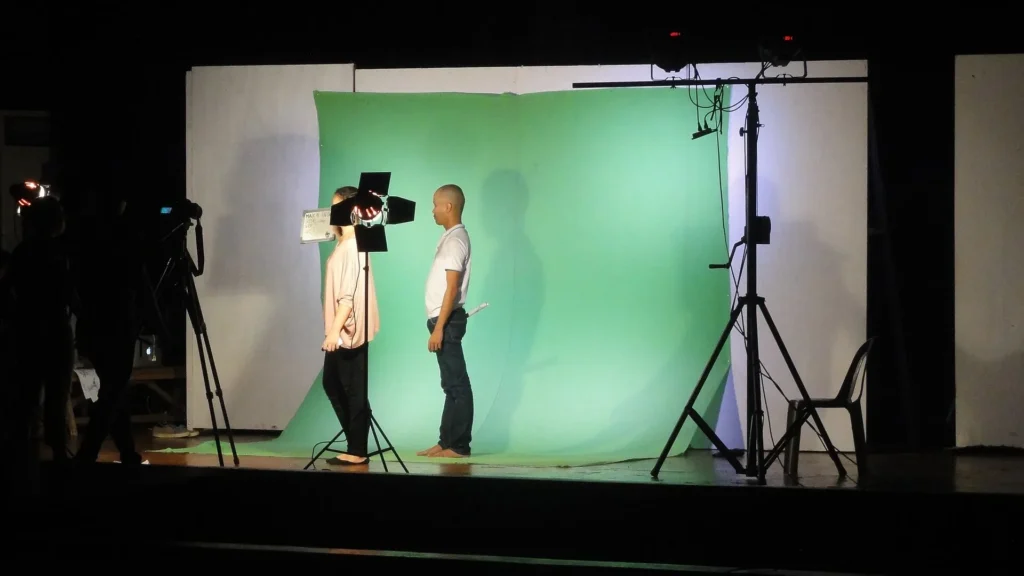
A green-background export works, and plenty of streamers have shipped overlays that way. The trade-off shows up at the edges. Anti-aliased letter edges blend with the green, and a key has to guess which blend is text and which is background. Thin strokes, glow and soft drop shadows suffer most. A true alpha file stores the edge opacity directly, so no guessing happens.
That is a practical reason to treat the $3 pack as a tool fee rather than a luxury. If your title has a hard-edged, bold face on a plain scene, the free green export may be fine. If it has an outline style or gradient face, spend the $3 and skip the cleanup.
Jitter: Transparent Export Sits on the Max Plan
Jitter describes itself as a fast and simple motion design tool on the web. It is the most editor-like of the five, and its documentation describes controls for timing, easing, presets, custom animations and effects. That depth is the reason to choose it over a one-purpose generator when you want to animate a full title card instead of a single line of text.
The transparency answer is plain: Max adds transparent export and 4K, and Max costs $35 per editor per month billed annually. Jitter’s own help text suggests annual billing to save over 20%, which tells you the monthly rate is higher.
Jitter’s plan names include Free, Pro and Max, and later pages reportedly add Ultra and Enterprise. The fact sheet built for this article could not pin down the Free plan’s export resolution or watermark rules, so check the export dialog before you assume anything. What it does show is a steady stream of changes. Jitter reportedly launched Jitter AI, cut AI credit costs by 50%, introduced Brand Kits in beta, and added a Counters template collection on November 17.
Jitter also lists Lottie export, and a note reportedly says exports keep rounded stroke caps and joins. For text built with outlined letters, that detail matters, because a flattened stroke is the first thing you notice when a headline loses its corners in a Lottie player.
Who it fits: someone producing recurring branded titles who wants to stay in one editor and who treats $35 per editor per month, billed annually, as a tool cost. Who it does not fit: anyone who needs two transparent files this week. Dropmotion’s $3 pack does that job for less than a coffee.
SVGator: Free Editor, Paid Exports
SVGator’s free plan includes the full editor and unlimited static SVG export, according to its own pages. Animated SVG and Lottie export start on Starter, which costs US$20 a month billed yearly. Video and GIF export start on Pro, which adds 4K output, sharing and comments. SVGator’s own comparison article lists Pro at US$24 a month billed yearly or US$38 billed monthly.

For transparency, the confirmed route is narrow. SVGator’s WebM explainer reportedly says Pro exports VP9 WebM with a transparent background and no audio track. That is a single-page claim, so treat it as a lead to verify. The free plan cannot produce an animated file at all, so it answers whether you can preview a text animation and not whether you can put it on your video.
SVGator’s real strength is web delivery. Starter adds animated SVG, Lottie, React Native, Flutter, interactivity and a Player API. If your goal is a title on a landing page that reacts to a hover, Starter at US$20 a month is a better fit than any video tool here. If you need to hand off a file to a video editor, you pay US$24 a month for Pro and still need to test the alpha output.
The Figma plugin is worth a mention. It sends designs into SVGator and pulls animated SVG or Lottie back, and plugin use works with the Free plan while export rights follow your SVGator plan. SVGator also announced an official MCP integration on July 24, 2026 for prompt-based animation, and a tutorial from mid-November uses it to build Black Friday ads. Its education page reportedly offers free Pro for a semester to teachers and students.
For a look at how this fits among other free options, see our rundown of six free text animators and their 1080p limits, which covers the resolution caps that SVGator’s free tier sidesteps by exporting only static SVG.
LottieFiles: Vector Motion, Not a Video Exporter
LottieFiles describes its platform as a place to design motion once and ship everywhere. Its plan structure, per the help center, is Starter, Individual, Team, Team+ and Enterprise. Individual costs US$19.99 per user per month billed annually, and Team costs US$24.99. Team+ is custom and includes 50 GB of asset storage, 500 GB of CDN and 1,500 AI credits a month.
LottieFiles advertises GIF and MP4 export. A single reading of its pages reportedly also shows transparent WebM and transparent MOV, which would make it the only tool here with MOV. That line did not match a second source, so treat the MOV claim as unconfirmed until you see the option in your own export menu.
The licensing rule deserves attention if you monetize. LottieFiles’ plan guide says commercial use of its services is available on Team and Enterprise, not on Starter or Individual. Public animations under the Lottie Simple License may be used commercially on any plan. Read that guide before you put a Starter-plan animation in a sponsored video.
Lottie AI turns a written prompt into an editable vector animation, according to a November 11 description. The free Starter workspace includes 10 Lottie AI generations in total, and they do not reset. A new generation or refinement costs 5 credits, and changing controls without regenerating is free. Individual includes 300 AI credits a month and Team includes 600. Extra credits can reportedly be bought in packs of 50 or 100.
The platform moves fast. A Launch Week ran November 10 to 13, 2026, and reportedly featured Lottie AI, Creator MCP, Generative Icon and the IconScout API. The release status of Creator MCP was not clear from the pages read. The changelog reportedly lists Lottie Creator v1.114.0. For a logo sting that lives on a website, a Vipid animated logo intro is the video route, while LottieFiles is the vector route. They solve different problems.
Paletoo: Free and Watermark-Free, but Brand New
Paletoo is a browser design editor for social media, print, presentations, logos and animation. Its first version opened to testers in November 2026. Its animated text page, dated November 19, 2026, says users can export GIF and MP4, WebM with a transparent background, and Lottie or dotLottie, free and with no watermark. Its press kit says the product ships new releases almost every day and runs more than 600 automated tests before each one.
Here is the conflict to resolve. The animated text page lists transparent WebM. Paletoo’s pricing page lists GIF, MP4 and WebM among free exports but does not establish alpha-channel support for the WebM file. Until you export one and drop it over a dark clip, you cannot assume the edges are clean. That single test takes a couple of minutes and decides whether Paletoo replaces a $3 pack.
Pricing: Free is $0 forever, with limits of 10 cloud documents, 1 GB of storage, 7 days of version history, three premium-content uses a month, one brand kit and three one-click resizes. Pro costs $10 a month or $96 a year ($8 a month). Founders is $149 once for three years of Pro, limited to 300 places. Team is $25 a seat a month and sits on a waitlist. Students and teachers get 50% off Pro with an education code.
AI credits are separate. Paletoo says they pay for AI image generation and materials, with packs from $11 for 150 credits, and that animation and animated-text exports do not need payment. The press kit says Andrii Mamontov, a senior product designer in Odesa, Ukraine, made the product with a team of AI agents. That is a young, one-person-led project, so weigh the free price against the risk of rapid change.
The animated text page also shows a vertical workflow: set the artboard to 1080×1920 for Reels and TikTok, animate the text, and export MP4. It marks the safe area for the app’s buttons, which saves a round trip. That is a feature the transparency-first tools do not offer.
Pricing Compared: What a Transparent Export Costs
All figures below come from the vendors’ own pricing pages or help centers. Annual totals are simple multiplication of the monthly figures shown on those pages, not extra published prices.
| Tool | Plan | Price | What it unlocks for text animation |
|---|---|---|---|
| Dropmotion | Free | $0 | 3 watermarked 1080p exports a day, PNG stills, green-background video |
| Dropmotion | HD pack | $3 once for 10 exports | No watermark, no end card, transparent WebM |
| Dropmotion | Unlimited | $9 a month or $49 a year | Unlimited HD and 4K, all sizes, brand colors |
| Jitter | Max | $35 per editor per month, billed annually | Transparent export and 4K |
| SVGator | Free | $0 | Full editor, unlimited static SVG |
| SVGator | Starter | US$20 a month, billed yearly | Animated SVG, Lottie, React Native, Flutter, Player API |
| SVGator | Pro | US$24 a month billed yearly, US$38 monthly | Video and GIF export, 4K, sharing, comments |
| LottieFiles | Individual | US$19.99 per user per month, billed annually | 300 AI credits a month, solo work |
| LottieFiles | Team | US$24.99 per user per month, billed annually | Commercial use, 600 AI credits a month |
| Paletoo | Free | $0 forever | Editor and exports with no watermark |
| Paletoo | Pro | $10 a month or $96 a year | Unlimited cloud storage, premium content, brand kits, 100 monthly AI credits |
Here is what each option costs for one creator who needs transparent text video. Dropmotion’s pack: $3 one time. Dropmotion Unlimited: $49 a year. SVGator Pro billed yearly: US$24 per month. Paletoo: $0 on its own claim, or $96 a year on Pro. For a one-off project, the Dropmotion pack is the cheapest way in, and it advertises transparent WebM.
The prices only mean something against need. A weekly YouTuber who renders a new title each upload can burn through the pack in 10 weeks and then switch to Unlimited. A web designer shipping one hero animation needs Starter or the free Lottie route. A student can often get a better deal through an education code than any of these list prices suggest.
Benchmarks and Recent Changes: File Size, Support, Releases
Independent render benchmarks for these five tools do not exist yet, and the generators are too new for lab-style tests. What the record does hold are published size and performance figures from LottieFiles’ own blog and customer stories, plus the browser-support data from SVGator’s WebM explainer. They come from the vendors, so read them as claims, not audits.
| Source | Claim | What it tells a creator |
|---|---|---|
| LottieFiles platform page | Optimized JSON and dotLottie can cut file sizes by up to 80% | A dotLottie title is a fraction of the size of the same animation as raw JSON |
| LottieFiles, Gojek case | dotLottie cut file size by up to 89.35% versus JSON | Large apps get the biggest savings, a small title gets less |
| LottieFiles, ThorVG case | Switching from rLottie to ThorVG cut render time by 80% | The player matters as much as the file |
| LottieFiles, Sparky case | 60+ animations of 20 to 30 KB each, about 10% of a GIF | Lottie beats GIF on weight for short loops |
| SVGator WebM explainer | WebM plays in Chrome, Edge, Firefox and Safari, but Safari ignores alpha | Transparent WebM is a desktop and editor format |
The takeaway: for web pages and apps, Lottie wins on weight, and LottieFiles cites a 2025 recognition of Lottie as an official internet standard through IANA. For video editors, transparent WebM wins on convenience. No source found compares the two head to head on the same text animation, so any claim that one is faster to render is an estimate, not data.
What shipped in the last three months
All five tools changed since late August, and the changes affect which tier you should pick. Most of the dated items below come from a single vendor page, so they are reported as such.
- Dropmotion. Its pages now show a clear paid structure: a one-time $3 pack for 10 HD exports and an Unlimited plan at $9 a month or $49 a year, with transparent WebM on the paid side. The category page carries a November 21, 2026 update stamp.
- Jitter. Reportedly added Balanced and Smart AI modes, announced faster rendering for layered effects (blend modes, blur, glass effects, opacity and shadows), introduced a partner program with a 50% commission for 12 months, and shipped Brand Kits in beta.
- SVGator. An editor update improved text alignment and group-level links. A challenge run with Contra had a $10,000 prize pool.
- LottieFiles. Lottie Creator v1.114.0 is the newest release listed in the official changelog. A Fair Usage Policy dated November 10 covers every plan, and Launch Week ran November 10 to 13.
- Paletoo. Moved from development to tester availability in November 2026 and published Free, Pro, Founders and Team pricing on November 20.
Nothing in that list is a new transparent-export feature, which is the point. The transparency gap between the free and paid tiers has been stable, and the tools are spending their release time on AI, brand kits and licensing. Do not wait for a free tier to add alpha. Plan around the current rules.
No vendor in the set had announced a successor product line that replaces its current text-animation tool as of November 21, 2026, and none was reported renamed, retired or acquired. Paletoo is the exception only in the sense that it is itself new.
Real-World Examples of Free Text Animation
Six examples from the vendors’ own pages show what these tools are used for in practice. All are vendor-published, so they illustrate use more than they prove results.
- A 4-second 3D title on a transparent canvas. Dropmotion’s 3D text generator ships with a 1920×1080, 4.0 second transparent setup. The letters swing in over the first second and settle by 1.4 seconds, which leaves close to three seconds of hold for a viewer to read.
- A counter for a milestone video. Dropmotion’s counter generator uses sample labels such as a raised amount, an order count and a day number. That fits a channel celebrating a subscriber or sales milestone.
- A Black Friday sale ad. SVGator’s MCP tutorial has a 40% OFF graphic slam in, followed by the logo, with the discount kept as the biggest element on screen. It is a clear example of an in, hold, out structure for a promo.
- A vertical Reels or TikTok caption. Paletoo’s page tells users to set a 1080×1920 artboard, animate the text and export MP4, using the safe-area overlay for the app buttons.
- An app banner that earns money. LottieFiles reports that BankSalad’s Lottie-powered banners generate $70K in average monthly revenue.
- A conversion lift on a home screen. LottieFiles says ET Money’s home-screen click-through rate climbed from 2 to 3% to 8 to 9%, peaking at 11%, while production time fell 40%.
The two LottieFiles cases are customer stories, not independent studies, and they involve app UI, not YouTube titles. They do show why vector motion gets its own category. Sparky’s app runs on 60+ Lottie animations at 20 to 30 KB each, and no video file of that count would stay that light.
Which Tool Fits Which Job: Six Recommendations
Pick by the destination of the file, not by the tool’s homepage. Here are six common jobs and the route that fits each on current pricing.
- One transparent title for a YouTube video. Dropmotion’s $3 pack. Export in Chrome or Edge, import the WebM, and check the edges against your footage.
- A weekly series with branded titles. Dropmotion Unlimited at $49 a year if you want a quick generator workflow. Jitter Max at $35 per month billed annually if you want one editor for the whole title card and its templates.
- A Twitch or OBS overlay. Start with Dropmotion’s free green-background export and key it in the scene. Move to the $3 pack when edge quality on shadows bothers you. Test playback inside OBS Studio before going live.
- A website headline or app onboarding animation. SVGator Starter at US$20 a month for animated SVG and Lottie, or LottieFiles if your team already uses it. Lottie sidesteps the Safari alpha problem because it is not video.
- A vertical social caption. Paletoo’s free route with a 1080×1920 artboard and MP4 export, since the format is flat and the alpha question never arises.
- A classroom or student project. Paletoo’s 50% education discount on Pro or SVGator’s reported free Pro semester. Confirm the terms with the vendor before you plan a course around them.
For anyone building a channel identity, the kinetic typography guides on this site cover the design side of timing and type, which no export setting will fix.
Frame by Frame: Build a 4-Second Transparent Title
This build uses Dropmotion’s 3D text generator because its limits are published on the page. The same steps apply to any generator that exports transparent WebM.
- Set the destination first. A title over 16:9 footage needs a 1920×1080 canvas. A vertical clip needs 1080×1920.
- Type the text. The 3D generator caps text at 16 characters, so write short. NEW SERIES fits, a full episode title does not.
- Choose the extrusion. Set Depth between 6 and 50 and pick Solid extrude, Gradient face or Outline. Lower depth reads cleaner on busy footage.
- Pick a transparent background. The page offers transparent, green screen or a flat color. Free downloads come out on green, so for true alpha you need an HD export.
- Check the timing. In: the letters swing in during the first second. Settle: they land by about 1.4 seconds. Hold: leave the remainder of the 4.0 seconds for reading. Out: the page notes a slow drift at the end.
- Export HD as WebM in Chrome or Edge. This is the step the $3 pack pays for.
- Test on bright and dark footage. Drop the file over both. A white fringe on a dark clip means the edge pixels were blended against a light color, so re-export or soften the edge.
- Keep a PNG still. Export one frame as a fallback and a thumbnail element.
Render settings
| Use | Resolution | Frame rate | Length | Export format |
|---|---|---|---|---|
| Title over 16:9 footage | 1920×1080 | Match your timeline | 4.0 s | Transparent WebM |
| Vertical caption | 1080×1920 | Match your timeline | Match the hook | MP4 or 9:16 WebM |
| Lower third strip | 1920×540 | Match your timeline | Match the speaker’s intro | Transparent WebM |
| Website headline | Vector, scales | Set in editor | Loop or one shot | Lottie or dotLottie |
| Poster frame | Match the video | Not applicable | 1 frame | PNG |
For a web page, the playback tag below shows a WebM with a PNG poster, which covers browsers that cannot decode the file. It does not repair Safari’s missing alpha, so add a solid-color panel behind the title if Safari visitors matter.
<video autoplay muted loop playsinline poster="title.png">
  <source src="title.webm" type="video/webm">
</video>
From the Vipid archive: the intro themes list shows resolution, length and frame rate for each original Vipid theme, which makes a handy reference when you size a title to sit alongside an intro.
Migration Guide: Moving From Green Screen, GIF or One Tool to Another
Most creators arrive with an existing asset library. Three moves cover the common cases.
Green-screen overlays to transparent WebM. Re-export each title from the same generator, this time as HD with a transparent background. Keep the original canvas size and length so your timeline positions do not change. Replace the keyed clip with the new file and delete the key effect. With Dropmotion the pack costs $3 for 10 HD exports, so re-exporting ten titles costs $3.
GIF to dotLottie for web. A GIF title on a site is heavy and lacks smooth edges. Rebuild the text in a Lottie-capable tool such as SVGator Starter, Jitter, LottieFiles or Paletoo, export Lottie or dotLottie, and swap the player. LottieFiles says dotLottie runs up to 80% smaller than raw JSON, and its Sparky case puts a 20 to 30 KB animation at about 10% of a GIF.
Between tools. There is no shared project format across these five. You carry over text, fonts, colors, canvas size and timing numbers, not the animation itself. Write those down before you cancel a plan. SVGator’s Figma round trip is the one documented bridge, and it follows your SVGator plan’s export rights.
Before you cancel a paid plan, export everything you still need. Dropmotion’s pack exports do not expire, but a subscription’s access ends when you cancel. Download the master WebM and a PNG still of every title while you can.
Pros, Cons and Verdict: Which Free Text Animation Generator Keeps Transparency
Pros and cons by tool
| Tool | Pros | Cons |
|---|---|---|
| Dropmotion | Clear tiers, $3 for 10 transparent HD exports, PNG stills keep alpha | Free exports are watermarked with an end card and come out on green, transparent WebM needs Chrome or Edge, no Lottie |
| Jitter | Full motion editor with timing and easing controls, Lottie export, active release cadence | Transparent export locked to Max at $35 per editor per month, free-plan limits not confirmed |
| SVGator | Strong web delivery with animated SVG and Lottie, Figma round trip, MCP integration | Free plan cannot export animation, video and GIF start on Pro, transparent WebM claim rests on one page |
| LottieFiles | Lottie standard, small files, AI generation with 10 free tries | Not a video exporter, commercial use rules differ by plan, MOV and WebM claims unconfirmed |
| Paletoo | Free with no watermark per its pages, wide export list, vertical workflow | Opened to testers in November 2026, alpha on WebM not confirmed on pricing page, one-person-led |
The verdict
For a guaranteed transparent video file today, Dropmotion’s $3 pack is the answer with the best evidence behind it. Its own pages explain the difference between free and HD downloads and list the price as $3 for 10 exports.
Paletoo is the one to test first, because it claims transparent WebM at $0 with no watermark. Export one file and look at the edges on dark footage. If they hold, you saved $3. If they do not, you lost a couple of minutes and you are back to Dropmotion.
Jitter is worth $35 per editor per month billed annually only if you will use its editor daily. SVGator and LottieFiles answer a different question. They are for pages and apps, and their value shows in file weight, with LottieFiles citing up to 80% smaller files and a 20 to 30 KB Sparky animation at about a tenth of a GIF.
The data behind the ranking: of five tools, one lists free transparent video on its own animated text page, one sells it for $3, one locks it to a $35 plan, and two either do not export transparent video or do not confirm it. No vendor publishes frame rates or render times for text animation, so decide on price, format and licensing, not on speed. Revisit this in a quarter, since LottieFiles, Jitter and Paletoo all shipped changes in the last month.
Before You Render: Questions Creators Ask
Which free text animation generator exports a transparent background?
Paletoo lists transparent-background WebM on its free animated text page, but its pricing page does not confirm alpha support, so test one export. Dropmotion’s free tier outputs a green background, and real transparency needs an HD export from $3 for 10.
Does Dropmotion export transparent video for free?
No. Dropmotion says free downloads have no transparency, and a transparent background comes out on green so you can key it out. HD downloads keep a real transparent background as WebM in Chrome and Edge. PNG stills always keep transparency.
Why does my transparent WebM show a solid box in Safari?
Safari plays WebM on Mac from version 14.1 and on iPhone and iPad from 17.4, but it ignores alpha transparency in VP8 or VP9 video, according to MDN. Chrome, Edge and Firefox show the transparency. Use Lottie or a solid backing panel for Safari visitors.
Can I use LottieFiles animations in a monetized video?
It depends on the plan and the animation. LottieFiles’ plan guide says commercial use of its services is available on Team and Enterprise, while public animations under the Lottie Simple License may be used commercially on any plan. Check the license on each animation.
Is GIF a good format for a transparent text overlay?
Not for overlays. None of the vendor pages checked claims a transparent GIF with smooth edges, and GIF files run heavier than Lottie. Use GIF for chat and social sharing, and use WebM or Lottie where quality matters.
Do the AI features cost extra?
Usually, yes. Lottie AI gives free Starter workspaces 10 generations in total and charges 5 credits per generation after that. Paletoo says its AI credits cover image generation and materials, starting at $11 for 150 credits, and that animated-text exports need no payment.
How high can a free export go in resolution?
Dropmotion’s free tier caps video at 1080p with a watermark and a two-second end card, three exports a day. 4K needs Unlimited at $9 a month or $49 a year. SVGator lists 4K on Pro and Jitter on Max.
More from the Vipid blog
- SVG Animator for Logos [2026]: 5 Tools, $0 Start
- Logo Animation [2026]: After Effects 27.0 vs Rive vs Lottie
- Free AI Video Generator [2026]: 6 Tiers, 50 to 800 Credits
- Is After Effects Free for Logo Animation? The Real Cost
- Animated Logo Formats [2026]: 5 Compared by Use
- Logo Design upload a logo, get an animated logo intro
- Epic Smoky Titles your text in a smoke title sequence
- Star Text animated title theme
- All Vipid themes specs for every theme
Ines Calder
Ines Calder is the Titles & Motion Editor at Vipid, covering lower thirds, title sequences, kinetic typography and logo animation across After Effects, Premiere Pro, DaVinci Resolve and Final Cut Pro. She writes her guides in frames and safe areas so they hold up on a phone as well as a TV, and every template she lists carries its editor version, plugin needs and licence.