YouTube Studio Suggests Products [2026]: 3 Formats
YouTube Studio now suggests products: what shipped · Where the Product recommendations shelf sits · How YouTube Studio picks the products · Tagging in videos, Shorts and livestreams · What the reports leave out · Who sees the shelf: eligibility in November 2026 · Timeline: from Amazon to the recommendation shelf · Market impact: affiliate commerce moves into Studio · Competitive comparison: the shelf against the other ways to find products · Historical context: from description links to tags · What video makers should change in their workflow · Risks and open questions · Predictions for the next six months · Common questions
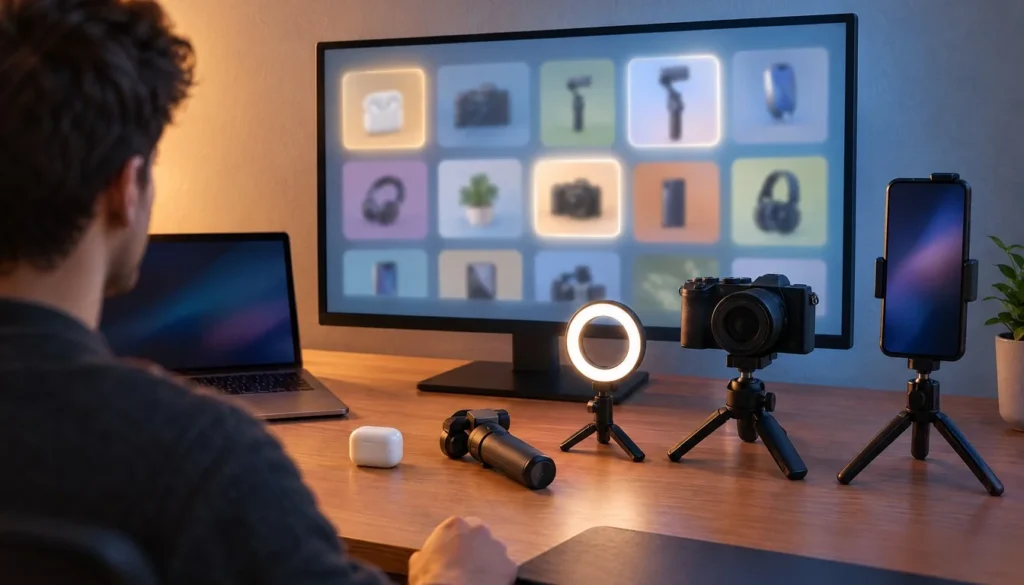
YouTube Studio now suggests products for affiliate creators to tag, and the new shelf lives inside the Shopping hub where eligible channels already manage their affiliate work. PPC Land, Quasa.io and Mashable have all covered the rollout. The shelf recommends products based on a channel’s past content, audience engagement and trends in the creator’s niche, then shows an estimated commission rate next to each pick.
The mechanics are not new to YouTube. Its help documentation on auto-tagging for YouTube Shopping products says an AI model can read a video’s title, description and captions to suggest products from the YouTube affiliate product catalogue. What changed this week is the place where those suggestions appear: a browsable shelf in Studio, before you open an upload.
This article sets out what the reports confirm, what they leave blank, and what it means for people who make product videos. It belongs with our wider platform video specs coverage because the shelf touches every format YouTube hosts. Facts below were checked on November 09, 2026 against YouTube’s own pages and the outlets named. Where the reports give no figure, this piece gives none either.
YouTube Studio now suggests products: what shipped
The short version: YouTube is rolling out a personalized product-recommendation shelf in the Shopping hub of Studio for eligible affiliate creators. You find it under Earn, then Shopping, then Product recommendations. Each suggestion carries an estimated commission rate, and a Saved tab lets you park products for later tagging.
Three details matter for day-to-day work. First, the suggestions are personalized, so two channels in the same niche can see different shelves. Second, the shelf is about discovery, not tagging itself. You still tag products the way you did before. Third, the tagging targets include long-form videos, Shorts and livestreams, so one shelf feeds all three formats.
PPC Land attributes the announcement language to a YouTube Creator Insider presenter. The reports reviewed name no spokesperson, no merchant, no commission percentage and no country list. They also give no rollout start or end date. That gap defines how much anyone can responsibly say about the feature today, and a later section lays it out in a table.
One caution on naming. The headline wording used across outlets is a description of the rollout, and the official documentation available confirms product suggestions and recommendations without confirming that exact phrasing as an official YouTube announcement title. Treat the headline as shorthand.
Where the Product recommendations shelf sits
The path is Earn, Shopping, Product recommendations. The table below lays out each element the reports describe, so you can check your own Studio against it. Checked November 09, 2026.
| Element | What the reports describe | Source |
|---|---|---|
| Location | Earn → Shopping → Product recommendations | Reports reviewed |
| Who gets it | Eligible affiliate creators | PPC Land |
| Selection signals | Past content, audience engagement, niche trends | PPC Land |
| Example niches | Beauty, tech, home | PPC Land |
| Commission info | Estimated commission rate on each recommendation | PPC Land |
| Saving | Saved tab for later tagging | PPC Land |
| Tagging targets | Videos, Shorts, livestreams | Reports reviewed |
The word estimated on the commission line does real work. A rate shown on a shelf is a planning figure, not a payout guarantee. Approved commissions are paid through AdSense for YouTube, and MACCUS reports a window of 60 to 120 days after purchase to allow for returns. A returned purchase can reverse the commission.
If you cannot see the shelf, that does not mean your channel failed a check. A rollout of this kind reaches accounts in waves, and the reports give no schedule. The Earn tab remains the first place to look, since it is also where Studio shows which monetization programs your channel can join.
How YouTube Studio picks the products
A YouTube Creator Insider presenter, quoted by PPC Land, described the signals this way: “These recommendations are based on your channel’s past content and audience engagement and what’s trending in your niche, like beauty, tech, or home.” That one sentence is the entire public explanation of the ranking logic in the reports reviewed.
The same presenter said creators will “see estimated commission rates at a glance, so you can map out earnings potential,” in the words PPC Land recorded. A third line covers the Saved tab: you can bookmark favorite finds “in a dedicated save tab to easily tag them as part of your future video upload flows.” The presenter is not named in the reports, so this piece attributes the lines to the role only.
The help documentation adds the text side of the story. Its AI model can analyze a video’s title, description and captions to propose products from the YouTube affiliate product catalogue. That means the shelf and the per-video suggestions probably draw on related machinery, although the reports do not say so outright. Nothing in the reports reviewed identifies a named model, a version number or a release date for the system behind the shelf.
For a creator, the practical reading is simple. The channel-level shelf rewards a consistent topic history, and the video-level suggestions reward clear titles, descriptions and captions. Both inputs sit in your hands, and both cost nothing to improve.
Tagging in videos, Shorts and livestreams
The coverage says suggested products can be tagged in videos, Shorts and livestreams. YouTube’s own Shopping materials describe the same three surfaces for affiliate tagging, so the shelf does not narrow the options. The differences lie in how each format gets made.
Long-form videos
Long-form product videos give the AI the most text to read: a full title, a description and a caption track. They also give you room for a proper opening. If you run a branded sting before a review, keep it short, since the product should show up quickly. Your thumbnail still carries the click, and our guide to YouTube thumbnail size covers the file limits.
Shorts
Shorts have the least text to work with. A one-line title and a short caption leave the model little to match, so the channel-level shelf may do more of the work here than per-video suggestions. That is analysis, not a reported behavior. The reports do not say how the two paths weigh against each other.
Livestreams
Livestream tagging suits unboxings and gear walk-throughs, where the product is on screen as you talk. The Saved tab helps most here, because you can line up three or four products before going live instead of searching mid-stream. The reports give no details on live-specific limits, so check the Studio interface for any.
What the reports leave out
Launch coverage tends to fill silence with detail. The table below separates what the reports confirm from what they do not, so you can see where caution applies.
| Detail | Status | What to do |
|---|---|---|
| Shelf location in Studio | Confirmed | Open Earn → Shopping |
| Selection signals | Confirmed (content, engagement, niche) | Keep your topic focus consistent |
| Estimated commission shown | Confirmed | Treat as a planning figure |
| Saved tab | Confirmed | Pre-select products before uploads |
| Specific products or merchants | Not stated | Read your own shelf, ignore claims |
| Commission percentages | Not stated | Check each listing in Studio |
| Countries and rollout dates | Not stated | Wait for YouTube Help updates |
| Named YouTube spokesperson | None identified | Cite the Creator Insider role only |
Any article that quotes a commission percentage or a merchant for this shelf is working from something other than the reports reviewed here. The same goes for a country list or a go-live date. Until YouTube publishes those details, the only dependable source is the shelf in your own account.
Who sees the shelf: eligibility in November 2026
The shelf targets eligible affiliate creators, so the question is what eligible means. The relevant program is the YouTube Shopping affiliate program. Channels need to be in the YouTube Partner Program, sit in a supported country, and avoid the excluded categories. Music channels, Official Artist Channels and channels substantially made for kids are out, according to MACCUS.
YouTube reportedly said in March 2026 that creators in the expanded Partner Program, including some at 500 subscribers, can reach affiliate-shopping features subject to country and channel rules. That item rests on a single source, so read it as YouTube’s stated direction rather than a guarantee for your channel. Community guidance in November still cites 1,000 subscribers as the common bar, and the two figures coexist depending on the Partner Program pathway.
Amazon adds its own gates in the US. An eligible creator must be in YPP, enrolled in YouTube Shopping affiliate, active in the Amazon Influencer Program or Amazon Associates, and linked to the relevant Amazon account, as MACCUS reports. A monetized channel does not automatically get product tagging. A YouTube Help Community reply dated November 7 says Shopping eligibility has requirements beyond basic monetization, though that is community guidance and not a policy page.
Some creators have reported the opposite problem. Between October 26 and November 7, user posts described Shopping or tagging options missing from the Earn tab, and one creator said tags on older videos disappeared. These are single user reports and they do not establish a platform-wide change.
Timeline: from Amazon to the recommendation shelf
The shelf is the latest step in a run of Shopping changes since late summer. The table lists the dated items the reports and YouTube’s posts support.
| Date | Event | Why it matters |
|---|---|---|
| August 27, 2026 | Amazon joins the YouTube Shopping Affiliate Program in the US | Eligible US creators tag Amazon products in videos, Shorts and live streams |
| September 23, 2026 | YouTube announces a target of 35 markets by the end of 2026 | Sets the geographic frame for the program |
| September 23, 2026 | Automatic localization of product tags announced | Could earn commissions on purchases by viewers abroad |
| Early November 2026 | Product recommendation shelf begins reaching Studio | Discovery moves into the Shopping hub |
| January 31, 2027 | Deadline to accept updated monetization terms in Studio | Affiliate channels that miss it stop earning from February 1, 2027 |
Two cautions on that table. The 35-market figure is a company target, so it does not mean all 35 markets were live on November 09. The localization announcement likewise does not show that every creator has the feature. The shelf’s own start date is not stated in the reports, which is why the row reads early November.
Market impact: affiliate commerce moves into Studio
The bigger story is where YouTube is putting its commerce tools. Coverage describes discovery, tagging, affiliate offers, analytics and brand partnerships increasingly handled inside Studio. The shelf fits that pattern, and YouTube’s Made On YouTube monetization post framed the same direction on September 23 with its 35-market goal.
That announcement also named Affiliate Campaigns, which let brands send creators invitations with flat fees and exclusive commission rates, plus an Ask YouTube feature for conversational discovery of tagged products. Those two items rest on a single source, so hold them loosely. Social Media Today covered a related batch in its report on YouTube’s custom feeds and new partnership options.
Regional rollouts keep arriving. MACCUS reports that France gained Amazon, Cdiscount, Leroy Merlin and SharkNinja France in the program on November 4, after the program opened there on October 13. Reports on a UK launch name merchants such as Wayfair, Currys and Boots, but that rests on one source.
YouTube also said, in a figure reported by a single source, that videos using product tags alone drew more than 110% more product clicks than videos with description links alone, based on a July 2026 experiment. If that holds, tags beat links, and a shelf that shortens the path to tagging makes the tag path more attractive. Quasa.io separately reported a test of a $20 payout floor for selected US creators. That concerns when AdSense earnings become payable and does not alter affiliate rates.
For the video-making market, the knock-on effect is on what gets produced. Reviews, comparisons and demos tied to a catalogue product gain value, while generic lifestyle clips gain less. Editors who sell templates, overlays and lower thirds for product videos should expect more demand from channels that now plan content around the shelf. After the video ends, a YouTube end screen template still handles the next-video job that tags do not.
Competitive comparison: the shelf against the other ways to find products
Inside YouTube, a creator now has several routes to a tagged product. The list below compares them using only what the reports support.
- Product recommendations shelf: starts from channel history and niche trends, shows an estimated commission up front, and depends on rollout and eligibility.
- Per-video AI suggestions: start from the title, description and captions, so they match the actual video but need clear text.
- Amazon auto-tagging in the US: reportedly optional and aimed at recent uploads, and it requires Amazon account linking.
- Manual search of affiliate offers: reportedly sits under Earn, Shopping, Explore, gives full control and takes the longest.
- Affiliate Campaigns: announced as brand invitations with flat fees and exclusive rates, though availability is unclear.
The shelf competes mainly with manual search. It does not replace auto-tagging, which the reports tie to Amazon in the US. Other platforms run their own shopping programs, and TikTok and Instagram both court the same product-review creators. The reports reviewed make no direct comparison with them, and this piece does not invent one.
Historical context: from description links to tags
Product recommendation in a video is old. Creators pasted affiliate links into descriptions for years, and the tag system moved the product into the player. The shelf moves one step earlier, to the planning stage, before the video exists.
Within 2026, the milestones are close together. In March, YouTube widened affiliate access toward smaller Partner Program channels. In August, Amazon joined in the US. In September, YouTube set the 35-market goal and announced localization. In early November, the shelf arrived. Older items, such as a June 9, 2025 post about collaborating with agencies on the program, are background and should not be read as recent launches.
A pattern runs through those steps. Each one removes a manual job: finding an eligible merchant, linking an account, localizing a link, picking a product. The shelf removes the picking job. What remains with the creator is the part no catalogue can supply, which is whether the product belongs in the video at all.
What video makers should change in their workflow
Start with the text the AI reads. Write the title and description for the product, and check that captions are accurate, since the model reads captions too. A misheard product name in an auto-caption can send a suggestion the wrong way, and that is a cheap fix.
Next, plan with the Saved tab. Before a shoot, open the shelf, save the products that fit your next two or three videos, and write the script around them. Keep the product visible early. A short branded opener helps recall, and the intro themes at Vipid list resolution, length and frame rate if you want a quick sting that does not eat into the product demo.
Finish with the exit. If you close each review with a branded outro, a tool from our YouTube outro maker comparison keeps that step quick. Keep the outro clear of any on-screen product tag area, and test the layout on mobile, since that is where most tag taps would happen.
One last item: originality. YouTube reportedly said on October 1 that Shorts recommendations will prioritize original content and reduce reach for reuploads without meaningful original contribution. That is a single-source item and it does not state a rule for affiliate content. Still, original demos and comparisons are the safer format.
Risks and open questions
The first risk is overreading a planning number. An estimated commission can shift with merchant terms, and returns can reverse earnings. The second is access. User posts describe features vanishing from the Earn tab for some channels, and YouTube has not confirmed a cause in any source reviewed.
The third is the calendar. Affiliate channels must accept the updated terms in Studio by January 31, 2027, or the associated monetization features stop earning beginning February 1, 2027. Put the date in your calendar now. A separate, unconfirmed item says new Partner Program applicants may face higher thresholds from February 1, 2027, including 8,000 qualified watch hours. The available results do not show that as an official, final policy, so treat it as a rumor until YouTube’s own pages say otherwise.
The open questions are the ones the reports skipped. Which merchants feed the shelf? Does the estimated rate account for the attribution window? Do recommendations change after you tag or save an item? Does the system favor products with higher commissions over better fits? None of these has an answer in the sources reviewed. A creator who needs answers should watch YouTube’s help pages and the Creator Insider channel.
Predictions for the next six months
These are analysis, not reported facts.
- Documentation catches up. YouTube will likely publish a help page for the shelf, naming eligibility and regions, since the current coverage leans on a Creator Insider video.
- The shelf follows the market list. As the 35-market target plays out, expect the shelf to reach more countries, with localized product tags making recommendations more relevant for non-US channels.
- Captions gain weight. Because the per-video system reads captions, channels that clean up their caption files should see better matches.
- Deadline pressure arrives in January. The January 31, 2027 terms deadline will produce a wave of creator posts about stalled earnings from February 1.
- Template demand shifts. Product-video templates, lower thirds and short stings built for reviews should sell more, as channels plan around the Saved tab.
Common questions
Where do I find the product recommendations in YouTube Studio?
Open Earn, then Shopping, then Product recommendations. If you cannot see it, your account may not have reached the rollout yet.
How does YouTube pick the suggested products?
Per the reports, recommendations draw on a channel’s past content, audience engagement and niche trends. YouTube’s help page adds that its AI model can read a video’s title, description and captions to suggest products from the affiliate product catalogue.
Does the shelf show how much I will earn?
It shows an estimated commission rate for each recommendation. That is an estimate, and returns can reverse a commission after purchase.
Can I tag suggested products in Shorts and livestreams?
Yes. The reports say suggested products can be tagged in videos, Shorts and livestreams.
What do the reports not tell us?
They name no specific products, merchants, commission percentages, prices or countries. They give no rollout start or end date and no named YouTube spokesperson.
Which deadline should affiliate channels watch?
Updated monetization terms must be accepted in Studio by January 31, 2027. Affiliate channels that do not accept stop earning from those features beginning February 1, 2027, according to the reports reviewed.
- Vipid intro themes resolution, length and frame rate per theme
- Promo themes product and channel promos
- Sample videos finished Vipid intros
- Vipid intro maker make a custom intro in the browser
Jonah Reyes
Jonah Reyes is the Editing & Export Editor at Vipid. He covers editing software, export settings and codecs, and the video specs of YouTube, Shorts, TikTok and Reels, plus OBS and screen recording. He builds Vipid’s spec tables from the platforms’ own documentation and re-checks them every 60 to 90 days, so the numbers in a guide match what the upload dialog actually accepts.