TwitchCon [2026]: Serafim AI Highlights, Booth 1514
What Serafim announced at TwitchCon 2026 · How AI Highlights works on the phone · Where to see it: booth 1514 and the free window · Confirmed versus unconfirmed: the fact check · How Serafim got here: a year of S3 milestones · Why Xsolla hosts a clipping tool · What GZ Chen said about the problem · Market impact: the clip bottleneck for mobile creators · How AI Highlights compares with the alternatives · Render settings: what the announcement does not say · From highlight to finished video: where clips go next · Historical context: from scrubbing timelines to phone-side selection · Five predictions for on-device clipping · What creators should do this weekend · Questions creators ask
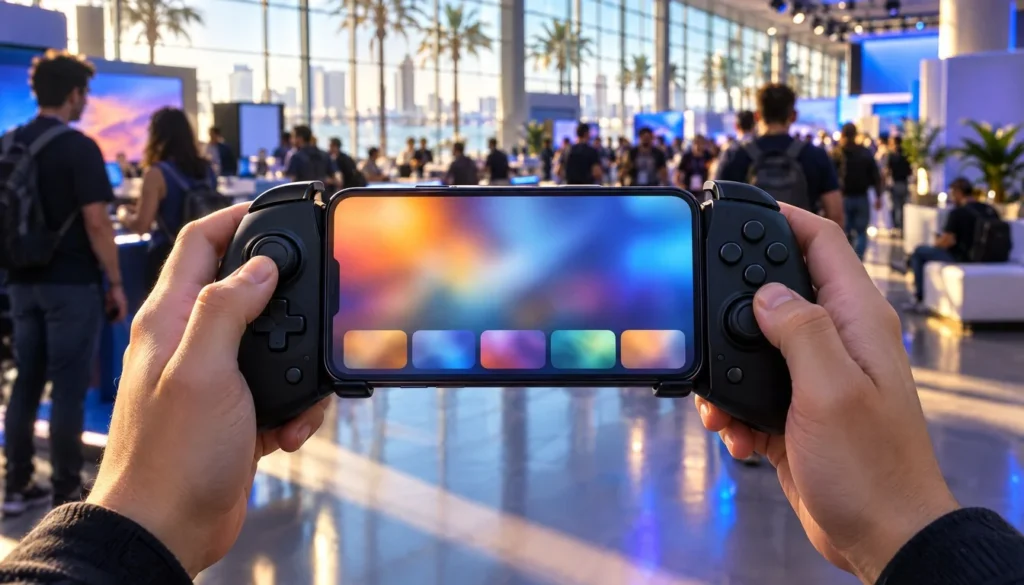
Serafim used day two of TwitchCon 2026 to launch AI Highlights, a feature that scans recorded phone gameplay and picks out moments worth turning into short clips. The announcement went out November 14, 2026 through press-release syndication, including The Detroit News, under the headline “Serafim Joins Xsolla at TwitchCon 2026, Turning Hours of Gameplay Into Shareable Clips with AI Highlights.” The demo sits at Xsolla’s booth 1514 in the San Diego Convention Center.
The pitch is simple. Long sessions bury the good plays, and finding them costs more time than playing did. Serafim CEO GZ Chen put it this way in the announcement, as carried by Gamemeca: “Players create brilliant moments every single time they game. The catch is finding those moments after a long gaming session.”
For creators, the interesting part is where the work happens. The announcement says AI Highlights runs on-device Edge AI, so footage stays on the phone instead of going to a cloud server. If you already stream with free Twitch overlays and cut clips by hand afterward, this is the step Serafim wants to remove.
This piece sorts what the announcement confirms from what it leaves open. Many details creators will ask about (clip length, output resolution, which games work) were not in the material we could check. We say so each time rather than guess.
What Serafim announced at TwitchCon 2026
Three product names carry the news. Serafim S3 is the company’s mobile gaming controller. Serafim Console is the companion app. AI Highlights is the new feature inside that app, and the announcement presents it as part of Serafim Console, not a separate download.
According to the announcement, AI Highlights analyzes recorded gameplay and helps users create short, shareable clips. Reports describe existing S3 owners getting it by updating the app, with no second purchase. The announcement gives no version number for the update, and it names no AI model.
Serafim’s own materials describe Serafim Console as the place for game browsing, recording, editing and streaming. AI Highlights slots into the recording and editing half of that list. Think of it as a first-pass editor: it proposes moments, and you decide which ones deserve a clip.
The access terms are short. AI Highlights is free during TwitchCon 2026, which runs November 13 to 15. Some syndicated copies reportedly describe a daily free allowance after the show, with extra uses unlocked by rewarded ads. The primary excerpt does not spell that out, so treat it as unconfirmed until Serafim publishes terms.
How AI Highlights works on the phone
The workflow, as the announcement describes it, has three parts. You record gameplay on your phone. The app analyzes the recording locally. Then it surfaces moments suited to short clips, and you review them before sharing. Nothing in the material says clips post automatically.
On-device Edge AI and what stays on your phone
The key claim is that processing happens on the smartphone itself. Serafim states that video footage is not uploaded to cloud servers for analysis. For creators this has two practical effects. First, you can run it on a train or at a convention with weak Wi-Fi. Second, unreleased gameplay or private lobbies never leave the device during the analysis step.
What the announcement leaves out
Several specs are missing. No exact AI model, processing speed, clip length, supported game list or performance measurement appears in the material we reviewed. That matters because a tool that takes two minutes to scan a two-hour recording and one that takes twenty are very different products. The booth demo is the place to see real numbers.
Device support is another open item. The announcement refers to supported smartphones, and a secondary release lists specific Android and iPhone models. We could not confirm that list from the primary excerpt, so check Serafim’s compatibility page before buying anything on the strength of this news.
Where to see it: booth 1514 and the free window
TwitchCon San Diego 2026 runs November 13 to 15 at the San Diego Convention Center, according to the event’s own page. Serafim is scheduled to appear at the Xsolla booth, number 1514. Xsolla’s own pages from November 13 list its TwitchCon presence at booth 1514-SW in the Streamer Workshop area.
Today is the middle day, so the free window has one more day left after this one. If you attend, bring a real recording from your own phone. A staged demo clip shows the best case, while an hour of your own ranked matches shows how the feature copes with the footage you actually make.
Three questions are worth asking at the booth. How long does analysis take on your phone model? Can you adjust the clip length before export? What resolution and frame rate does the saved clip keep? Those answers fill the gaps in the table further down.
Confirmed versus unconfirmed: the fact check
The table below separates what the announcement states from what remains open. We built it from the announcement coverage, Twitch’s event page and Xsolla’s own pages.
| Detail | Status | What the sources say |
|---|---|---|
| Feature name | Confirmed | AI Highlights, inside Serafim Console |
| Hardware tie-in | Confirmed | Serafim S3 mobile gaming controller |
| Processing | Confirmed | On-device Edge AI, no cloud upload of footage |
| Event dates and venue | Confirmed | November 13 to 15, 2026, San Diego Convention Center |
| Booth | Confirmed | Xsolla booth 1514 |
| Price during the event | Confirmed | Free during TwitchCon 2026 |
| Price after the event | Unconfirmed | No price stated in the primary excerpt |
| AI model, speed, clip length | Unconfirmed | Not stated |
| Supported games | Unconfirmed | Not stated |
The pattern is typical for a launch-week release. The hard facts cover who, where and how much during the show. The numbers that decide whether you switch workflows come later, usually in a help-centre page or a review.
How Serafim got here: a year of S3 milestones
AI Highlights is the newest step in a fast product year. Serafim announced the S3 Cloud Gaming Controller on November 27, 2025, alongside the R2+ Racing Wheel, as part of its CES 2026 plans. Its own news page invites partners and media to the booth to see the 2026 lineup.
Retail followed. Serafim said on December 2, 2025 that S3 units would roll out to Studio A stores in Taiwan. In March 2026 it announced a distribution partnership with EET Group for Europe, and that page says the S3 was available through Serafim’s website and authorized retailers worldwide.
| Date | Event | Source type |
|---|---|---|
| November 27, 2025 | S3 and R2+ announced for CES 2026 | Serafim news page |
| December 2, 2025 | S3 rolls out to Studio A stores in Taiwan | Serafim news page |
| March 2026 | EET Group distribution partnership for Europe | Serafim news page |
| November 13, 2026 | TwitchCon San Diego opens, Xsolla lists booth 1514-SW | Event page, Xsolla |
| November 14, 2026 | AI Highlights announced with Xsolla | Press release coverage |
| November 15, 2026 | TwitchCon 2026 closes, free access window ends | Event page, announcement |
One more detail from Serafim’s pages: the controller uses swappable grips and fits phones up to 17.9 cm long, even with a case. That matters for clipping, because a controller that fits a bigger phone also gives you a bigger screen for reviewing highlights. No successor to the S3 has been confirmed.
Why Xsolla hosts a clipping tool
Xsolla is best known as a commerce and payments company for game developers, so a booth hosting a clipping feature looks odd at first. The fit is the creator audience. Xsolla stated on November 13 that creating an account, applying to campaigns and using its Twitch streaming tools are free for creators in its Partner Network.
Xsolla’s creator update also lists campaign filters, faster payouts with a lower minimum and Purchase Alerts for Twitch creators, per its own blog. A tool that makes more shareable clips feeds the same loop: clips bring viewers, viewers join streams, streams carry campaigns. That is our reading of the partnership, not a statement from either company.
Neither company has described deal terms. The announcement says Serafim is collaborating with Xsolla for the TwitchCon showcase, and nothing more about revenue, exclusivity or a longer partnership. Read it as a booth pairing until a follow-up says otherwise.
What GZ Chen said about the problem
The announcement quotes GZ Chen, CEO of Serafim, on both the problem and the goal. The first line, quoted at the top of this piece, frames the pain as a search problem. The second, also reported by Gamemeca, frames the benefit as time: “Our goal is to make this process faster and easier with AI Highlights, ensuring players spend more time actually playing and less time digging through footage.”
Both quotes are about speed. Neither promises quality of selection, and that is the part creators should test. A tool can save time and still pick the wrong moments. If it flags a menu screen as a highlight, the time saving disappears.
Only two on-record quotes were available from verified sources for this story, both from Serafim’s CEO. We found no named independent reviewer or analyst statement on AI Highlights yet. Expect hands-on reports from TwitchCon attendees over the next week, and weigh those more heavily than launch copy.
Market impact: the clip bottleneck for mobile creators
Short clips are the currency of discovery on most video platforms, and the slow step is almost always selection, not editing. Serafim is betting that mobile players, who record on the same device they play on, will accept a phone-side scanner that proposes cuts. If it works, the recording folder stops being a graveyard.
The privacy framing may carry more weight than the AI label. Cloud highlight tools ask you to upload hours of footage, which is slow on mobile data and awkward for private lobbies. By stating that nothing uploads, Serafim sells a speed argument and a trust argument in one sentence.
The limits matter too. This is a feature for S3 owners using Serafim Console, not a universal clipper. Its reach depends on how many people own the controller, and the announcement gives no sales or user figures. Anyone claiming a market-share effect today is guessing.
Clip output also still needs packaging. Raw highlights work in a feed, yet creators who build a brand add a title card, a lower third or an end tag. Our guide to Twitch alerts from Streamlabs, StreamElements and OWN3D covers the live-stream side of that polish, where alerts do the repetitive work.
How AI Highlights compares with the alternatives
Three approaches compete for the same job: turning a long session into a few shareable moments. Each has a different owner of the footage and a different place where the work runs.
- Serafim AI Highlights. Runs on your phone, inside Serafim Console, on recordings you made. The announcement says footage is not uploaded to the cloud. It needs the S3 ecosystem and an updated app.
- Twitch Stream Recaps. Twitch’s official TwitchCon coverage, dated November 13 and updated November 14, highlights Stream Recaps, which appear in a community’s mobile feed and channel page. The available sources describe it as a separate feature from AI Highlights, so the two should not be treated as the same technology.
- Manual scrubbing in an editor. Slow, but you control every cut. You can pick the funny miss over the clean headshot, which no scanner will do for you.
The comparison shows the real split. Twitch’s feature works on the platform side and Serafim’s works on the device side. A streamer who plays on console or PC and broadcasts to Twitch gets little from a phone-side tool, while a mobile player who records locally gets the most.
Stream tooling already has a long list of overlays and chat widgets. Our walkthrough of a Twitch chat overlay in OBS covers the live-broadcast side. AI Highlights lives on the other side of the stream, after the recording stops.
Render settings: what the announcement does not say
Creators publish clips to specific canvases, so output specs decide whether a clip is usable. None of these values appear in the announcement material we reviewed. The table lists what to ask for.
| Setting | AI Highlights status | Why it matters |
|---|---|---|
| Output resolution | Not stated | Decides if the clip fits a 1080p or vertical canvas without upscaling |
| Frame rate | Not stated | Matching a 60 fps recording avoids stutter on fast action |
| Clip length | Not stated | Short-form platforms cap length, so a fixed length can force a re-cut |
| Export format | Not stated | MP4 is the safe upload default, other containers can need conversion |
| Watermark | Not stated | A branded clip may be unusable for a sponsor deal |
| Aspect ratio | Not stated | Landscape recordings need a crop for vertical feeds |
If you place clips into a stream layout, canvas size is the first check. Our Twitch overlay size guide lists the canvases and formats Twitch layouts use, which tells you what a saved clip has to match before it goes on screen.
From highlight to finished video: where clips go next
A selected moment is only the first cut. A typical creator pipeline adds a short title, a caption, sound and a closing frame. Mobile editors are also adding licensed music libraries, which we covered when Premiere on mobile added licensed music, so a phone-only path from recording to post is getting more realistic.
The same clips can feed your live stream. A highlight reel works well on a break screen, since viewers who step away still watch something. Pair it with a be right back screen and the clip folder becomes live content instead of dead storage.
Check the audio before you reuse anything. Game soundtracks and streamed music carry licence limits, and a tool that finds your best moment will not clear the rights for you. Strip or replace the music on any clip headed for a monetized upload.
For the opening of a longer edit, a short branded intro still beats a cold open on a channel page. The starting soon screen walkthrough shows how little time a simple scene takes. Treat AI-selected clips as raw footage and finish them the way you finish everything else.
Historical context: from scrubbing timelines to phone-side selection
Highlight hunting used to be a timeline chore. You recorded everything, then scrubbed through it at double speed. Capture software later added hotkeys and replay buffers so you could mark a moment as it happened, which shifted the effort from after the session to during it.
Platform tools came next. Services added one-click clipping on live streams and, as Twitch’s TwitchCon coverage shows, feed-style recaps that package a stream for viewers who missed it. Each step moved selection closer to the moment of play.
Serafim’s move is the on-device version of that trend. Instead of a hotkey you press or a platform feature you wait for, the phone reviews the whole recording after the fact. Whether that beats a replay-buffer habit depends on selection accuracy, which nobody outside Serafim has measured yet.
Five predictions for on-device clipping
These are our readings of the announcement, not statements from Serafim, Xsolla or Twitch.
- Serafim will publish specs within weeks. A launch-week feature with no clip length or format on record draws questions fast, and a help page is the cheapest answer.
- Post-show pricing will matter more than the free window. Creators will judge the feature on what it costs on a normal Tuesday, so the post-event terms are the number to watch.
- Rivals will copy the on-device pitch. A line saying footage stays on the phone is easy to repeat, and other controller and capture makers have every reason to add it.
- Selection accuracy will become the review metric. Early hands-on pieces will test whether the picks are the ones a human would choose, not just how fast the scan runs.
- Clip output will get editing hooks. If users keep asking for titles, captions and crops, expect Serafim Console to add them or to export cleanly into a dedicated editor.
The common thread is that the feature is real but unfinished in public. The next two weeks of coverage will show whether it earns a place in a daily workflow.
What creators should do this weekend
If you own an S3, update Serafim Console and run AI Highlights on a long recording while access is free. Compare its picks against your own list of the best moments. That ten-minute test tells you more than any launch copy.
If you do not own one, wait for specs and independent testing. The announcement gives no price beyond the free event window, and a feature tied to a specific controller is a poor reason to buy hardware by itself.
Either way, keep your pipeline tool-agnostic. Store originals, name clips by date and match your canvas settings so a different tool can replace this one later. For more stream-side setup guides, the stream intros and overlays archive collects the practical walkthroughs in one place.
Questions creators ask
What is AI Highlights?
AI Highlights is a feature in the Serafim Console app. According to the announcement, it analyzes recorded gameplay and helps create short, shareable clips, using on-device Edge AI.
Where is Serafim at TwitchCon 2026?
Serafim is scheduled to appear at the Xsolla booth, number 1514, at the San Diego Convention Center. TwitchCon 2026 runs November 13 to 15.
Is AI Highlights free?
It is free during TwitchCon 2026, according to the announcement. No price after the event is stated in the primary coverage we reviewed.
Does AI Highlights upload my footage to the cloud?
No, per the announcement. Serafim says gameplay is processed on the smartphone and video footage is not uploaded to cloud servers for the analysis.
Do I need a separate app?
No. The feature is part of Serafim Console, and reports say existing S3 owners get it by updating to the latest version of the app.
Which games and phones does it support?
The primary announcement excerpt does not list supported games or a full device list. Check Serafim’s own pages before relying on a specific game or phone.
Is this the same as Twitch Stream Recaps?
No. Twitch’s event coverage describes Stream Recaps as a Twitch feature that appears in a community’s mobile feed and channel page. AI Highlights is a separate Serafim feature that works on your own recordings.
What is Xsolla’s role?
Xsolla is the collaboration partner for the TwitchCon showcase and hosts the demo at its booth. The announcement describes no further deal terms.
- Your Video a channel-style intro theme
- Intro themes stream and channel intros
- Sample videos finished Vipid intros
- Vipid intro maker make a custom intro in the browser
Theo Vance
Theo Vance is the Intros & Templates Editor at Vipid, where he covers intro and outro makers, template libraries for CapCut, Canva and the major editors, slideshow and video-card tools, and stream starting screens. He compares makers on what matters before you hit render: watermark, export resolution, length limits, licence and price, and dates every check. He also looks after the Vipid theme archive, the 2011–2016 intros the site was built on.