Text to Video AI: Length, Audio and Price Compared

What text to video AI means in November 2026 · Six generators side by side: the specs table · Clip length, audio and resolution · Pricing per second, per plan and per clip · Kling 4.0: audio, lip sync and 30-second takes · Gemini Omni 1.2 Flash: 15 seconds at $0.07 a second · Wan 3.0 and Seedance 2.5: the 30-second challengers · Runway Gen-4.5 and Luma Ray 3.2: the editor’s picks · Real-world examples of what these tools produced · From prompt to finished intro: a workflow · Which generator fits which job · Migration guide: moving between models and plans · Pros and cons of each generator · Verdict: which text to video AI to pick · Questions creators ask
Google made Gemini Omni 1.2 Flash generally available on November 5, 2026. The release stretched the maximum clip from 10 to 15 seconds and cut the 720p price by 30% against version 1.1, according to Google’s announcement. It landed in a crowded field. Kling 4.0 arrived in October, Wan 3.0 in August and Seedance 2.5 on July 31. Choosing text to video AI now means weighing six or seven serious models, and several places to buy each one.
This comparison puts six of them side by side: Kling 4.0, Gemini Omni 1.2 Flash, Wan 3.0, Seedance 2.5, Runway Gen-4.5 and Luma Ray 3.2. The yardsticks are the ones a creator actually pays for: clip length, built-in audio, resolution and price per second. Every spec comes from a maker’s page, a release note or a named price listing dated on or before November 20, 2026. Where a figure rests on one report, the text says so.
If you only want to test the water before paying anything, start with the free AI video generator guide, which covers credits and watermarks. Come back here when you need to pick a model for real work.
The short answer: choose Gemini Omni 1.2 Flash when clips run 15 seconds or less and cost matters. Choose Kling 4.0 or Wan 3.0 when you need up to 30 seconds. Choose Runway when you want several models behind one credit balance. The sections below show the numbers behind each call.
What text to video AI means in November 2026
Text to video AI turns a written prompt into a short clip. You describe a subject, an action and a camera move, and the model returns video. Most tools also take a first frame, reference images or a reference clip, but the text prompt is the entry point. That is the scope here. The clip arrives as a file you drop into your editor, trim, caption and export like any other footage.
Three things changed since spring. First, clip length jumped. Three of the six models in this article now list 30 seconds as a ceiling, while Seedance 2.0 topped out at 15 and Runway still lists 2 to 10. Second, sound moved inside the model. Kling 4.0, Wan 3.0, Seedance 2.5 and Gemini Omni 1.2 Flash all list audio generated with the picture, so you no longer have to export silent video and score it later. Third, the storefront split from the model. Runway’s developer platform lists Kling 4.0, Seedance 2.5, Wan 3.0 and Gemini Omni next to its own models on one shared credit balance. Luma now routes work across models in its agents product.
So you make two decisions: which model, and which door to walk through. This article treats them separately, because the price gap between doors is often larger than the gap between models.
Naming and what is left out
Google’s own title for the new model is Gemini Omni 1.2 Flash. Some roundups flip it to Gemini Omni Flash 1.2, which is not the official order. Google’s other video line, Veo, still shows Veo 3.1 as the newest version on its DeepMind page. Pika lists Pika 2.5 as its newest model, but the research behind this article found no verified specs for it, so it stays out of the tables. Avatar presenters and talking-head tools are a separate category and are also left out.
For wider coverage of the category, the AI video generators section collects the rest of our guides.
Six generators side by side: the specs table
The table below fits the six models into eleven rows. Where a vendor page does not state a value, the cell says Not confirmed instead of guessing. Read it as a first filter, then jump to the detailed sections for the models that survive.

| Spec | Kling 4.0 | Gemini Omni 1.2 Flash | Wan 3.0 | Seedance 2.5 | Runway Gen-4.5 | Luma Ray 3.2 |
|---|---|---|---|---|---|---|
| Maker | Kuaishou | Alibaba | ByteDance | Runway | Luma | |
| Newest on sale (Nov 20) | Kling 4.0 | Gemini Omni 1.2 Flash | Wan 3.0 (plus faster Prime) | Seedance 2.5 | Gen-4.5 (first-party) | Ray 3.2 |
| Release | Oct 15, 2026 (reported) | Nov 5, 2026 | Aug 2026 (API open Aug 24, reported) | Jul 31, 2026 | Not listed | Jun 2026 |
| Max clip length | 30 s | 15 s | 30 s | 30 s (4 to 30 s range) | 10 s (2 to 10 s range) | Not confirmed |
| Top resolution | Up to 4K reported | Price tiers from 360p to 4K reported | 1080p | 1080p, plus a 4K variant | Not confirmed | Upscaling and HDR on paid plans |
| Built-in audio | Yes, stereo, two-speaker lip sync | Yes, improved dialogue in 1.2 | Yes, native audio | Yes, joint audio and video | Not confirmed | Not confirmed |
| Inputs beyond text | Reference-video camera control | Generation and editing | Images, video, audio, documents, web pages | Not confirmed for 2.5 | Image to video | Modify, Keyframes, Reference modes (Ray3 Modify) |
| Free access | Basic plan at $0 | No free tier confirmed | Free consumer tier reported | Welcome credits, watermark on free clips (Seedance TV) | Not confirmed, paid plans from $12/month | Ray3 Draft Mode, limited credits |
| Where you buy it | Kling app, API, Runway Dev | Gemini API, Google Cloud, Runway Dev | create.wan.video, Alibaba Cloud, Runway Dev | Dreamina, BytePlus, Runway Dev | Runway app, Runway Dev | Luma web app, Agents API |
| Lowest rate seen per second | About $0.09 (Flash tier) | $0.07 at 720p | $0.05 at 480p | From $0.20 on Runway Dev | $0.12 | Plans only, $30 to $300 |
| Main limit on Nov 20 | 10-bit HDR and two-minute extend still marked coming soon | API and Cloud first, no free tier | Prices and free allowances differ by provider | Reseller prices vary widely | Short clips, audio not confirmed | Ray3.14 not in the API, naming inconsistent |
Two readings jump out. First, the 30-second club has three members, Kling 4.0, Wan 3.0 and Seedance 2.5, while Gemini Omni 1.2 Flash stops at 15 and Runway Gen-4.5 at 10. Second, audio is no longer a differentiator at the top of the market. Four of six confirm it. The open question is the quality of that audio, which no vendor page can answer for you.
Clip length, audio and resolution
These three specs decide whether a model fits your video, so each gets a short look before the money. The headline is that length and audio have converged, while resolution has not.
Length: 30 seconds versus 15 versus 10
Seedance 2.5 covers 4 to 30 seconds, according to a November 8 price roundup from Orkas. An independent reseller, Seedance TV, repeats the 30-second figure and says ByteDance’s own page describes the model as built for 30-second storytelling. By contrast, Seedance 2.0 tops out at 15 seconds. Wan 3.0 is reported at up to 30 seconds per generation, and Kling 4.0 at up to 30 seconds as well. Gemini Omni 1.2 Flash allows 15, and Runway lists 2 to 10 seconds.
For most creators the number that matters is shorter than any of these. A YouTube intro runs 5 to 8 seconds. A lower third or transition runs 2 to 4. A 15-second ceiling already leaves room to trim the best 6 seconds and discard the rest. Long ceilings pay off when you want one continuous take, such as a product walkaround or a slow establishing shot, instead of stitching four short clips whose lighting drifts.
Audio: four models make sound with the picture
Kling 4.0 reportedly produces stereo audio and handles two-speaker lip sync. Seedance 2.5 is reported to generate audio and video jointly, and Wan 3.0 lists native audio. Google says Gemini Omni 1.2 Flash improved dialogue and audio behavior over 1.1, per summaries of its November 5 post. The verified material for Runway Gen-4.5 and Luma Ray 3.2 does not confirm built-in sound, so treat both as silent until the app shows otherwise.
Generated sound cuts one editing step, but it adds a licensing question. Read each vendor’s commercial terms before you put a generated music bed under a monetized channel intro. If you plan to replace the audio anyway, mute the generated track in your editor and score the clip with music you already hold the rights to.
Resolution: 1080p is the floor, 4K is still gated
Wan 3.0 is reported at up to 1080p, and Seedance 2.5 at up to 1080p with a separate 4K variant. ByteDance announced Seedance 2.5 4K on October 23 for selected enterprise customers, and a Runway Dev guide says 4K reached every Runway Dev account on November 11. Gemini price roundups list a 4K tier at about $0.209 per second. Kling 4.0 is reported at up to 4K by secondary sources, but one hands-on report says 10-bit HDR was still marked coming soon on November 20.
The practical rule: generate at 1080p for anything that ends up inside a 1080p edit. Pay for 4K only when you need to crop in post or deliver a 4K master. A 4K clip costs roughly double a 1080p clip on Gemini’s listed rates, and a draft at low resolution is cheaper still for checking motion before you commit.
Pricing per second, per plan and per clip
Per-second API rates are the cleanest way to compare models, because subscription credits hide the real cost. The first table collects the lowest verified rates by model. Rates differ by provider and by resolution, so each row names where the number appears. For a ranking built on output quality instead of price, see our ranking of the best AI video generators.
| Model | Rate per second | Resolution | Where listed |
|---|---|---|---|
| Gemini Omni 1.2 Flash | $0.07 | 720p | Runway Dev listing (7 credits) and price roundups |
| Gemini Omni 1.2 Flash | $0.104 | 1080p | Price roundups, November 2026 |
| Gemini Omni 1.2 Flash | $0.209 | 4K | Price roundups, November 2026 |
| Kling 4.0 Flash | About $0.09 | Not stated | Orkas roundup, November 8 |
| Kling 4.0 | About $0.16 | 720p | Orkas roundup, plus Runway Dev from $0.157 |
| Wan 3.0 | $0.05 / $0.10 / $0.20 | 480p / 720p / 1080p | Runway Dev, credits at $0.01 each |
| Wan 3.0 Prime | $0.28 | 1080p | Runway Dev, reported |
| Seedance 2.5 | About $0.23 | 720p | Orkas roundup, plus Runway Dev from $0.20 |
| Runway Gen-4.5 | $0.12 | Not stated | Runway Dev catalog |
| Runway Gen-4 Turbo | $0.05 | Not stated | Runway Dev catalog |
| Seedance 2.0 via Seedance TV | About $0.78 | 720p | Seedance TV, $7.80 for 10 s |
| Seedance 2.5 via Seedance TV | About $1.20 | 720p | Seedance TV, $12 for 10 s |
The last two rows matter. The same Seedance 2.5 model lists from about $0.20 per second in Runway Dev’s catalog and about $1.20 per second at a credit-pack reseller. That is a six-fold spread for one model. Seedance TV states on its own page that it is an independent product, not ByteDance, so its pricing says nothing about ByteDance’s direct rates. Always check what a reseller adds before you compare it against a maker’s API price.
Some price figures stay unconfirmed. One report puts Kling 4.0 at roughly $0.235 per second at 1080p, and another puts Seedance 2.5 on Runway Dev at $0.30 for 720p, $0.68 for 1080p and $1.10 for 4K. Each rests on a single source, so confirm them on the provider’s page before budgeting.
Subscription plans
| Plan | Price | Credits or allowance | Note |
|---|---|---|---|
| Kling Basic | $0 | Not stated | November 1 pricing snapshot |
| Kling Standard | $8.80/month at renewal | 660 credits | $10 listed, $6.99 first month |
| Kling Pro | $32.56/month | 3,000 credits | Reported November 1 |
| Kling Premier | From $80.96/month | Higher tiers exist | Variants reported up to $376.99/month |
| Runway Pro | $35/month, $28 billed yearly | See Runway pricing page | Runway’s own pricing page |
| Runway Max | $95/month, $76 billed yearly | 9,500 credits, rollover | Replaces Unlimited on Nov 30 |
| Luma Plus | $30/month, $300 yearly | 10,000 credits | Annual billing saves up to 20% |
| Luma Pro | $90/month, $900 yearly | 40,000 credits | Tier labels differ between Luma pages |
| Luma Ultra | $300/month, $3,000 yearly | 150,000 credits | Check Luma’s pricing page |
| Wan Premium | $26/month, $20 billed yearly | 1,200 credits | Reported on a third-party review |
| Dreamina Basic (Seedance) | $15/month | 1,575 credits | Introductory first month reported at $0.29 |
| Gemini Omni 1.2 Flash | Pay per second | No plan | No free tier confirmed |
One caution on credits. A credit buys different things on different services, so 660 Kling credits and 1,575 Dreamina credits are not comparable. One third-party calculator reportedly puts a 5-second 720p Kling 4.0 clip at 75 credits and a 30-second 1080p clip at 660 credits with sound included. If that holds, a single 30-second 1080p clip would drain the whole Standard allowance for a month.
Benchmarks: what a 10-second clip costs
This article does not quote leaderboard Elo scores. None appear in the verified material, and rankings shift week to week. It benchmarks what can be checked instead: published rates from Google’s announcement, Runway Dev’s catalog, Orkas’s November 8 roundup and Seedance TV’s own price page. Multiplying a per-second rate by clip length shows what a real clip costs.
| Model | 10 s at 720p | 10 s at 1080p | Longest clip at the 720p rate |
|---|---|---|---|
| Gemini Omni 1.2 Flash | $0.70 | $1.04 | 15 s, $1.05 |
| Wan 3.0 | $1.00 | $2.00 | 30 s, $3.00 |
| Kling 4.0 | About $1.60 | Not verified | 30 s, about $4.80 |
| Kling 4.0 Flash | About $0.90 | Not verified | Not verified |
| Runway Gen-4.5 | $1.20 | Not stated | 10 s, $1.20 |
| Seedance 2.5 (Orkas rate) | About $2.30 | Not verified | 30 s |
| Seedance 2.5 (Seedance TV) | About $12.00 | Not stated | Not stated |
The pattern is plain. Gemini Omni 1.2 Flash is the cheapest per clip at both 720p and 1080p, so long as 15 seconds is enough. Wan 3.0 is the cheapest way to get a 30-second clip, at $3.00 for 30 seconds at 720p. Kling 4.0 costs about 60% more than Wan at the same length, in exchange for the audio and lip sync features. Seedance 2.5 costs more than double Wan on the Orkas rate, and the reseller price runs far higher.
Gemini’s 1080p tier at $0.104 per second undercuts Wan’s $0.20 at the same resolution, a gap of about 48%. At 1080p the Google model is the cheaper option, and the premium goes to the models that stretch to 30 seconds.
Reading price pages without getting burned
Four habits keep a price comparison honest. Check the date on every figure, because promotions move fast: Runway’s reported Kling 4.0 rate carries a promotion through November 30, and Kling’s own plans showed a first-month price and a renewal price. Separate the maker from the reseller, since an independent site selling Seedance clips is not ByteDance. Separate the model from the tier, because Kling 4.0, Kling 4.0 Flash, Wan 3.0 and Wan 3.0 Prime sit at different rates. And separate credits from dollars, since a credit has no fixed value across services.
Failed generations are a hidden line item too. Third-party changelogs reported provider-side failures on several Seedance variants around September 30 and October 3, with failed-generation credits reportedly refunded. Ask any service whether failed runs cost credits before you load a large batch.
Kling 4.0: audio, lip sync and 30-second takes
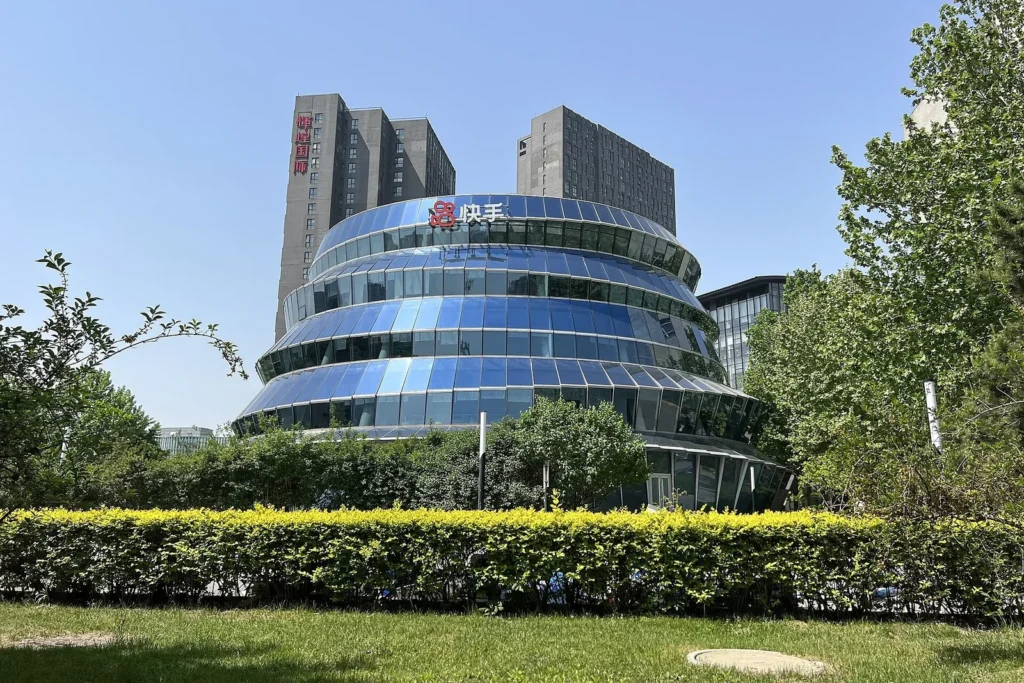
Kling’s own site, klingai.com, lists Kling 4.0 as its newest model as of November 20. Multiple specialist reports date the global launch to October 15, 2026, though Kling’s release notice itself could not be retrieved. The consumer service is operated by Kuaishou. Kling 3.0 and 3.0 Turbo still appear in API and pricing materials, so older models have not vanished.
Reported capabilities read like a director’s checklist: clips up to 30 seconds, native 21:9 output, reference-video camera control, two-speaker lip sync and stereo audio. The lip sync is the headline for creators. Two characters talking in one prompt used to mean generating each line separately and syncing in an editor. If the feature works as listed, it removes that pass. The 21:9 option helps too, since it matches the wide frame many trailer-style intros use.
Cost sits in the middle. The Basic tier is free, Standard renews at $8.80 per month for 660 credits, and Pro runs $32.56 per month for 3,000 credits. Through the API, Kling 4.0 lists around $0.16 per second at 720p and the Flash tier around $0.09. Reportedly, the Flash tier became broadly available in early November.
Gaps to watch: a hands-on report from November 20 says 10-bit HDR and two-minute video extensions were still marked coming soon, even though some roundups already advertise them. If a feature matters to your project, confirm it in the app before you subscribe. Pricing also looks unsettled, with one report dating a price change to October 18.
Who it suits: creators who want sound and speech in the first render and who plan to cut a longer scene from a single take. Who should look elsewhere: anyone making 5-second stingers all day, where a cheaper model gives the same result for less.
Gemini Omni 1.2 Flash: 15 seconds at $0.07 a second
Google released the model on November 5 and, per its announcement, it supports clips up to 15 seconds compared with 10 for Gemini Omni 1.1 Flash. Google puts the new price 30% below 1.1. The model generates and edits video, with improved scene consistency and dialogue behavior in summaries of the post.
Price roundups list $0.023 per second at 360p, about $0.07 at 720p, $0.104 at 1080p and $0.209 at 4K. Runway Dev lists the same 720p price as 7 credits per second. That ladder makes Gemini the easiest model to budget: draft at 360p for pennies, then re-run the keeper at 1080p.
The catch is access. Google positions the model as an API and Google Cloud product, and no free tier is confirmed. One report says it also arrived inside Google Vids, which would give non-developers a route. If you do not write code, you can reach it through Runway Dev, which lists the model beside Kling, Seedance and Wan.
Runway’s documentation reportedly lists the earlier Gemini Omni 1.1 Flash at $0.10 per second at 720p. Take 30% off that figure and you land exactly on $0.07, which matches Google’s claim. The arithmetic is a quiet cross-check that two separate pages agree.
Who it suits: anyone who produces many short clips and wants predictable cost per take. Who should look elsewhere: anyone who needs a single shot longer than 15 seconds or a no-code free plan.
Wan 3.0 and Seedance 2.5: the 30-second challengers
Wan 3.0
Wan 3.0 is Alibaba’s latest, with a faster Prime variant. Reports date its API to August 2026, and one result says general availability came on August 24 with no application required. It is reported to generate up to 30 seconds at up to 1080p with native audio, and it accepts text, images, video, audio, documents and web pages as references. The document and web page input is unusual. It suits explainer videos built from a script or article someone already wrote.
Runway Dev lists $0.05, $0.10 and $0.20 per second at 480p, 720p and 1080p, while Prime costs $0.28 at 1080p. Alibaba’s own regional rates differ and sit near $0.041 to $0.165 per second outside Singapore, per a ToolChase review. The consumer site reportedly offers Free, Pro and Premium tiers, with Premium at $26 per month for 1,200 credits. One third-party site claimed Wan withdrew a 30-second allowance for new accounts on November 13, so check the free tier before you plan around it.
One report says Wan 3.0 is hosted only, and that the latest open-weight Wan family remains Wan 2.2 from July 2025. That is a single source, so confirm it before deciding whether you can run Wan locally.
Seedance 2.5
ByteDance released Seedance 2.5 on July 31, 2026, per Seedance TV’s summary of the official release. It generates 4 to 30 seconds at up to 1080p with joint audio and video. The 4K variant was announced October 23 for selected enterprise customers and opened to every Runway Dev account on November 11, according to a Runway Dev guide. Reportedly, a lower-cost Seedance 2.5 Flash tier followed on November 12 for 480p and 720p.
Seedance TV’s comparison page offers the most useful guidance on whether 2.5 is worth the money. It says 2.5 costs 45% to 55% more per second than 2.0 on its service, and advises 2.0 for clips of 15 seconds or less. On Runway Dev, Seedance 2.0 lists from $0.14 per second, 2.0 Fast from $0.11 and 2.0 Mini from $0.07, versus $0.20 for 2.5. If your clip fits 15 seconds, the older tiers cut the bill by 30% to 65%.
Seedance 3.0 rumors exist, but a November 19 report found no announcement. Treat anything claiming it has launched as unverified.
Runway Gen-4.5 and Luma Ray 3.2: the editor’s picks
Runway and Luma sell something different from the other four. Neither leads on clip length. Both lead on workflow and on working with footage you already have.

Runway: a model maker and a model marketplace
Runway’s newest first-party video model is Gen-4.5, which supports text to video and image to video in clips of 2 to 10 seconds. Its help center guide to Gen-4.5 walks through the controls. Runway Dev lists it at $0.12 per second, and the older Gen-4 Turbo at $0.05. Aleph 2.0 lists at $0.28 per second. One credit equals $0.01 across the platform.
The bigger story is the marketplace. Runway Dev now lists Kling 4.0, Seedance 2.5, Wan 3.0 and Gemini Omni next to its own models on one balance. Anyone who wants to test four models for a single project can fund one account. The consumer plans change on November 30, 2026, when the legacy Unlimited plan moves to Max at the same $95 monthly price. Max brings 9,500 credits and rollover, where Unlimited gave 2,250 credits plus slower unlimited generations in Explore Mode.
Luma: Ray 3.2 and footage reworking
Luma’s own information page names Ray 3.2, released June 2026, as the current video model, and says the old Dream Machine and Ray2 names are deprecated. Its pages are not fully consistent, though. A separate FAQ calls Ray3.14 the newest update, and the pricing tiers carry different labels on different pages. Ray3.14 is available to subscribers on the web but not through the API.
Luma’s pitch is control. Ray3 Modify, documented August 6, handles video-to-video work through Modify, Keyframes and Reference modes, which suits editors who want to restyle shot footage instead of generating from scratch. Free accounts get Ray3 in Draft Mode with limited monthly credits. HDR, EXR export and higher-resolution upscaling need a paid plan at $30, $90 or $300 per month. Luma does not publish a per-second rate in the verified material, so a cost-per-clip comparison against the API models is not possible.
Real-world examples of what these tools produced
Vendor showcase pages are marketing, so read these as claims the makers chose to publish. Kling’s own site lists several, and none states which Kling model version made each piece. They still show where the technology has reached in finished work.
- The RealReal April Fools ad. Director Sebastian Strasser and his studio Lipstick made it for the luxury resale platform. It won one Silver and one Bronze at the 2026 Cannes Lions, per Kling’s page.
- Purga Films ad. The Argentine studio made an ad for its own AI advertising services entirely with Kling. It took Bronze in the Classic Film category at Cannes Lions 2026.
- Qingming Festival short film. A short film made entirely with Kling went viral during the 2026 festival and reached over 100 million views across platforms, according to Kling.
- Feature film from Fountain 0. The studio and Kling co-produced a feature directed by Ash Koosha. All 135 minutes of visuals came from Kling, per the showcase.
- Warner Music China virtual idol video. Kling, Chaocreate Wu Zhiqi and Warner Music China built the idol Wu Aihua and her debut music video, which Kling says drew over 11.2 million views.
- TNT felt-animation music video. Kling made the video for the idol group TNT. Kling reports 1.32 billion likes on it.
Cost examples give a different kind of proof. On Seedance TV’s price page, a 10-second 720p video costs about $7.80 on Seedance 2.0 and about $12 on 2.5. The cheapest verified way to produce the same length with Wan 3.0 is $1.00. A creator making 20 eight-second intro variants for A/B testing would spend $16 on Wan 3.0 at 720p (20 clips at 8 seconds and $0.10), against about $192 at the Seedance TV rate. The route to the model matters as much as the model.
From prompt to finished intro: a workflow
Prompting skill moves cost more than model choice does. A prompt that works on the first or second try saves paid regenerations, and at $1 to $3 per clip those add up. A workable prompt covers six things: subject, action, setting, camera, light and sound.
Subject:  a retro microphone on a wooden desk, neon sign behind it
Action:   dust drifts through the light, the cable swings once
Camera:   slow push-in, shallow depth of field, 35mm look
Light:    warm key from the left, cyan rim light
Audio:    soft room tone, one low synth chord
Length:   8 seconds, 16:9
Keep one idea per prompt. Models drift when a prompt asks for three scene changes inside 10 seconds. If you need a sequence, generate each beat as its own short clip and cut them together. Reuse a frame from the first clip as the reference for the second to hold the look steady.
A workable routine has five steps:
- Draft at the cheapest tier, such as Gemini’s 360p rate of $0.023 per second or Wan’s $0.05 at 480p, to lock composition and motion.
- Regenerate the winner at 1080p, and only at 4K if you need to crop or deliver in 4K.
- Download the file right away and log the model, resolution and prompt.
- Trim in your editor to the 5 to 8 seconds you need, and add your own title, lower third or logo as live text, since generated text often fails to spell your name correctly.
- Export with the settings in the table below.
Render settings
These targets suit the common channel jobs. Frame rate is not stated on most vendor pages, so check the generated file’s properties and match your timeline to it.
| Job | Resolution | Frame rate | Length after trim | Export format |
|---|---|---|---|---|
| YouTube intro | 1920×1080 | Match the clip, 24 or 30 fps | 5 to 8 s | H.264 MP4 |
| Shorts, Reels or TikTok opener | 1080×1920 | Match the clip, 30 fps | 2 to 4 s | H.264 MP4 |
| Cinematic b-roll | 3840×2160 only if cropping | 24 fps | 4 to 10 s | H.265 or ProRes for editing |
| Stream starting screen loop | 1920×1080 | 30 or 60 fps | 10 to 15 s, looped | H.264 MP4 or WebM |
Which generator fits which job
Each pick below follows from the tables above, not from brand loyalty. Where two models tie, price breaks the tie.
- YouTube intros and stingers of 5 to 8 seconds: Gemini Omni 1.2 Flash. It costs $0.70 for 10 seconds at 720p and $1.04 at 1080p. Kling 4.0 is the alternative if you want the audio and 21:9 option.
- Dialogue scenes with two speakers: Kling 4.0, which lists two-speaker lip sync and stereo audio. Gemini Omni 1.2 Flash is the second choice, since Google says dialogue improved in 1.2.
- One continuous 20 to 30 second take: Wan 3.0 for price at $3.00 per 30 seconds at 720p, or Kling 4.0 for audio features at about $4.80.
- Bulk drafts and A/B testing: Wan 3.0 at 480p ($0.05 per second), Gemini at 360p ($0.023), or Seedance 2.0 Mini on Runway Dev ($0.07).
- Reworking footage you already shot: Luma Ray3 Modify, which documents Modify, Keyframes and Reference modes, or Gemini Omni 1.2 Flash, which Google describes as a video-editing model as well as a generator.
- 4K delivery: Seedance 2.5 4K through Runway Dev, or Gemini’s 4K tier at $0.209 per second. Verify Kling’s 4K claim in the app before you rely on it.
- Trying four models on one budget: a Runway Dev account, which lists Kling 4.0, Seedance 2.5, Wan 3.0 and Gemini Omni on one balance.
None of the vendor pages used for this comparison mention transparent (alpha channel) output, so overlays and stream alerts still need a background you can key out in your editor.
Migration guide: moving between models and plans
Model churn is fast enough that most creators will switch at least once this year. These are the moves with a real deadline or price reason behind them.
Five specific switches
- Runway Unlimited to Max, before November 30, 2026. Monthly subscribers move to Max at the same $95 price unless they cancel. Check whether 9,500 credits with rollover beats 2,250 credits plus Explore Mode for your volume.
- Veo 3.1 to Gemini Omni 1.2 Flash. Google’s DeepMind page still lists Veo 3.1 as the newest Veo, and Runway Dev lists it from $0.20 per second, with Veo 3.1 Fast from $0.10. Gemini Omni 1.2 Flash starts at $0.07 at 720p, so re-run a test prompt before moving a whole project.
- Kling 3.0 to Kling 4.0. Both stay in API materials, so you can keep old projects reproducible. Move new work to 4.0 and rerun prompts, because motion and lip sync behavior can change between generations.
- Seedance 2.0 to 2.5, or the reverse. Use 2.5 only for clips beyond 15 seconds or when you need 4K. Below that, 2.0 and its Fast and Mini tiers cost less.
- One vendor to a marketplace. Moving from a Kling or Wan direct plan to Runway Dev swaps monthly credits for pay-per-second spend. It suits sporadic use and costs more at high volume.
Before any switch, keep a prompt log with the model name, resolution, reference frame and result. Credits do not transfer between services, so use up what you have bought. Download finished clips instead of trusting a cloud library, since plans and retention windows change. If the clip came from a free plan, expect a watermark and plan to regenerate it on a paid tier.
Match aspect ratio and frame rate to your timeline before you generate, not afterward. Cropping a 16:9 clip for vertical wastes pixels you paid for.
Pros and cons of each generator
Kling 4.0
- Pro: 30-second clips, stereo audio, two-speaker lip sync, native 21:9.
- Pro: a $0 Basic tier and an $8.80 Standard plan.
- Con: credits run out fast on long 1080p clips.
- Con: 10-bit HDR and two-minute extend were still marked coming soon on November 20.
Gemini Omni 1.2 Flash
- Pro: lowest verified per-clip price, with tiers from 360p to 4K.
- Pro: video editing as well as generation, and a 30% price cut over 1.1.
- Con: capped at 15 seconds.
- Con: API and Cloud first, with no confirmed free tier.
Wan 3.0
- Pro: cheapest 30-second clips, plus document and web page inputs.
- Pro: 480p drafts at $0.05 per second.
- Con: prices and free allowances differ by provider and region.
- Con: reportedly hosted only, so no local runs.
Seedance 2.5
- Pro: 4 to 30 seconds with joint audio, and a 4K path through Runway Dev.
- Pro: cheaper 2.0 siblings for short clips.
- Con: reseller prices run several times the API rate.
- Con: free-plan clips carry a watermark on at least one reseller.
Runway Gen-4.5
- Pro: one credit balance across several rival models.
- Pro: Gen-4 Turbo at $0.05 per second for cheap tests.
- Con: first-party clips stop at 10 seconds.
- Con: built-in audio is not confirmed.
Luma Ray 3.2
- Pro: Modify, Keyframes and Reference modes for working with existing footage.
- Pro: a free Draft Mode on Ray3.
- Con: Luma’s own pages disagree on the newest model and on tier names.
- Con: no per-second price to compare against the API models.
Verdict: which text to video AI to pick
No single model wins every job, but the data points to clear defaults. For the most common creator task, a short clip under 15 seconds, Gemini Omni 1.2 Flash is the pick. It costs $0.70 for 10 seconds at 720p and $1.04 at 1080p, versus $1.00 and $2.00 for Wan 3.0 and about $1.60 at 720p for Kling 4.0. It also has the cleanest price ladder for drafting.
For clips beyond 15 seconds, Wan 3.0 wins on cost at $3.00 for 30 seconds at 720p, and Kling 4.0 wins on features, with stereo audio and two-speaker lip sync at about $4.80 for the same length. Seedance 2.5 earns its place when you need a 4K path today, and its older 2.0 siblings are the better buy for short clips. Runway is the practical home for anyone who wants to compare models without opening four accounts. Luma suits editors who start from footage, not a blank prompt.
The takeaway: price your clip length first, then pick the model. A creator who needs 6-second intros should not pay a 30-second premium, and one who needs 30-second takes should not stitch five short clips together. Recheck the rates every few weeks. Gemini cut its price by 30% in one release, and three major models launched in the last four months.
Questions creators ask
What is the best text to video AI right now?
It depends on clip length. Gemini Omni 1.2 Flash is the lowest verified price per clip up to 15 seconds. Wan 3.0 is the cheapest at 30 seconds, and Kling 4.0 adds stereo audio and two-speaker lip sync. See the verdict section for the numbers.
Is there a free text to video AI?
Several offer free access with limits. Kling lists a Basic plan at $0 and Luma offers Ray3 in Draft Mode with limited credits. Free clips on at least one Seedance reseller carry a watermark, and Gemini Omni 1.2 Flash has no confirmed free tier. Read each plan page before you count on free output for a monetized channel.
How long can an AI-generated video be?
Kling 4.0, Wan 3.0 and Seedance 2.5 list up to 30 seconds per generation. Gemini Omni 1.2 Flash allows 15, and Runway Gen-4.5 allows 2 to 10. Longer videos mean joining several clips in an editor.
Does AI video generation create sound too?
Kling 4.0, Seedance 2.5, Wan 3.0 and Gemini Omni 1.2 Flash list built-in audio. Runway Gen-4.5 and Luma Ray 3.2 do not confirm it on the pages used here. Check licensing terms for generated music before you monetize.
Is the Gemini model called Omni Flash 1.2 or Omni 1.2 Flash?
Google’s announcement uses Gemini Omni 1.2 Flash. Some third-party roundups write Gemini Omni Flash 1.2, and older Runway pages show the earlier 1.1 version. Search for the official name when you check pricing.
Can I use these clips on YouTube or in ads?
Commercial rights depend on the plan and the provider. Free tiers often add watermarks or limit usage. Read the terms on the exact plan you buy, and keep a record of the plan and date for each clip you publish.
Why does the same model cost different amounts on different sites?
Resellers and platforms add margins, credit packs and plan limits. Seedance 2.5 lists from about $0.20 per second on Runway Dev and about $1.20 per second at the reseller Seedance TV. Compare the per-second rate, not the plan price.
Should I switch from Runway Unlimited before November 30?
Monthly Unlimited subscribers move to Max at the same $95 price on November 30, 2026 unless they cancel. Max gives 9,500 credits with rollover, where Unlimited gave 2,250 credits and slower unlimited generations. Decide based on how many clips you generate each month.
More from the Vipid blog
- Unlimited Image to Video AI [2026]: 0 of 5 Confirmed
- Kling AI Pricing [2026]: Runway $0.10 to $0.29/sec
- AI Image Animator [2026]: 5 Models, 11s vs 277.8s
- Best Image to Video AI 2026: 7 Tools, 30s Clips
- Image to Video AI Free [2026]: Kling 4.0 vs Veo 3.1
- Vipid intro maker template-based intros, no prompt needed
- Logo Design animated logo intro from your logo file
- Promo product promo theme
- Sample videos finished Vipid intros
Lena Marsh
Lena Marsh is the AI Video Editor at Vipid, covering AI video generators and the platform and software news that changes how creators render, upload and stream. She judges every model by its output — clip length, resolution, frame rate, watermark and cost — rather than by announcements, and runs Vipid’s news radar across the official YouTube, Apple, Adobe, Blackmagic, OBS, OpenAI and Google sources.