Graffiti Text Generator Ranked for Video and Thumbnails
What a Graffiti Text Generator Gives You, and What It Does Not · How We Ranked These Six Generators · #1 GraffForge: The Cleanest Transparent Overlay · #2 Graffiti-Letters: Thumbnail Canvases and a One-Time Licence · #3 Image Text Editor Graffiti Font Generator: Fast, Free, No Account · #4 Graffiti Generator: Free Editor Plus AI Murals by the Credit · #5 ThumbFont Graffiti Text Effect: Built for the Thumbnail Look · #6 AI Graffiti: Scene Art for Walls, Merch and XR · Graffiti Text Generator Comparison Table: All Six Picks · Render Settings: From Generator to Timeline · Frame by Frame: Put a Graffiti Tag Over Footage · Graffiti Text in Thumbnails: Contrast, Outline and Length · Licence Checks and Look-Alike Names Before You Monetize · Verdict: The Best Graffiti Text Generator for Three Budgets · Before You Render
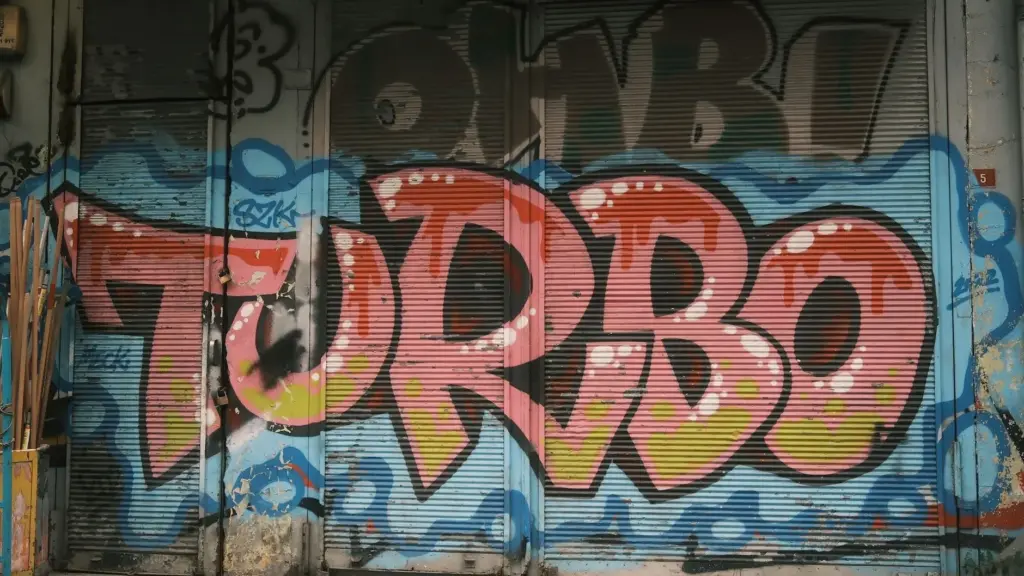
A graffiti text generator turns a word into spray-paint lettering you can drop on a thumbnail or over footage. The catch for video makers is the file you get back. The graffiti tools ranked here export a picture of lettering, not text you can retype, so the real test is how cleanly that picture lands on a timeline.
Thumbnails reward the effort. According to Wyzowl, “18% of marketers used custom thumbnails when A/B testing videos in 2025.” Lettering that reads at a glance is one of the few parts of a thumbnail you can fix in minutes, and a graffiti look gives plain words an edge that default fonts lack.
This ranking sits in our kinetic typography coverage because the lettering usually ends up moving: a tag that sprays on, holds, and wipes off. Prices, limits and licence terms below come from each vendor’s own pages as read on November 28, 2026. None of the six lists a numbered version, so “newest” here means whatever the live site offers today.
The short answer: GraffForge ranks first for clean transparent overlays, Graffiti-Letters second for thumbnail canvases and a one-time commercial licence, and Image Text Editor third for a no-account tag in a minute. Graffiti Generator, ThumbFont and AI Graffiti follow, each for a narrower job.
What a Graffiti Text Generator Gives You, and What It Does Not
Most tools in this space work one of two ways. The first type draws your text in a browser using open-licensed fonts, then layers outlines, fills, shadows and drips on top. Graffiti-Letters, for example, says its letter shapes start from the outlines of 15 open-licensed fonts, all under the SIL Open Font License or Apache 2.0. The second type uses an AI image model to paint a wall scene around your words, and it charges credits for each render.
Both types hand you an image. GraffForge states this plainly on its help pages: the download saves a PNG, you cannot paste the letters as text, and you cannot install the file as a font. That matters for video work. A title you export as a picture cannot be retyped in your editor, so a spelling change means going back to the generator and exporting again.
It also means resolution is fixed at export. Scale a small PNG up on a 4K timeline and the spray edges go soft. Export at the largest size the tool allows, then scale down inside the editor. A transparent background is the other detail to check before you commit, because a solid box around your lettering is useless over footage.
There is a third thing people search for under this keyword: copy-and-paste “graffiti text” made of unusual Unicode characters. Those strings are not graffiti. They are a mix of symbols that many video editors fail to render, and they often show as empty boxes in a title tool. For video, an exported image beats pasted symbols every time.
Kling AI also runs a graffiti generator feature page on its site. Our facts sheet holds no current pricing or output limits for it, so it stays out of the ranking and we say nothing further about it.
How We Ranked These Six Generators
We scored each tool on what a creator needs to get lettering into a video or a thumbnail without a second round of fixes. Weights reflect that goal. A tool can look great and still rank low if its export gets in the way of a timeline.
| Criterion | Weight | What we checked |
|---|---|---|
| Video-ready export | 30% | Transparent PNG, export size, preset canvases, no watermark |
| Licence clarity | 25% | Whether the vendor’s own pages say you can use the result on a monetized channel |
| Cost to a clean file | 20% | Free tier, one-time price or monthly price needed to remove limits |
| Style control | 15% | Number of styles, outline and shadow options, AI scene options |
| Friction | 10% | Account walls, character limits, steps before the download |
We did not render or test these tools ourselves. The ranking reads each vendor’s pricing page, help pages and terms as fetched today, and it rests on what those pages state. Where a fact appears on only one vendor page, the text below says “according to” that page. Where a page is silent, the table says “not confirmed” instead of guessing.
One more rule shaped the order. The newest version of a product line always wins over an older one. None of these tools publishes a version number, so we used the latest dated vendor page as a freshness signal and show that date in the table. A fresh page proves the vendor is still maintaining the tool. It does not prove the output is better.
Ties went to the tool that asks for less before you can download. A creator on a deadline does not want to read a pricing page to find out whether a PNG carries a watermark. The tools that answer that on the page where you export scored higher on friction and on licence clarity.
#1 GraffForge: The Cleanest Transparent Overlay
GraffForge takes first place because its own documentation answers the three questions a video editor asks before anything else: how big is the file, is the background really transparent, and what can I do with it.
- Free plan: $0, with three AI generations on registration.
- Standard: $13.99 a month, 75 generations per billing cycle.
- Premium: $27.99 a month, 180 generations per billing cycle, with commercial usage under the licence terms.
- Lettering export: PNG at 2048 pixels wide and 2048 pixels tall, no watermark and no account.
- Input limit: 1 to 20 characters and at most one space.
The transparent background is a switch, and it starts in the off position. Turn it on before you press Download PNG, and the empty area of the 2048-pixel file carries real alpha. Leave it off and you get a solid background. That one switch is why GraffForge suits a lower-third style tag over footage: drop the file on the track above your clip and nothing needs keying out.
The same pages document a graffiti logo route. The download is again a single 2048 by 2048 PNG, which makes a quick wordmark for a channel banner or an end card. GraffForge says the tool exports a PNG only, with no SVG and no installable font, so plan to keep your source word and export again if the spelling changes.
On licensing, GraffForge’s pages say PNG exports from the free font, tag and online tools are cleared for personal or commercial projects, subject to its licence. The bundled font files do not transfer to you, and the AI scene generator carries separate licensing. Paid plans are monthly subscriptions that renew automatically until you cancel in Settings, under Billing.
The vendor has been active this month. According to its own pages, it published or updated guides on November 11, 13, 19, 21, 25 and 27, its terms on November 18 and its pricing page on November 22. Those are content updates, not a product release, and the site does not name an AI model or a version number.
Verdict: GraffForge sits first because it combines a documented transparent export, a stated pixel size, a clear note on what you cannot do and a free tier that does not ask for an account. It has nothing above it to lose to, but it gives up two things to the pick below: it exports a square canvas only, and it offers no SVG. Buy the paid tiers only if you also want AI street-art scenes. Creators who need a tag over footage today should start here.
#2 Graffiti-Letters: Thumbnail Canvases and a One-Time Licence
Graffiti-Letters, at graffiti-letters.com, is the most thumbnail-minded tool of the six. Its generator lists preset canvases, including 1920 by 1080 for a YouTube thumbnail and 1080 by 1920 for a story or TikTok frame. You pick the shape of your deliverable before you type a letter.
- Pro: $14.99, paid once and described as permanent.
- What Pro adds: a commercial licence, 4K and 8K files, Neon, Gold and Holo styles, and one-click generation of a full alphabet.
- Free use: according to the site, personal use is free, with 12 styles and PNG and SVG downloads without a watermark. Free mockups carry a small Graffiti-Letters credit.
- Other Pro options: the site also lists $9.99 per year and a $3.99 seven-day Project Pass with no renewal.
The one-time price is the hook. Its page calls $14.99 a launch price, reduced from $24.99, so check the figure on the day you buy. The vendor also says the generator stays free and that Pro extras do not push features that are free today behind a paywall. For a creator who monetizes, the commercial licence is the real purchase, because the free tier is for personal use such as school work, profile pictures and social posts.
Be careful with older articles that mention this domain. Per the site’s About page, graffiti-letters.com hosted a different graffiti letters website from about 2008 to 2024. The current site was built from scratch and launched in 2026, and none of the old site carried over. It has no numbered release, and the newest dated official page we found is from November 9, 2026.
Vector output is the quiet benefit for motion work. According to the site, free downloads include SVG, which a motion tool can scale and animate without softness. Pair that with a vertical 1080 by 1920 canvas and you have a title ready for a short-form edit before you open your editor.
Verdict: Graffiti-Letters ranks second because it is stronger than GraffForge on canvases, styles and vector files, yet weaker on the one thing a video overlay needs first. Its pages do not confirm a transparent-background switch, and the free tier excludes commercial work. It loses to the pick above on that overlay readiness. Buy it if you publish thumbnails and shorts for money and want a one-time licence instead of a subscription.
#3 Image Text Editor Graffiti Font Generator: Fast, Free, No Account
Image Text Editor, at imagetexteditor.dev, runs a graffiti font generator as one tool in a wider toolkit for changing or removing text inside finished JPG, PNG and WebP images. The graffiti page was published on November 22, 2026 and updated on November 24, according to the page itself.
- Price: listed as free, with no sign-up.
- Styles: five.
- Export: transparent PNG, with no watermark.
- Fonts: open-source, under the SIL Open Font License.
- Processing: the page says it runs in your browser and keeps your text private rather than uploading it to a server.
The page also supports placing the lettering on a brick wall, which suits a still thumbnail more than an overlay. For footage you would skip the wall and keep the transparent export. The tool credits the Image Text Editor team and names no individuals, and it publishes no version, model name or changelog, so the update date is all we can say about freshness.
The footer of the wider site asks visitors to use only images they own or have permission to edit. That line concerns the editing tool for finished images, not the lettering generator, but it is worth reading if you plan to pair the two.
Speed is the selling point. You type a word, pick one of five looks, and download a transparent PNG with no account. There is no pricing page to read and no credit meter to watch. For a single channel tag or a one-off thumbnail word, that is hard to beat.
Verdict: It earns third place by matching GraffForge on transparent PNG and no account while offering less to work with. Against Graffiti-Letters it has fewer styles and no preset canvases, and its licence story stops at the font licence, so a monetized channel gets less certainty than a stated commercial licence. Choose it when you want one clean tag in a minute and do not care about extras.
#4 Graffiti Generator: Free Editor Plus AI Murals by the Credit
Graffiti Generator, at graffiti-generator.art, pairs a free text editor with paid AI tools for murals, names, tags, letters, fonts and logo concepts. Its pricing and tool pages carry a last-updated stamp of September 23, 2026.
- Free editor: the text editor, font styles and PNG, JPG and GIF exports are free and need no AI credits.
- Credit packs: Starter $4.99, Standard $9.99 and Premium $29.99. The Premium pack holds 1,200 credits.
- Billing: one-time purchases, not subscriptions, and the credits do not expire.
- AI cost per image: 10 credits at 1K, 15 credits at 2K and 20 credits at 4K.
- Paid credits cover: AI murals, reference-image use, higher-resolution generation and commercial use of paid AI-generated images.
The arithmetic is simple enough to do on a napkin. A Premium pack of 1,200 credits buys 120 images at 1K, 80 at 2K or 60 at 4K. At $29.99, that works out to about $0.25 per 1K image and about $0.50 per 4K image. The site also says eligible first purchases can add bonus credits, with 20 for Starter, 50 for Standard and 200 for Premium, according to a pricing guide dated October 9, 2026.
The free GIF export suits a looping social post more than a video overlay. A GIF handles transparency as on or off, so soft spray edges show a halo against footage. For video work, use the PNG, or the AI credit route if you want a mural scene.
Ignore any listing that calls these prices monthly. A third-party listing shows pricing from $4.99 a month, but the vendor’s own pricing page describes one-time credit packs at $4.99, $9.99 and $29.99. We follow the vendor.
Verdict: It lands fourth because its free editor does not confirm a transparent PNG, and its pages state commercial rights for paid AI images but say nothing equivalent about the free editor’s output. It loses to the pick above on overlay readiness and licence clarity for plain text. Buy credits if you want painted wall scenes behind your title and prefer a one-time purchase to a subscription.
#5 ThumbFont Graffiti Text Effect: Built for the Thumbnail Look
ThumbFont is a free thumbnail text generator, and graffiti is one of its text effects. The effect uses a spray-paint font, Rubik Spray Paint, with layered outlines and shadowing. According to its graffiti page, that means bright lettering with a thick dark outline, a pink secondary outline and a 3D block shadow, which is the stacked look that keeps text readable on a busy frame.
- Price: free, with no paid plan listed for the graffiti effect.
- Output: PNG, generated in the browser. The page says text is not uploaded.
- Fonts: open-source, under the SIL Open Font License or the Apache License 2.0, depending on the font.
- Catalog: the homepage reports 28 fonts and 89 styles, according to the site.
- Launch: the product launched in November 2026.
The licence note is clear for a monetizing channel. ThumbFont says every font on its site falls under the SIL Open Font License or the Apache License 2.0, and that both allow commercial use, including thumbnails on monetized channels. That is a stronger statement for video creators than several rivals make.
The catch is scope. ThumbFont is a thumbnail tool first, so its pages talk about thumbnails and not about overlays, preset canvases or vector files. It also lists no numbered version, and the newest confirmed state is a set of website updates on November 21 to 25, 2026.
Verdict: ThumbFont ranks fifth because it nails one job, the finished thumbnail word, and does little else. It loses to Graffiti Generator on breadth of output, since it lists no GIF, JPG or AI route, and its pages do not confirm a transparent export. Pick it when your only goal is a punchy outlined word for a thumbnail and you want the commercial-use note in writing.
#6 AI Graffiti: Scene Art for Walls, Merch and XR
AI Graffiti, at aigraffiti.net, describes itself as an AI graffiti generator for real walls, merch and XR. It is a credit-based image lab with style capsules and high-resolution PNG exports, and its documentation calls it a street-art creative platform. It is the least text-first tool in the list, which is the reason it comes last for this job.
- Tagger: $15 a month, 400 credits, about 40 HD images.
- Crew: $45 a month, 1,600 credits, about 160 HD images, plus private style capsules.
- Agency: $99 a month, 4,000 credits, about 400 HD images, plus unlimited seats.
The plans are Tagger at $15 a month with 400 credits, Crew at $45 a month with 1,600 credits and Agency at $99 a month with 4,000 credits. The pricing page also lists one-time and annual options, with the annual option advertised as two months free, according to the site.
Creators who want a graffiti wall as a video background will find more here than in the text tools. Prompt a wall, add your word, and treat the output as a background plate. The weak spot is exactness. AI models can garble letters, and a channel name that comes back misspelled costs you credits each time you retry.
Verdict: AI Graffiti is sixth because it costs the most per usable file, from $15 a month, and its pages do not confirm a transparent lettering export or a stated licence for video use. It loses to Graffiti Generator on pricing, since credit packs there are one-time and do not expire. It suits agencies and studios that need scene art, merch mockups or stage backgrounds and can spread a subscription across many projects.
Graffiti Text Generator Comparison Table: All Six Picks
The table puts every pick side by side. “Not confirmed” means the vendor pages we read do not state the point. Ratings are editorial and follow the weights in the ranking section.
| Spec | #1 GraffForge | #2 Graffiti-Letters | #3 Image Text Editor | #4 Graffiti Generator | #5 ThumbFont | #6 AI Graffiti |
|---|---|---|---|---|---|---|
| Best for | Transparent overlays | Thumbnail canvases, one-time licence | Quick tag, no account | AI murals plus free editor | One-click thumbnail word | Scene art, merch, XR |
| Cost to start | $0 | $0 for personal use | Free | Free editor | Free | $15/month (Tagger) |
| Paid options | $13.99/month, $27.99/month | $14.99 one-time Pro | None listed | $4.99, $9.99, $29.99 credit packs | None listed | $15, $45, $99 per month |
| Billing model | Auto-renewing monthly | One-time payment | None | One-time, credits do not expire | None | Monthly credits |
| Quota | 75 or 180 generations per cycle | Not applicable | Not applicable | 1,200 credits in Premium | Not applicable | 400, 1,600 or 4,000 credits |
| Largest stated output | 2048 x 2048 PNG | 4K and 8K files (Pro) | Not confirmed | 1K, 2K or 4K AI renders | Not confirmed | HD images |
| Export formats | PNG (no SVG, no font) | PNG and SVG | Transparent PNG | PNG, JPG, GIF | PNG | PNG |
| Transparent background | Yes, via a switch | Not confirmed | Yes | Not confirmed | Not confirmed | Not confirmed |
| Preset video canvases | None, square only | 1920 x 1080 and 1080 x 1920 | None stated | None stated | None stated | None stated |
| Commercial use | Free-tool PNGs cleared, per its pages | Needs Pro | Open-licensed fonts | Paid AI images | Fonts allow monetized channels | Not confirmed |
| Numbered version | None listed | None listed | None listed | None listed | None listed | None listed |
| Latest dated page seen | Nov 27, 2026 | Nov 9, 2026 | Not listed | Sep 23, 2026 (page stamp) | Nov 21, 2026 | Not listed |
| Video-ready export (30%) | Strong | Good | Good | Fair | Fair | Weak |
| Licence clarity (25%) | Good | Strong | Fair | Good | Good | Fair |
| Cost to a clean file (20%) | Strong | Strong | Strong | Good | Strong | Weak |
| Style control (15%) | Good | Strong | Fair | Strong | Good | Good |
| Friction (10%) | Strong | Good | Strong | Fair | Strong | Fair |
Read the table by row. If you only care about getting lettering onto footage, the transparent background and preset canvas rows decide it. If you care about a monetized channel, read the commercial use row, then open the vendor’s terms before you publish.
The ratings explain the order. GraffForge scores Strong on the heaviest criterion and Strong on friction, which carries it past Graffiti-Letters even though the latter wins on licence clarity and style control. Image Text Editor beats Graffiti Generator because the criteria favor a clean transparent file over a bigger feature set. AI Graffiti drops to the bottom because two of its ratings are Weak and one is Fair on the criteria that matter most for lettering.
Render Settings: From Generator to Timeline
Match the canvas to the deliverable before you generate anything. Exporting a square tag and cropping it later wastes the sharpest pixels you have. Use the sizes the tools state and let your project settings set the frame rate.
| Deliverable | Resolution | Frame rate | Length | Export format |
|---|---|---|---|---|
| Landscape thumbnail | 1920 x 1080 | Still image | Not applicable | PNG from the generator |
| Vertical short or story frame | 1080 x 1920 | Match the project | Hold until the word reads, then out | PNG from the generator |
| Overlay tag on footage | 2048 x 2048 (GraffForge) | Match the project | In, hold, out on the timeline | Transparent PNG |
| Looping social post | As exported | GIF carries its own timing | One loop | GIF (Graffiti Generator) |
| Final video | Your project size | Match the source clips | As edited | MP4 for upload |
Frame rate is the one setting that should never come from the graffiti tool. The generators export stills, so the timing of your reveal lives in the editor. Set the timeline to match your camera files, then animate the still on top of it.
Watch the final export too. Fine spray speckle and thin outlines are the first detail a heavy compression setting smears. If the tag looks clean on the timeline and muddy in the upload, raise the quality of your export and check the result at full size, not in a small preview.
Frame by Frame: Put a Graffiti Tag Over Footage
Any editor with keyframes can animate a graffiti PNG. Blackmagic lists DaVinci Resolve 21 as the newest version of Resolve on its product page, and the steps below work the same way in Premiere Pro, Final Cut Pro or CapCut. Think in three beats: in, hold, out.
Build it in your editor
- Export the lettering as a transparent PNG at the largest size the tool allows. In GraffForge, turn the Transparent background switch on first.
- Place the clip on the first video track and the PNG on the track above it.
- Scale the PNG down to fit the shot. Never scale it up, because the spray edges soften.
- Set the in beat. A left-to-right wipe with a slightly soft mask edge reads like a hand moving along a wall. A quick scale pop with a small overshoot reads like a stamp.
- Set the hold. Leave the lettering still long enough for a viewer to read it twice, then stop moving it.
- Set the out beat. Reverse the wipe or fade the opacity over a few frames. Do not cut the tag off mid-read.
- Check the shot at the size of a phone screen. If the lettering vanishes against the footage, add a soft shadow layer behind it.
- Export the sequence at your project resolution.
Keep the motion small. A one-axis wipe and a short hold look intentional, while three effects stacked on one word look like a template. A tiny rotation of a degree or two after the wipe gives the tag a hand-placed feel without any extra keyframes.
Match the mood to the footage. A tag over a skate clip or a gaming highlight can arrive fast and rough. The same lettering over a calm talking-head intro should enter slowly and leave quietly, or it will fight the speaker for attention.
Or overlay it with FFmpeg
When you only need the tag on a finished clip, one FFmpeg command does it. This example scales the PNG to 900 pixels wide, centers it and shows it from the first second to the fourth. Change the numbers to suit your shot.
ffmpeg -i clip.mp4 -i tag.png -filter_complex "[1:v]scale=900:-1[tag];[0:v][tag]overlay=(W-w)/2:(H-h)/2:enable='between(t,1,4)'" -c:v libx264 -crf 18 -c:a copy tagged.mp4The overlay keeps the PNG’s alpha, so a transparent export sits on the footage without a box. If the tag looks jagged, re-export the PNG larger and scale it down in the filter.
From the Vipid archive: the Epic Titles theme is a smoke title sequence you can set beside a tag you build yourself, to compare how each treats in, hold and out.
Graffiti Text in Thumbnails: Contrast, Outline and Length
A thumbnail is judged at a small size, so the lettering has to survive shrinking. Spray-paint styles add texture and drips that vanish when the image shrinks, which is why ThumbFont’s thick dark outline and block shadow suit this job. Outline first, color second, texture last.
Keep the word count low. GraffForge caps input at 20 characters, and that limit is a useful discipline even when a tool allows more. One to three short words read at a glance, while a full sentence in tagged letters turns into noise. Set the word on the side of the frame away from the face or subject so the two do not fight.
Place the lettering inside the safe area. The preset canvases at 1920 by 1080 and 1080 by 1920 help here, because you can see the full frame while you design. Leave a margin on every edge so a platform’s overlays, a timestamp or a rounded corner do not clip the word.
Test two versions when a video matters. Make one with a bright fill and a dark outline, another with a darker fill on a lighter frame, and compare them side by side at the size of a phone thumbnail. The version you can read fastest is the one to publish.
What the video data says
Wyzowl’s 2025 research puts the stakes in numbers. It reports: “89% of businesses used video as a marketing tool in 2025.” It also reports: “95% of marketers considered video an important part of their marketing strategy in 2025.” A third finding reads: “93% of video marketers reported that video provided a good return on investment in 2025.”
Those figures describe marketing teams, not solo creators, so treat them as context and not as proof that graffiti lettering lifts clicks. They do show why a repeatable thumbnail look is worth setting up. The 18% figure for custom thumbnails in A/B tests leaves room for a creator who tests two lettering styles and keeps the winner.
Licence Checks and Look-Alike Names Before You Monetize
A free tool is not a licence. Read the terms for the exact output you plan to publish. The six vendors state their position in different ways, and the differences matter once a video earns money.
- GraffForge: free-tool PNG exports are described as cleared for personal or commercial projects, subject to its licence. Font files are not transferred, and AI scenes are licensed separately.
- Graffiti-Letters: according to the site, personal use is free. The $14.99 Pro purchase carries the commercial licence.
- Image Text Editor and ThumbFont: both point to open-source fonts under the SIL Open Font License, and ThumbFont adds that commercial use, including monetized channels, is allowed.
- Graffiti Generator: the pages state commercial use for paid AI-generated images.
- AI Graffiti: the pages we read do not state a licence for video use, so check its terms.
Open-source font licences cover the font, and the export you make from it is a separate question. When a vendor states that the image is yours for commercial use, trust that sentence over inference from the font licence. When it does not, ask support or choose a tool that says it plainly.
Look-alike names are the other trap. Several sites use near-identical names, including graffiti-generator.art, graffitigenerators.com, graffitilettersgenerator.com and graffiti-letters.com. The evidence we read does not establish that any of them owns or runs another, and prices from one can be pasted onto a page about a different one. Check the address bar before you pay, and read the pricing page on that exact domain.
Third-party listings can also drift out of date. The $4.99 a month claim for Graffiti Generator is a good example, because the vendor’s own page describes one-time purchases. Use vendor pages for prices, and treat directories as pointers.
If a graffiti wordmark will open every video, a logo intro is the next step. Vipid’s animated logo intro theme is one example of a logo reveal built as a ready intro.
Verdict: The Best Graffiti Text Generator for Three Budgets
GraffForge is the best overall pick for video and thumbnails today. It documents a transparent 2048 by 2048 PNG, states what the file is and is not, and lets you start without paying or creating an account. Every other pick wins on one point and loses on another.
- $0 budget: GraffForge. Its free tier covers the lettering tools, and the transparent switch makes the file ready for a timeline. If you refuse any account at all, Image Text Editor is the fallback.
- About $15, paid once: Graffiti-Letters Pro at $14.99. You get a commercial licence, 4K and 8K files and preset canvases, with no recurring bill. Check the launch price on the day.
- About $30 for scene art: Graffiti Generator Premium at $29.99 for 1,200 credits. It buys AI murals with no expiry on the credits. Choose AI Graffiti instead only if an agency or studio needs monthly volume and team seats.
For a thumbnail-only workflow, ThumbFont is a sensible free add-on, because its outline and shadow are built in and its licence note covers monetized channels. Pair it with any pick above when you want the finished look in one click.
The takeaway: pick the tool that gives you a transparent file and a licence sentence you can quote, then spend your time on the reveal and hold in your editor. The lettering is a minute of work. The timing is what makes it look intentional.
Before You Render
Can I use a graffiti text generator for a monetized YouTube video?
Often yes, but the answer depends on the tool’s terms. Graffiti-Letters includes a commercial licence in its $14.99 Pro purchase. GraffForge’s Premium plan covers commercial usage under its licence terms. Read the terms for the specific output you publish before the video goes live.
Do these tools give me a font file?
The graffiti lettering tools export images. GraffForge states that its download is a PNG, that you cannot paste the letters as text and that you cannot install the file as a font. Plan to export again whenever the wording changes, and check any tool that advertises font files before you assume the graffiti look comes as one.
Which tool gives a transparent background?
GraffForge documents a Transparent background switch that produces real alpha in its 2048 by 2048 PNG, and you must turn it on before you download. For the other tools, check the export on your own screen before you build a timeline around it.
What size should I export for a thumbnail?
Use a 1920 by 1080 canvas for a landscape thumbnail and 1080 by 1920 for a vertical frame, the two preset sizes we found on these vendors’ pages. Export larger when the tool allows it and scale down in your editor.
What is the cheapest paid route?
Graffiti-Letters Pro at $14.99 paid once is the lowest one-time price in this list, and GraffForge Standard at $13.99 a month is the lowest monthly price. Graffiti Generator Premium costs $29.99 for 1,200 credits, and AI Graffiti starts at $15 a month.
Are graffiti generators AI tools?
Some are and some are not. GraffForge and Graffiti Generator offer AI generations on credits or plans, while their text editors work without them. AI Graffiti is built around credit-based AI images.
Why not copy and paste graffiti text instead?
Pasted symbols depend on fonts your editor may not have, and they can show as empty boxes in a title tool. An exported PNG looks the same on every machine.
How do I keep the lettering sharp?
Export at the largest size the tool offers, place the PNG at or below its native size and avoid scaling it up on the timeline. If the edges still look soft, regenerate it larger.
More from the Vipid blog
- Logo Design upload a logo, get an animated logo intro
- Epic Smoky Titles your text in a smoke title sequence
- Star Text animated title theme
- All Vipid themes specs for every theme
Ines Calder
Ines Calder is the Titles & Motion Editor at Vipid, covering lower thirds, title sequences, kinetic typography and logo animation across After Effects, Premiere Pro, DaVinci Resolve and Final Cut Pro. She writes her guides in frames and safe areas so they hold up on a phone as well as a TV, and every template she lists carries its editor version, plugin needs and licence.